Disclosure: Some of the links on Daily Digital Reviews are affiliate links. This means that if you click on a link and make a purchase, we may earn a small commission — at no extra cost to you.
The Problem With Publishing Everywhere
Repurpose.io sits in a specific corner of the content automation market — one that’s easy to overlook until you’ve spent an hour manually re-exporting the same video for five different platforms. This review looks at whether Repurpose.io actually solves that problem, or whether it’s a narrower tool than its marketing suggests. I analyzed the vendor’s documentation, pricing pages, and user feedback to give you a straight answer.
The short version: it’s a genuine automation tool with real strengths, but it’s not a full content suite. Whether that’s a selling point or a dealbreaker depends entirely on what you need.
Quick Verdict: Repurpose.io does one thing well — it takes existing video or audio content and automatically distributes it across a wide range of social platforms and cloud destinations. It’s not a content creator or analytics platform, but if repetitive cross-posting is eating your time, it’s a solid specialist tool. The free trial makes it low-risk to evaluate.
Overall Rating: 3.8 / 5 ⭐
Feature depth: 4/5 · Ease of use: 4/5 · Pricing value: 3.5/5 · Trust signals: 3.5/5
What Is Repurpose.io?
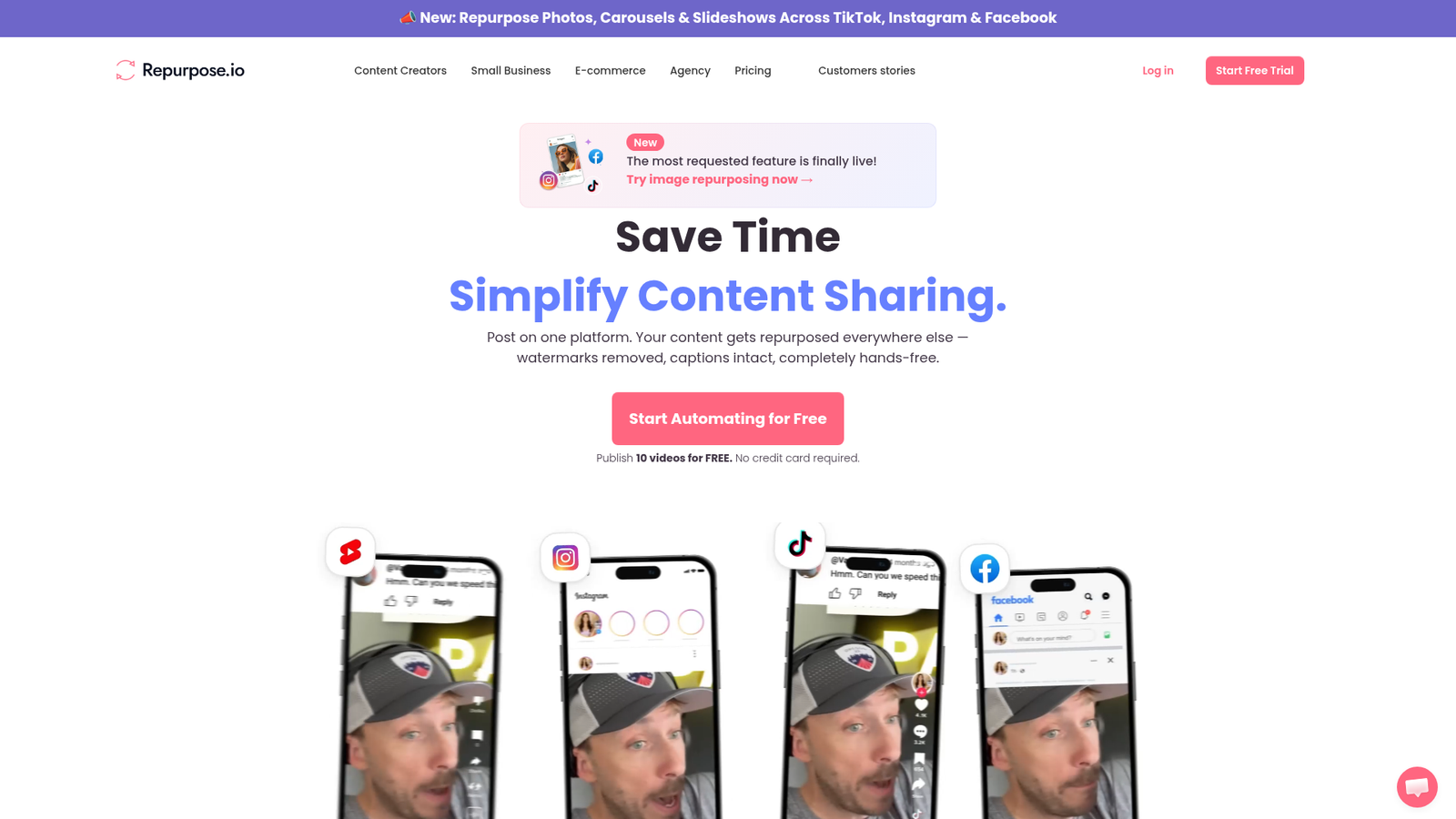
Repurpose.io is a content distribution and automation platform built specifically for republishing existing video and audio content across multiple channels. It’s not a video editor, an AI content generator, or a social media manager in the traditional sense. Think of it as a syndication engine: you create content once, then it handles the reformatting, scheduling, and publishing across your chosen destinations automatically.
The platform targets creators, podcasters, coaches, agencies, and small businesses that regularly publish the same asset across several platforms. If you’re currently doing that manually — downloading, reformatting, re-uploading — Repurpose.io is designed to replace that entire process.
Key Features
Automated Cross-Posting
The core feature is workflow-based syndication. You connect a source account — YouTube, TikTok, a podcast feed — and define destination channels like Instagram, Facebook, LinkedIn, Pinterest, X, Snapchat, Twitch, Google Drive, Dropbox, Spotify, SoundCloud, and more. When new content appears at the source, it flows to all destinations automatically. That breadth of supported platforms is a genuine strength — many competing tools cover only one slice of the distribution stack.
Watermark Removal and Platform Formatting
Repurpose.io includes watermark removal and format adaptation for platform-specific output. This matters for creators who repurpose TikTok content to other platforms and don’t want the TikTok watermark showing up on Instagram Reels or YouTube Shorts. The platform reformats content to match the requirements of the destination rather than just dumping the same file everywhere.
Workflow-Based Scheduling
Beyond one-time posts, the platform supports auto-scheduling rules so content publishes at the right time for each destination. Users set up rules once, then the system runs without manual input for every new piece of content that enters the workflow.
How Repurpose.io Works
Step 1 — Connect Your Accounts
According to the vendor’s documentation, setup starts by linking source and destination accounts. The platform supports a wide range of social networks and cloud storage services as both sources and destinations.
Step 2 — Build a Workflow
Users create a workflow by selecting the source, choosing destination channels, and defining any formatting or scheduling rules. The workflow then monitors the source account for new content.
Step 3 — Let It Run
Once the workflow is active, Repurpose.io automatically transforms, schedules, and publishes content to all connected destinations each time new content appears. No manual downloading or re-uploading required. Reviews describe the ongoing process as largely hands-off once the initial setup is complete.
What the Evidence Shows
What the Vendor Claims
Repurpose.io positions itself as the “#1 content repurposing platform” and emphasizes automation, time savings, and broad platform support. Their pricing page features testimonials from creators praising audience growth and workflow simplification. The company describes the core promise as “publish once, distribute everywhere.”
What Users Report
User sentiment is generally positive, especially among podcasters and video creators. Reviews consistently highlight the ability to auto-publish without watermarks, the ease of setting up source-to-destination workflows, and meaningful time savings on repetitive posting tasks. One user on the vendor’s own page credited the tool with helping grow their audience in a way they couldn’t have managed manually. Common complaints point to limited customization, weak built-in analytics, and the platform’s narrower scope compared to full content marketing suites.
How It Stacks Up Against the Category
In the content distribution category, Repurpose.io’s platform breadth stands out. Most competitors either focus on social scheduling or AI-powered editing — Repurpose.io specifically optimizes for automated syndication of finished assets across the widest possible range of destinations. That specialization is a real advantage for high-volume creators, but it means the tool won’t satisfy users who also need analytics, collaboration tools, or content ideation in the same platform.
Repurpose.io vs Competitors
Here’s how Repurpose.io compares against key alternatives on features and pricing. If you’re evaluating social automation tools more broadly, it’s also worth reading our Postclaw review and our look at Blotato for related tools in this space.
| Feature | Repurpose.io | Quso.ai | Buffer | Later |
|---|---|---|---|---|
| Automated cross-posting | Yes | Partial | Partial | Partial |
| AI video editing / clipping | No | Yes | No | No |
| Watermark removal | Yes | Partial | No | No |
| Podcast distribution | Yes | No | No | No |
| Social scheduling | Yes | Partial | Yes | Yes |
| Analytics dashboard | Limited | Yes | Yes | Yes |
| Content creation tools | No | Yes | No | Partial |
| Starting monthly price | $35/mo | Varies | Free tier available | Free tier available |
Buffer and Later are better choices if social scheduling and analytics are your priority. Quso.ai is more relevant if you need AI-powered clipping and editing. Repurpose.io wins specifically on automation depth and the breadth of supported distribution destinations — including podcast platforms and cloud storage that the others don’t cover. For a broader look at content repurposing tools, see our Reppit AI review.
Pricing
Repurpose.io offers three plans billed monthly or annually. The Starter plan is $35/month (or $349/year) and supports up to 3 accounts per social network with 5,000 published videos per month. The Pro plan is $79/month (or $790/year) for up to 10 accounts per network with unlimited videos. The Agency plan is $179/month (or $1,790/year) for up to 25 accounts per network. All plans come with a 14-day free trial — you can publish up to 10 videos free with no credit card required. Annual billing saves roughly 17% compared to monthly rates.
Pros and Cons
Pros
- Broad platform support — distributes to social networks, podcast platforms, and cloud storage in one workflow, covering more destinations than most competitors
- True automation — once a workflow is set up, new content publishes automatically without any manual downloads, reformatting, or re-uploads
- Watermark removal — strips platform watermarks before republishing, which keeps repurposed content looking clean across destinations
- Low-risk entry — the 14-day free trial with no credit card required lets you test real workflows before committing to a paid plan
- Fits audio and video — supports both podcasters and video creators, unlike tools that only handle one content type
Cons
- No content creation — it doesn’t generate, edit, or clip content; you need finished assets before it can do anything
- Weak analytics — limited built-in reporting means you’ll need a separate tool if performance data is important to your workflow
- Limited customization — users report that tailoring output for each destination beyond basic formatting is restricted
Who Should Use Repurpose.io?
It’s a strong fit for podcasters who want their audio distributed to YouTube, Spotify, SoundCloud, and social platforms simultaneously. It works well for video creators with a regular publishing cadence who are tired of manually reformatting the same clip for TikTok, Instagram Reels, and YouTube Shorts. Agencies managing multiple client accounts will get value from the higher-tier plans that support 10 or 25 accounts per network.
It’s a poor fit if you need to create or edit content — Repurpose.io requires finished assets. It’s also not the right tool if analytics and campaign reporting are central to your workflow. And if you only publish to one or two platforms, the automation savings probably don’t justify the subscription cost.
Frequently Asked Questions
Does Repurpose.io create content for you?
No. It’s a distribution platform, not a content creation tool. It takes existing video or audio assets and automates the process of reformatting and publishing them to multiple destinations. You need finished content before using it.
What platforms does Repurpose.io support?
Supported destinations include YouTube, TikTok, Instagram, Facebook, LinkedIn, Pinterest, X, Snapchat, Twitch, Google Drive, Dropbox, Spotify, SoundCloud, and more. The full list is on their official website.
Is there a free plan or free trial?
There’s a 14-day free trial that lets you publish up to 10 videos across your connected platforms with no credit card required. After the trial ends, you choose a paid plan to continue.
Does it remove TikTok watermarks?
Yes. Watermark removal is listed as a feature, which is specifically useful for creators republishing TikTok content to Instagram Reels or YouTube Shorts where watermarks look unprofessional.
Final Verdict
Repurpose.io is a genuine specialist tool that delivers on its core promise. If you’re a creator, podcaster, or agency that regularly publishes the same content across multiple platforms, the workflow automation alone makes it worth evaluating. The breadth of supported destinations is hard to match, and watermark removal is a practical feature that others skip.
The weaknesses are real but predictable: no content creation, no meaningful analytics, limited customization. Those gaps aren’t signs the product is broken — they reflect deliberate scope choices. If you need more than distribution, you’ll need other tools alongside it.
Given the free trial, there’s no reason not to test it with one real workflow. If that workflow saves you meaningful time, the Starter plan at $35/month is a fair price. If you manage multiple brands, the Pro or Agency tiers make more sense.
Review Methodology
This review is based on analysis of the vendor’s documentation, pricing pages, and feature set, combined with user reports gathered from the vendor’s own testimonial pages, third-party review summaries, and product descriptions referenced in research data. This is desk research, not hands-on testing.