

Disclosure: Some of the links on Daily Digital Reviews are affiliate links. This means that if you click on a link and make a purchase, we may earn a small commission — at no extra cost to you.
AI Email Builders Are Everywhere — Does Bluor Deliver?
The Bluor review landscape is thin right now, which is exactly why it’s worth a closer look. Building marketing emails is one of those tasks that sounds simple until you’re 45 minutes deep in a drag-and-drop editor, moving blocks around and still not happy with how it looks. Bluor pitches itself as the fix: describe what you want in plain language, and get a finished, responsive email in seconds. That’s a bold claim for a tool that’s still building its public profile. Here’s what the available evidence actually shows.
Quick Verdict: Bluor is a genuinely interesting AI email design tool with a free tier, transparent pricing, and direct integrations with major ESPs like Klaviyo, Mailchimp, and HubSpot. The core promise — prompt in, polished responsive email out — is well-defined. The main weakness is a thin independent review base, so there’s not enough user data yet to fully validate output quality across edge cases.
Overall Rating: 3.3 / 5 ⭐
Feature depth: 3.0/5 · Ease of use: 3.5/5 · Pricing value: 4.0/5 · Trust signals: 2.5/5
What Is Bluor?
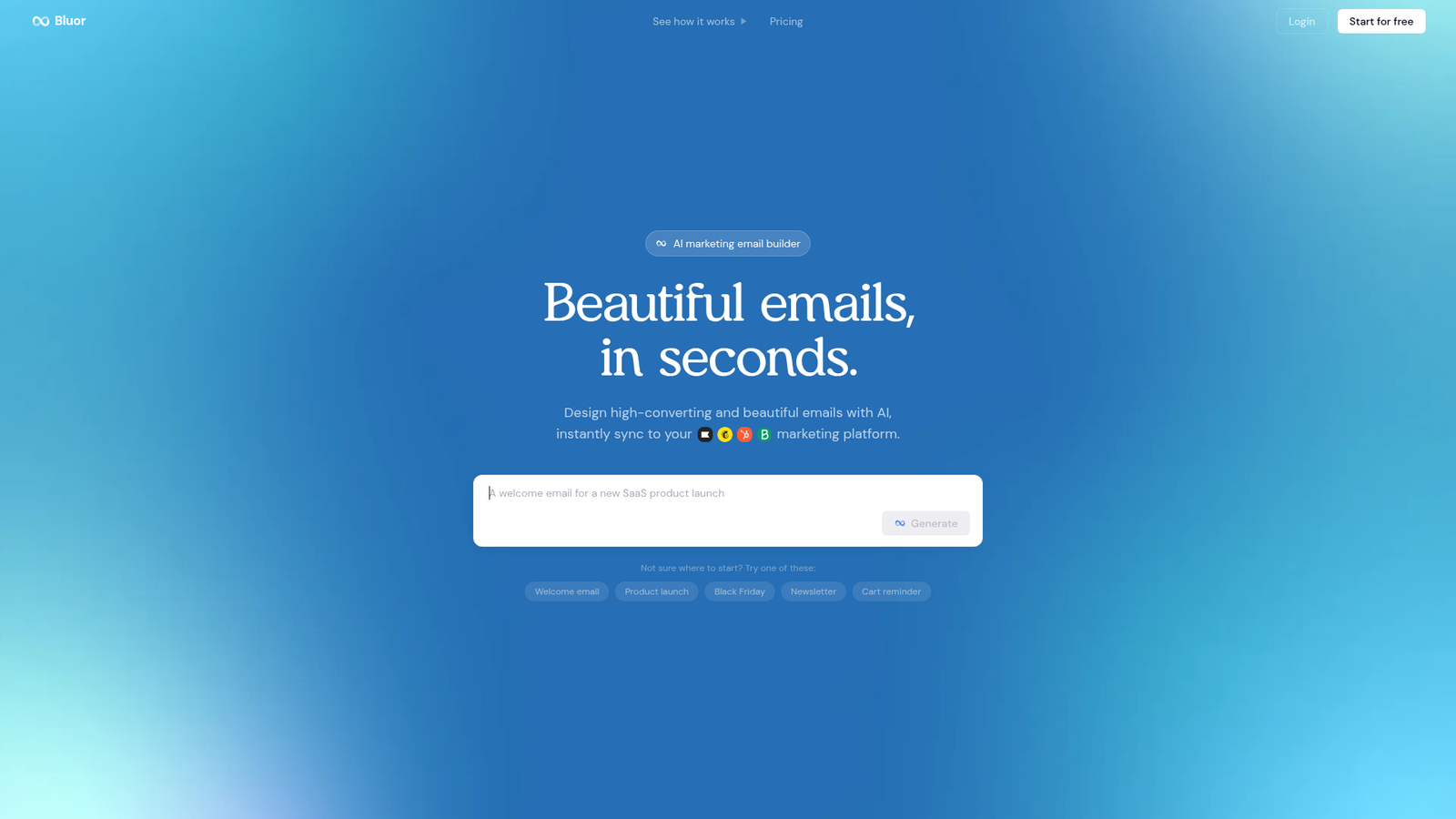
Bluor is an AI marketing email builder available at bluor.ai. It sits in the AI email design category — not a traditional email marketing platform with lists, automations, and analytics, but a tool specifically built to generate complete, send-ready email campaigns from a plain-language prompt. The company describes it as handling layout, copy, and visuals together, outputting responsive HTML emails that can be pushed directly to your existing email service provider. It’s aimed at marketers who want faster campaign production without needing a designer or coding skills.
Key Features
Prompt-to-Email Generation
The central feature is AI generation from a short brief. You describe what the email should do — promote a product, announce a sale, welcome a new subscriber — and Bluor assembles the full design including structure, copy, and visual styling. The official site says this happens in under 60 seconds, and output is mobile-responsive by default.
Brand Kit Support
On the Pro plan, users can create a brand kit, which means the AI can apply consistent colors, fonts, and visual identity to generated emails rather than starting from a generic style. The Free plan doesn’t include this feature, which is a meaningful limitation if brand consistency matters to you.
Direct ESP Integrations
Bluor connects directly to Klaviyo, Mailchimp, HubSpot, SendGrid, and Brevo. The integration model is export-based — you design in Bluor, then sync the finished email into your existing platform for sending and audience management. This is a smart approach because it doesn’t try to replace tools your team already relies on for segmentation and deliverability.
Credit-Based Usage
Each AI generation — whether an email, image, or edit — costs one credit. The Free plan includes 15 credits per month. Pro gives you 50 credits per month at €9/month. Additional credit packs can be purchased on the Pro plan when you run out.
How Bluor Works
The Core Workflow
Based on the official documentation and product descriptions, the workflow is straightforward. You write a short prompt describing the email campaign you need. Bluor’s AI interprets that brief and generates a complete email — layout, written content, and visual styling included. The output is production-ready, responsive HTML, not a static image. Once you’re happy with the result, you sync it directly to your connected email platform.
What Happens Under the Hood
The exact model architecture isn’t disclosed in any available source. What’s clear is that this is generative AI applied to email composition, not a template picker with AI copy suggestions layered on top. The system appears to handle both structural decisions and written content together, rather than treating them as separate steps. The specific training data and rendering pipeline remain undisclosed.
What the Evidence Shows
What the Vendor Claims
Bluor’s positioning is consistent across all official materials: fast, complete email generation from plain-language input, with output that’s ready to send via your existing ESP. The site specifically pushes back against drag-and-drop builders, framing them as slow and rigid, and positions Bluor as offering “creative freedom with AI.” They also make the case that unlike Figma or Canva, Bluor generates actual responsive HTML rather than static images.
What Users Report
Public review data is limited. The overall narrative in review-style articles and listings is positive — emphasizing speed and the ability to produce polished, brand-consistent emails quickly. However, these sources lean promotional in tone rather than independent. There’s a Product Hunt presence, but the available snippet doesn’t include substantive user feedback. In short, the public sentiment is favorable but not yet backed by a deep pool of verified user reviews on platforms like G2, Trustpilot, or Capterra.
How It Stacks Up Against the Category
Most email design tools in this space — Stripo, BEE Free — are template-first. You pick a layout, then customize it. Bluor’s approach of generating the entire email from a prompt is more ambitious and more differentiated. For solopreneurs or small teams who produce a lot of campaigns, the time savings could be real. The weakness is that tools like Mailchimp and Klaviyo bundle design, sending, analytics, and automation into one platform. Bluor doesn’t send emails — it only designs them. That’s not necessarily a flaw, but it’s a distinction worth understanding before you buy.
Bluor vs Competitors
Here’s how Bluor compares on features and pricing against key alternatives. For a deeper look at other AI marketing tools, check out our Loova review and our Kraflio review.
| Feature | Bluor | Stripo | Mailchimp |
|---|---|---|---|
| AI prompt-to-email generation | Yes | Partial (AI assist) | Partial (AI copy only) |
| Responsive HTML output | Yes | Yes | Yes |
| Direct ESP integrations | Yes (5 platforms) | Yes (many) | Built-in sender |
| Free tier available | Yes | Yes | Yes |
| Email sending / automation | No | No | Yes |
| Starting price | Free / €9/mo Pro | Free / ~$15/mo | Free / ~$13/mo |
Pricing
Bluor’s pricing page is straightforward. The Free plan costs €0/month and includes 15 credits per month and all platform integrations, but emails carry a Bluor watermark and there’s no brand kit. The Pro plan is €9/month (billed monthly) for 50 credits per month — it removes the watermark, adds one brand kit, and allows email duplication. An Enterprise/Agency tier is listed as “coming soon” with team support, multiple brand kits, and custom integrations. No credit card is required to start on the free plan. For current details, visit bluor.ai.
Pros and Cons
Pros
- Free tier with no credit card required makes it genuinely easy to try
- Pro plan at €9/month is priced well against category competitors
- Direct integrations with Klaviyo, Mailchimp, HubSpot, SendGrid, and Brevo
- Generates complete responsive HTML emails — not just copy suggestions or static images
- Brand kit feature on Pro helps keep output consistent with your visual identity
Cons
- No email sending, automation, or analytics — you still need a separate ESP
- Enterprise tier not yet available, limiting team use cases for now
Who Should Use Bluor?
Bluor is a good fit for solopreneurs and small marketing teams who already have an email platform and just want to produce better-looking campaigns faster. If you’re currently spending an hour in Mailchimp’s builder dragging blocks around, €9/month to shortcut that process makes a lot of sense.
It’s also worth considering if you run an e-commerce store and need to produce promotional emails regularly. The brand kit feature on Pro means you’re not reinventing your visual identity every time.
You should probably look elsewhere if you need an all-in-one marketing platform with sending, segmentation, and analytics built in — tools like Klaviyo or Brevo serve that need better. Also, if you need team collaboration features right now, the Enterprise tier isn’t available yet, so Bluor isn’t quite ready for agency workflows. You might also find value in comparing tools in this space — our Landcopyai review covers a related AI content generation angle.
Bluor Main Facts

FAQ
Does Bluor send emails?
No. Bluor is a design tool, not a sending platform. It generates the email and exports it to your existing ESP — Klaviyo, Mailchimp, HubSpot, SendGrid, or Brevo — where you handle sending, lists, and automation.
Is Bluor free to use?
Yes. There’s a free plan with 15 credits per month and no credit card required. It includes all platform integrations but adds a Bluor watermark to emails and doesn’t include a brand kit.
What counts as a credit?
According to the pricing page, each AI generation — whether an email, image, or edit — uses one credit. Credit complexity may vary by task.
Can I upgrade or cancel at any time?
Yes. The pricing page states you can upgrade, downgrade, or cancel at any time, with changes taking effect on your next billing cycle.
Final Verdict
Bluor has a clear use case and a sensible pricing structure. For marketers who want to move faster from idea to finished email without learning a complex builder, it’s worth trying — especially since the free tier costs nothing to test. The ESP integrations are solid, and €9/month for the Pro plan is fair given what comparable design tools charge.
The honest caveat is that independent review data is thin. The public narrative is positive, but it largely reflects vendor positioning rather than a broad base of verified user experiences. That’s not unusual for an emerging product, but it means you’re taking a small leap of faith on output quality and reliability. Start with the free plan, run a few real prompts, and see if the output meets your standard before committing.
Review Methodology
This review is based on analysis of Bluor’s official documentation, pricing page, and feature descriptions, combined with available product listings, third-party editorial descriptions, and a Product Hunt presence. No independent large-scale user review data from platforms such as G2, Trustpilot, or Capterra was available at the time of writing.