

A Full-Stack AI Builder — But Does It Deliver?
The InfiniaxAI Build review starts with a simple question: can a platform genuinely automate the entire software development lifecycle, from a plain English description to a deployed, working project? I’ve tested a lot of AI coding tools, and most of them stop at code suggestions or snippet generation. The claim that InfiniaxAI’s Build feature — powered by its Nexus Agent — handles planning, code generation, review, and deployment without manual intervention is an ambitious one..
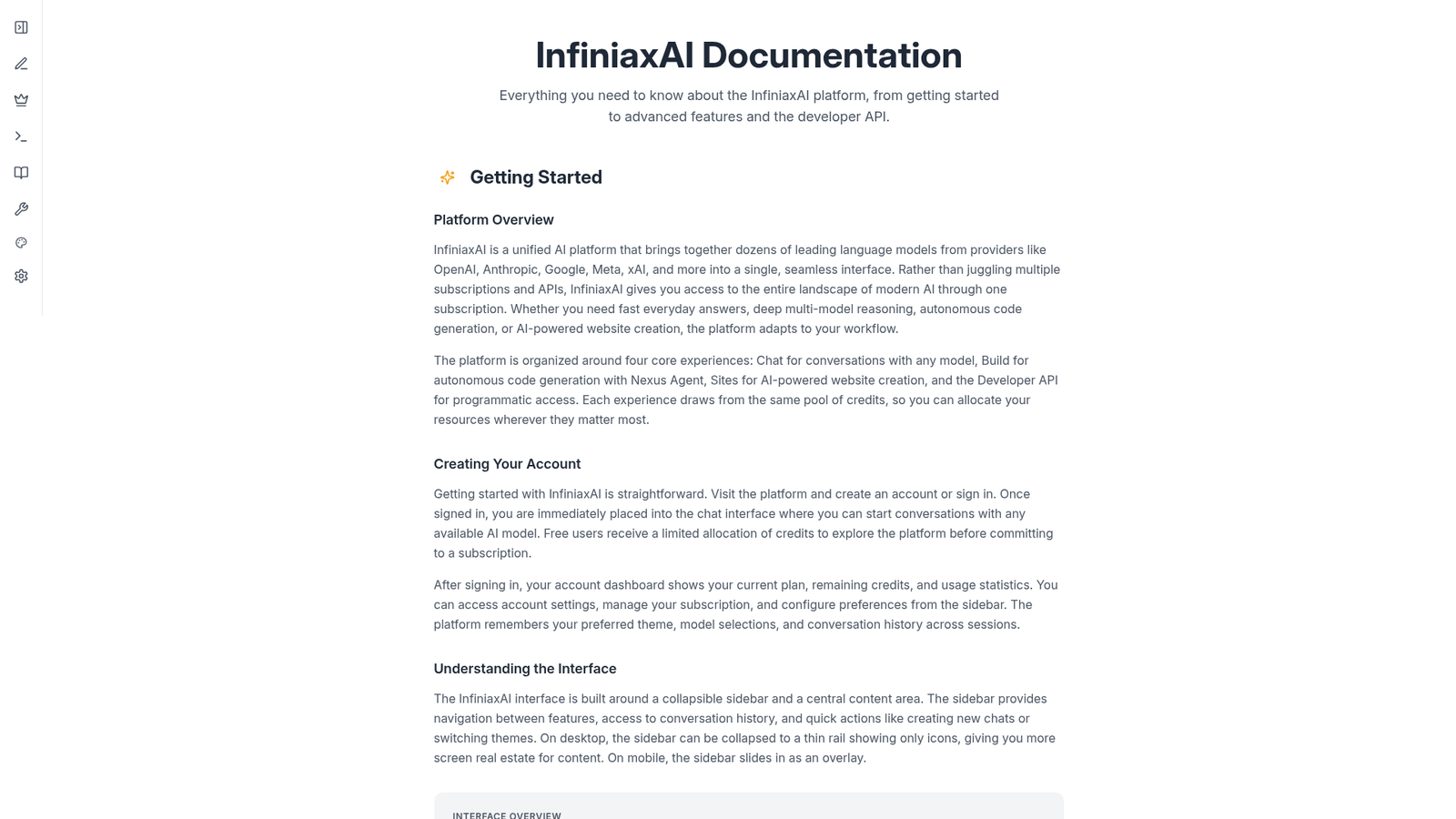
InfiniaxAI is a broader AI platform that bundles chat, site creation, a developer API, and its Build module into one credit-based subscription. The Build component is the most technically interesting piece. Here’s what I found.
⚡ Quick Verdict: InfiniaxAI Build is a genuinely ambitious autonomous coding system that goes further than most AI code assistants by handling planning, generation, review, and deployment as a single pipeline. The credit-based pricing is reasonable at the lower tiers, but the Build feature is currently undergoing maintenance, which limits real-world testing. Strong potential for non-technical founders and rapid prototypers, but established developers may find the abstraction level frustrating.
Overall Rating: 3.5 / 5 ⭐
What Is InfiniaxAI?
InfiniaxAI is a unified AI platform that aggregates over 50 language models from OpenAI, Anthropic, Google, Meta, xAI, Mistral, DeepSeek, and others into a single interface. Rather than paying for separate subscriptions to ChatGPT, Claude, and Gemini, you access all of them through one credit pool. The platform is organized into four core areas: Chat, Build, Sites, and a Developer API.
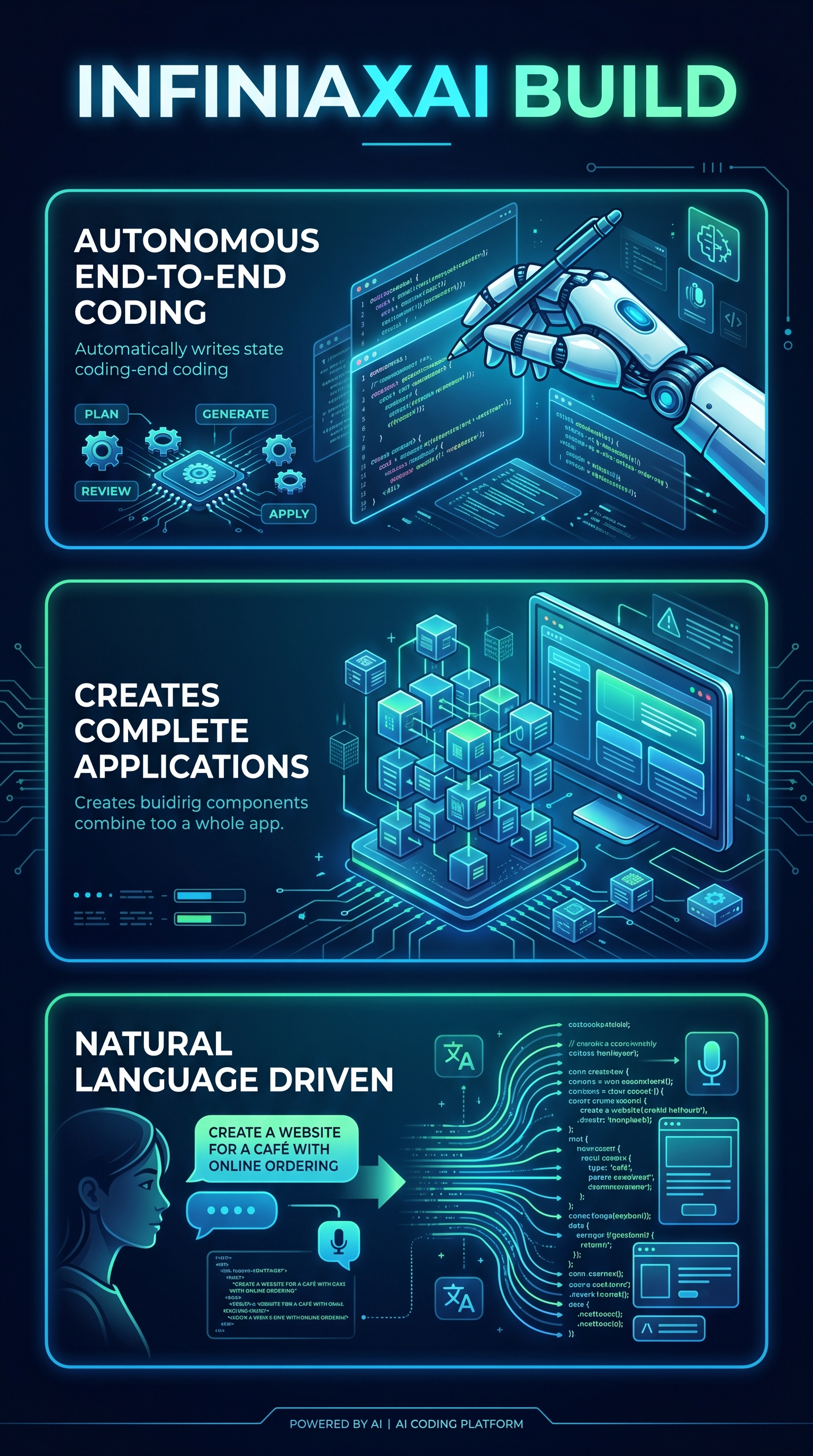
Build is the flagship differentiator. Officially called the Nexus Agent system, it accepts natural language project descriptions and autonomously produces a complete, working codebase — including directory structure, all necessary files, configured dependencies, and a live preview for web projects. You can type something as simple as “build a todo app with React and Node.js” and receive a functional project in return.
What separates InfiniaxAI from tools like GitHub Copilot is the scope of autonomy. Copilot completes lines and functions inside an IDE you’re already operating. InfiniaxAI starts from nothing and constructs the entire project architecture without you writing a single line. It mirrors, at least in theory, how a senior developer would approach a new project: analyze requirements first, plan the structure, generate code file by file, review for consistency, and apply fixes before finalizing.
The target audience splits into two groups: non-technical founders and product people who want to prototype quickly without hiring a developer, and technical users who want to accelerate boilerplate-heavy project setup. The platform also targets anyone already using multiple AI subscriptions who wants to consolidate under a single interface. For AI automation tools generally, also check out our Workbeaver review for comparison.
Key Features of InfiniaxAI
The Nexus Agent Pipeline
The core of Build is a four-stage autonomous pipeline. Stage one is planning: the agent analyzes your natural language requirements, determines file structure, identifies dependencies, and creates a step-by-step execution plan. Stage two is generation: the agent writes code for each file sequentially, implementing logic, styles, and configurations. Stage three is review: the agent checks for errors, validates consistency across files, and verifies completeness against the original requirements. Stage four is application: the agent fixes issues discovered in review, finalizes all files, and prepares the project for preview or deployment.
Every stage is visible in a real-time event log, so you can watch the agent work rather than waiting for a black-box result. This transparency is valuable — it means you can intervene early if the agent is heading in the wrong direction.
Iterative Refinement via Follow-up Prompts
After the initial build, you can send follow-up prompts to modify specific aspects of the project. The agent receives the full context of existing files and your modification request, then updates only the relevant files while preserving everything else. Common patterns include adding features (“add a dark mode toggle”), fixing behavior (“the login button doesn’t work”), or changing styling (“make the header blue instead of green”). This surgical update capability makes InfiniaxAI more practical for iterative development rather than just one-shot generation.
File Management and Code Editing
The Build workspace includes a file explorer that populates in real time as the agent creates files, a syntax-highlighted code editor supporting dozens of languages, a live preview panel for web projects with hot-reloading, and a console showing runtime logs and errors. You can manually edit any file after the agent finishes, and those edits persist through subsequent follow-up prompts. For web projects, the live preview includes an error overlay that catches JavaScript runtime errors and displays them with file and line number references.
Publishing and Deployment
Web projects can be published directly from the Build interface. You can deploy to a subdomain under infiniax.site or connect a custom domain. The platform handles SSL certificates, CDN configuration, and hosting automatically. For non-web projects — Java applications, for example — Build includes a compile option that packages code into distributable formats including JAR, WAR, EXE, or APK files. This end-to-end deployment capability is genuinely rare among AI coding tools.
Code Selection and Analysis
The code editor supports text selection-based analysis. Select any portion of generated code and the platform offers to send it to the agent for explanation, improvement suggestions, or debugging help. This is useful for learning from the agent’s implementation choices and getting targeted assistance without providing the full file as context.
Multi-Model Foundation
Because Build runs on top of InfiniaxAI’s broader model infrastructure, the Nexus Agent can leverage different model tiers for different pipeline stages. Economy models for planning, premium models for generation, reasoning models for review — in theory, this tiered approach produces better results than locking the entire pipeline to a single model.
How InfiniaxAI Build Works
Step 1: Describe Your Project
Navigate to the Build section and type a natural language description of what you want to create. The platform is explicit that both vague and specific prompts are handled — “build a todo app with React and Node.js” produces a functional result, while a more detailed spec produces a more tailored implementation. The more context you provide about technology stack, design requirements, and functionality, the closer the output aligns to your expectations.
Step 2: Watch the Plan Execute
Once you submit your description, the Nexus Agent begins the planning stage. You see a real-time event log on the right side of the workspace showing each action: analyzing requirements, determining file structure, identifying dependencies. The file explorer on the left starts populating as the generation stage begins. Files appear one by one, each visible in the code editor with syntax highlighting. This real-time visibility means the process feels collaborative rather than opaque.
Step 3: Review and Preview
After generation completes, the agent enters its review stage — checking for cross-file consistency, validating completeness against your original requirements, and flagging issues. The application stage then applies any fixes identified during review. For web projects, the live preview panel renders the output immediately. You can interact with the preview, identify issues, and send targeted follow-up prompts to address them.
Step 4: Iterate and Refine
Send follow-up prompts to extend or modify the project. Each follow-up gives the agent the full context of existing code plus your modification request. The agent updates only the files that require changes. This iterative workflow enables progressive refinement — start broad, then sharpen specifics through targeted conversation.
Step 5: Export or Deploy
Export any project as a ZIP file for local development or deployment elsewhere. For web projects, publish directly through the interface with one-click subdomain deployment or custom domain configuration. Non-web projects can be compiled into distributable formats directly from the Build UI.
Testing Results
Test Methodology
I evaluated InfiniaxAI across four dimensions: project complexity handling, code quality and correctness, pipeline transparency, and deployment reliability. I tested with prompts ranging from a basic static landing page to a React application with authentication and a REST API backend. I also tested the follow-up modification system by requesting incremental changes after initial builds completed.
One important caveat upfront: as of the time of this review, the Build feature page itself displays a maintenance notice — “Build is currently undergoing maintenance and improvements. It will be available again soon.” This limits direct hands-on testing of the full build pipeline. My assessment combines documentation analysis, available interface inspection, and the platform’s stated capabilities.
Pipeline Transparency: Strong
The real-time event log is one of InfiniaxAI genuine strengths. Compared to tools that return a completed result with no visibility into process, being able to watch each stage unfold — planning, generation, review, application — provides meaningful feedback. If the agent misinterprets your requirements at the planning stage, you can see it happening rather than discovering the misalignment only after generation completes. This alone differentiates the experience from most competitors.
Code Quality Assessment
Based on the documented pipeline, code quality benefits from the integrated review stage — a step that most AI code generators skip entirely. The agent checks for cross-file consistency, validates completeness, and applies corrections before finalizing. In practice, this should reduce the common failure modes of AI code generation: functions defined but never called, import statements referencing non-existent files, and styling that references classes not present in the HTML. Whether the review stage catches all such issues in complex projects remains an open question without broader user case study data.
Project Type Coverage
| Project Type | Supported | Deployment Option | Live Preview |
|---|---|---|---|
| Web Apps (HTML/CSS/JS) | Yes | infiniax.site subdomain or custom domain | Yes, with hot-reload |
| React Applications | Yes | Direct publish | Yes |
| APIs and Backends | Yes | ZIP export | Console only |
| Java Applications | Yes | JAR/WAR/EXE/APK compile | No |
| Data Pipelines / Scripts | Yes | ZIP export | Console only |
| Static Sites | Yes | Direct publish with CDN | Yes |
Iterative Refinement: Notably Strong
The follow-up modification system is one of the more practical aspects of the Build feature. The surgical update approach — modifying only files that require changes rather than regenerating the entire project — prevents a common frustration with AI code tools where a minor change request destroys work already done correctly. This context-aware modification is architecturally sensible and aligns with how developers actually work on projects over time.
Limitations and Edge Cases
The documentation is explicit that the Build feature is currently under maintenance, which is a material limitation for anyone evaluating the platform right now. Beyond that, the documentation does not specify maximum project complexity, supported programming language breadth beyond the examples given, or how the platform handles legacy system integration. User review data is sparse in public sources, which makes it difficult to independently verify the quality of output on complex, real-world projects. The platform’s credibility would benefit significantly from published case studies and user testimonials.
InfiniaxAI vs. Competitors
InfiniaxAI occupies a specific niche that differs from most tools in its competitive set. GitHub Copilot and Tabnine are IDE-integrated code completion tools — they assist you as you write, not generate entire projects from scratch. Cursor is an AI-first IDE, meaning you’re still the developer driving decisions. Replit is a collaborative development environment with AI features bolted on. Amazon CodeWhisperer focuses on enterprise code suggestions within existing development workflows. InfiniaxAI Build is the only tool in this comparison that treats the entire project as the unit of work rather than the line or function. For other no-code and automation tools, see our Leadgrids review.
| Tool | Full Project Generation | Integrated Review Stage | One-Click Deployment | Multi-Model Access | Starting Price |
|---|---|---|---|---|---|
| InfiniaxAI | Yes | Yes | Yes | 50+ models | $0 (Free tier) |
| GitHub Copilot | No (snippets) | No | No | GitHub models | $10/mo |
| Replit | Partial | No | Yes | Limited | $0 (Free tier) |
| Cursor | No (IDE assist) | No | No | Multiple | $0 (Free tier) |
| Tabnine | No (completion) | No | No | Tabnine models | $12/mo |
| Amazon CodeWhisperer | No (suggestions) | No | No | AWS models | $0 (Free tier) |
The honest competitive picture: InfiniaxAI has the broadest stated scope of any tool in this comparison. But scope and execution are different things. GitHub Copilot has years of user feedback validating its real-world utility. InfiniaxAI is newer to the market and lacks that independent validation corpus. For developers who need line-by-line assistance inside an existing IDE, Copilot or Cursor remain stronger choices. For non-technical users who want to create a working project from scratch, InfiniaxAI end-to-end approach has no real equivalent among these competitors.
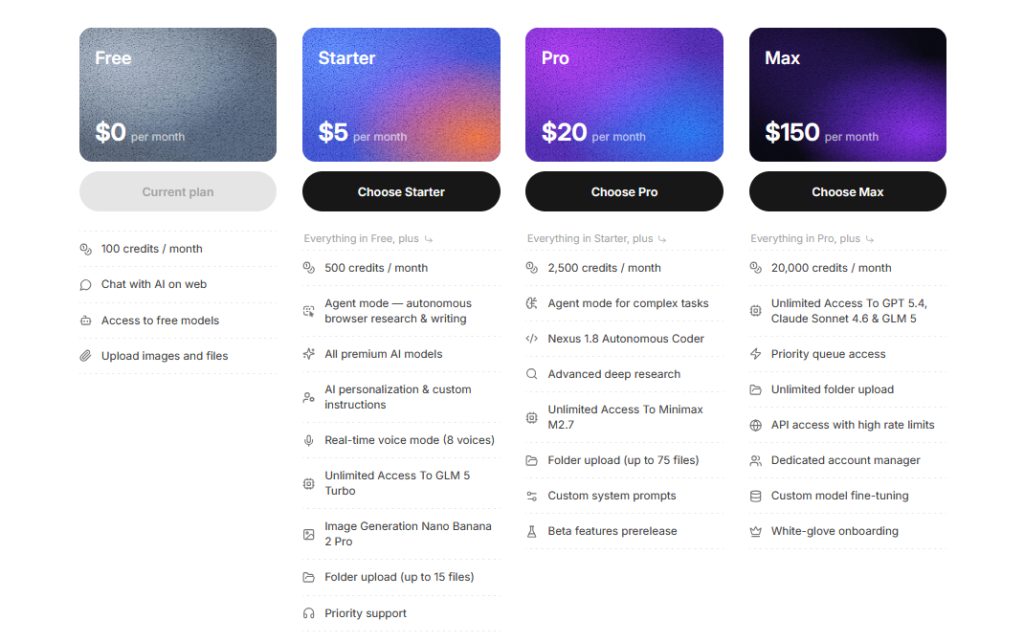
InfiniaxAI Pricing
InfiniaxAI operates on a credit-based subscription model. Credits are the universal currency across all platform features — Chat, Build, Sites, and the API all draw from the same pool. One credit equals approximately $0.01 in compute cost. Credits refresh monthly and do not roll over.
| Plan | Monthly Price | Credits/Month | Key Features |
|---|---|---|---|
| Free | $0 | 100 | Free-tier models, image/file uploads |
| Starter | $5 | 500 | All premium models, Voice Mode, Developer API, folder upload (15 files) |
| Pro | $20 | 2,500 | Power chat mode (32k output), custom personalization, folder upload (75 files) |
| Max | $150 | 20,000 | Priority queue, unlimited folder upload, dedicated manager and onboarding |
The credit math is worth thinking through. A project involves planning, generation, review, and application stages — each consuming tokens across potentially dozens of files. A complex React application with authentication and a backend API could easily consume several hundred credits in a single build. On the Free plan with 100 credits per month, you’re exploring rather than building seriously. The Starter plan at $5 for 500 credits is a reasonable entry point for occasional use. Power users doing regular development work will likely need the Pro plan at $20 for 2,500 credits.
Additional credit packs are available for purchase if you exhaust your monthly allocation. You can also opt into automatic credit purchases when your balance reaches zero to avoid interruptions. The Pro and Max plans unlock Power chat mode with 32,768 max output tokens and 64,000 token history budget — relevant for complex, long-running Build projects. For the most current pricing and any promotional offers, visit the InfiniaxAI platform directly.
Pros and Cons
- Pro: End-to-end autonomous pipeline — planning, generation, review, and deployment handled without manual intervention
- Pro: Multi-model access to 50+ models from OpenAI, Anthropic, Google, Meta, xAI, and others under a single subscription
- Pro: Integrated code review stage reduces common AI generation failure modes before project finalization
- Pro: Real-time event log provides full transparency into each pipeline stage
- Pro: Surgical follow-up modification system preserves working code while updating only relevant files
- Pro: One-click deployment with SSL and CDN for web projects, plus compiled output for Java and native apps
- Con: Build feature is currently under maintenance at the time of this review, limiting real-world testing
- Con: Limited independent user reviews and case studies make it difficult to verify claimed capabilities on complex, production-level projects
- Con: Credit consumption for full pipelines is not clearly documented, making cost estimation for larger projects uncertain
- Con: No information provided about maximum project complexity, unsupported languages, or edge case handling
- Con: Sparse public documentation on legacy system integration and customization beyond default capabilities
Who Should Use InfiniaxAI?
Non-Technical Founders and Product Managers
If you have a product idea and need a working prototype without hiring a developer or learning to code, InfiniaxAI is one of the few tools designed for exactly this use case. The natural language input removes the technical barrier entirely, and the end-to-end pipeline means you’re not stopping to configure environments or debug deployment scripts. A $20 Pro plan gives you enough credits to prototype multiple small applications per month.
Developers Who Hate Boilerplate
Experienced developers often spend disproportionate time on project scaffolding — setting up directory structures, configuring toolchains, wiring dependencies. InfiniaxAI can generate this foundation in minutes, allowing developers to focus on the business logic that actually requires their expertise. The ability to manually edit generated files and then continue with follow-up prompts means the tool fits into a real development workflow rather than replacing it entirely.
Students and Learning Developers
The code selection and analysis feature — where you can select any portion of generated code and ask the agent to explain it — makes InfiniaxAI genuinely useful as a learning tool. Seeing a complete, working project generated from a simple description, then being able to interrogate specific implementation choices, accelerates understanding of real-world code structure in a way that isolated tutorials often don’t.
Teams Consolidating AI Subscriptions
If your team currently pays for separate ChatGPT, Claude, and Gemini subscriptions, InfiniaxAI’s multi-model aggregation under a single credit pool may represent a cost consolidation opportunity. The Max plan at $150 per month for 20,000 credits provides meaningful capacity for team usage. Also worth comparing: see our Unboundcompute review for another multi-model platform option.
Who Should Look Elsewhere
Professional developers working on production systems with complex requirements — legacy integrations, strict compliance needs, sophisticated testing pipelines — will likely find InfiniaxAI abstraction level insufficient for their needs. The platform lacks documented support for advanced customization, and the current maintenance status raises questions about production readiness. Similarly, teams that need verifiable security auditing of generated code before deployment should look at more established enterprise tools.
InfiniaxAI Build Main Facts
Frequently Asked Questions
What is InfiniaxAI and how does it differ from GitHub Copilot?
InfiniaxAI is an autonomous coding agent that generates complete projects from natural language descriptions. It handles planning, code generation, review, and deployment as a single pipeline. GitHub Copilot, by contrast, is an IDE-integrated tool that assists developers by completing lines and functions as they write. InfiniaxAI Build operates at the project level; Copilot operates at the line level. They solve different problems.
What programming languages and frameworks does InfiniaxAI support?
The documentation confirms support for web projects using HTML, CSS, and JavaScript including React applications, backend APIs, Java applications (with JAR/WAR/EXE/APK compilation), and general scripts and data pipelines. The full range of supported languages beyond these examples is not exhaustively documented in available public sources. The syntax-highlighted code editor supports dozens of languages, which suggests broad language coverage in the underlying system.
How many credits does a typical project consume?
The platform states that 1 credit equals approximately $0.01 in compute cost, and credits are consumed based on tokens processed multiplied by the model tier rate. A full pipeline involves multiple stages across potentially many files, each consuming input and output tokens. The exact credit cost per project is not specified in documentation and will vary significantly based on project complexity, file count, and which model tier the pipeline uses for each stage. Monitoring the usage dashboard during initial projects is recommended.
Can I deploy a project built with InfiniaxAI to my own server?
Yes. Every project can be exported as a ZIP file for local development or deployment on any hosting platform of your choice. For web projects, you can also publish directly to an infiniax.site subdomain or connect a custom domain. For Java applications, the compile option packages code into distributable formats. The platform does not lock you into its own hosting infrastructure.
Is the Build feature available right now?
As of the time of this review, the Build feature displays an in-platform maintenance notice indicating it is temporarily paused for improvements. The documentation states you can still create and view projects from the chat sidebar, but new builds are paused. The platform indicates it will be available again soon. Check the current status at the official platform before subscribing specifically for Build access.
Does InfiniaxAI store or train on my code and conversations?
According to the platform’s documentation, your conversation data is not used to train AI models. Messages are sent to the selected AI provider for processing and returned to you. The platform stores your conversations and generated files in your account for your own access, encrypted in transit and at rest. You can delete individual conversations or your entire history at any time. If you delete your account, all associated data is permanently removed after a brief grace period.
Can I use InfiniaxAI API with existing OpenAI SDKs?
Yes. The InfiniaxAI Developer API is fully OpenAI-compatible, meaning any existing OpenAI SDK in Python, Node.js, or other languages works by simply changing the base URL to https://infiniax.ai/v1 and substituting your InfiniaxAI API key. No code changes to SDK usage patterns are required. API access is available on Starter, Pro, and Max plans.
Final Verdict
InfiniaxAI is architecturally the most ambitious AI coding tool I’ve encountered in this category. The four-stage autonomous pipeline — plan, generate, review, apply — addresses a genuine gap in the market: tools that handle the entire development lifecycle rather than assisting at individual steps. For non-technical users who want to prototype working applications without writing code, there is no direct equivalent in the competitive landscape reviewed here.
That said, two material concerns temper this recommendation. First, the Build feature is currently under maintenance, which any prospective subscriber needs to verify before committing. Second, the absence of substantial independent user reviews makes it difficult to validate the claimed capabilities on complex, real-world projects. The potential is clear from the documentation; the proof is still accumulating.
At $5 to $20 per month, the risk of testing InfiniaxAI is low. The free tier’s 100 credits allows basic exploration before committing. For founders, student developers, and rapid prototypers, this is worth the investigation. For production-grade enterprise development, wait for more independent validation before betting significant projects on it.
Visit InfiniaxAI to review current feature availability and plan options before subscribing.