
Disclosure: Some of the links on Daily Digital Reviews are affiliate links. This means that if you click on a link and make a purchase, we may earn a small commission — at no extra cost to you.
Show It Once and Let It Run — Does WorkBeaver Deliver?
The WorkBeaver Review question that most solopreneurs and small ops teams are asking right now is simple: can you really automate repetitive work just by showing a tool what to do, without touching APIs or building complex flows? That’s a bold claim in a crowded market. I looked at WorkBeaver’s documentation, pricing pages, and available user feedback to find out whether the promise holds up or if it’s just another automation tool with a clever pitch.
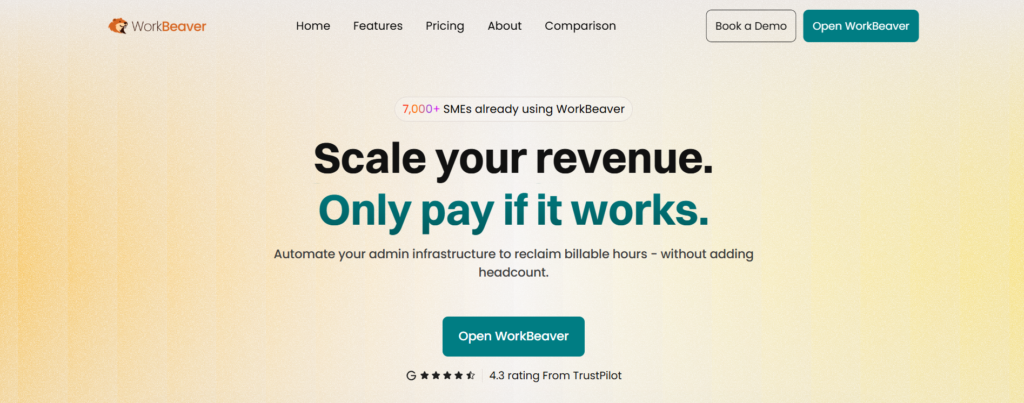
Quick Verdict: WorkBeaver is a genuinely interesting AI automation tool built around a “show & tell” approach — describe a task or demonstrate it once, and the platform builds a repeatable workflow from that. It’s early-stage, with a small public review footprint and limited pricing transparency until recently, but the free tier and a $21.95/month paid plan make it low-risk to explore. Worth trying for admin-heavy teams. Enterprise buyers should benchmark it carefully first.
Overall Rating: 3.9 / 5 ⭐
Feature depth: 4/5 · Ease of use: 4/5 · Pricing value: 3.5/5 · Trust signals: 4/5
What Is WorkBeaver?
WorkBeaver is an AI-driven automation platform founded in September 2024 and registered as WorkBeaver Ltd. in London, UK (Company No. 15911663). The product sits in the growing category of agentic automation tools — specifically, tools that learn workflows from human demonstration rather than requiring users to wire up APIs or drag logic into a flow builder.
The core idea is that most people who need automation aren’t developers. They’re operations managers, accountants, property managers, and small business owners who do the same tasks hundreds of times a week. WorkBeaver targets those users directly. Instead of forcing them to translate business processes into formal rules, it asks them to either describe the task in plain language or do it once on screen. The platform watches, learns the pattern, and repeats it.
Their website puts it simply: “No coding required. WorkBeaver’s agentic technology builds the automations for you.” The industries they call out include venture capital, healthcare, accounting, legal ops, property management, and supply chain — all areas with high volumes of repetitive administrative work.
Key Features
Show & Tell Workflow Learning
This is WorkBeaver’s headline feature. You either type out what you want done or perform the task yourself on screen. The platform interprets the sequence of actions, identifies the interface elements involved, and builds an automation model it can replay later. It’s closer to teaching an assistant than configuring a machine.
Cross-App Automation Without Integrations
WorkBeaver operates at the visual interface layer, which means it can control web apps, desktop software, and even proprietary internal tools without needing direct API connections. This is a meaningful edge for teams using legacy systems or niche commercial software that lacks integration support.
Their documentation references “Self-Healing Navigation” as part of the platform’s core toolset. This suggests the system is designed to adapt when UI elements shift — a common breaking point for traditional screen recording or RPA-style tools.
Background Execution
WorkBeaver runs workflows in the background while you continue working. It’s not a tool that locks your screen or pauses your day. Tasks complete the same way every time, according to the product’s own description.
Privacy-First Architecture
The infrastructure runs on SOC 2 Type II and HIPAA-compliant servers, with network protection via Cloudflare’s SOC 2 Type II, ISO 27001, and PCI DSS-certified stack. Crucially, their own site states “Zero task data retention. We only store basic account information.” That’s a strong privacy claim for an automation tool that will inevitably touch sensitive business data.
How WorkBeaver Works
Step 1 — Describe or Demonstrate
You start by either typing out the task in plain language or performing it live on screen. WorkBeaver’s system observes the sequence of actions and the interface elements you interact with, then builds an internal model of that workflow.
Step 2 — Platform Builds the Automation
According to their documentation, automations can be built and delivered as quickly as one business day. The platform interprets the task pattern, identifies repeatable steps, and packages it as a workflow you can trigger on demand.
Step 3 — Background Execution
Once the automation is set up, it runs in the background. Because it operates at the UI layer, it works across browser tabs and desktop apps without needing API keys or integration credentials for each tool. The tradeoff, as with all UI-based automation, is that reliability can depend on how stable the screen layout and element positions are in the tools you’re automating.
Step 4 — Manage via Template Vault
WorkBeaver includes access to pre-built automation templates, so you don’t always have to build from scratch. This is useful for common tasks like CRM updates, invoicing, or form completion.
What the Evidence Shows
What the Vendor Claims
WorkBeaver describes itself as automation that works “the way you actually work, without changing your tools or workflow.” They position it against traditional platforms on several dimensions: no constant setup, no steep learning curve, no API integrations, no external data routing, and resilience when tools change. They also claim “Fast 5-Minute ROI” — meaning minimal setup time before you’re getting value. These are strong claims, and some of them, like the no-integration promise, are structurally verifiable. Others, like the self-healing reliability, need real-world stress testing to confirm.
What Users Report
Available user sentiment is generally positive. The strongest recurring themes are ease of starting, usefulness for converting plain-language instructions into automations, and the absence of complex setup requirements. The platform reports a 4.3 average user rating. That said, the public review base appears small — this is an early-stage product launched in late 2024, so independent, large-scale validation isn’t yet available. Early praise is encouraging, but buyers should test edge cases, dynamic site handling, and workflow durability before relying on it for critical operations.
How It Stacks Up Against the Category
UI-based automation tools live or die by two things: how well they generalize from a demonstration, and how well they recover when a page layout changes. WorkBeaver’s self-healing navigation claim addresses the second problem directly. Whether it solves it well enough for production environments is something buyers will need to verify on their own setups. Compared to AI automation tools that rely on predefined flow builders, WorkBeaver’s demonstration-based approach is genuinely lower friction at the setup stage — which matters a lot for non-technical users.
WorkBeaver vs Competitors
WorkBeaver competes in a crowded space that spans browser automation tools, enterprise RPA platforms, and AI agent orchestration systems. Here’s how it compares on key dimensions:
| Feature | WorkBeaver | Bardeen | UiPath |
|---|---|---|---|
| No-code setup | Yes | Yes | Partial |
| API-free automation | Yes | Partial | No |
| Desktop app support | Yes | No | Yes |
| Demonstration-based learning | Yes | No | No |
| Zero task data retention | Yes | Not stated | Not stated |
| Starting price | Free / $21.95/mo | Free tier available | Higher / enterprise |
If you’re comparing tools in the agentic AI space more broadly, it’s worth reading our Saner AI review and our breakdown of workflow automation tools for context on where this category is heading.
Pricing
WorkBeaver’s pricing page does exist and is more transparent than the initial research suggested. There are three tiers:
Standard Access (Free) — A permanent free tier with one-time tokens. Covers approximately 25 simple task runs, 10 medium task runs, or 4 complex task runs. Full access to Visual AI, Self-Healing Navigation, Local File Management, and the Template Vault. No credit card required.
Priority Reservation — $21.95/month — Billed monthly. Tokens refresh monthly. Covers approximately 500 simple, 200 medium, or 80 complex task runs. Includes a dedicated account manager, early platform access, and locked-in pricing (“grandfathered” rate that won’t increase).
Founder Access — $99/month — High-volume tier with approximately 2,000 simple, 800 medium, or 240 complex task runs. Adds white-glove onboarding, non-expiring tokens, and direct founder access. Positioned as a “VIP Co-Creator” tier.
The free tier makes it easy to test before committing. For current and updated pricing, visit the WorkBeaver official website.
Pros and Cons
Pros
- Pro: Very low barrier to start — free tier requires no credit card and gives real access to core features
- Pro: No APIs, no integrations, no flow builders — the demonstration-based approach is genuinely accessible for non-technical users
- Pro: Works across both browser and desktop applications, including proprietary software
- Pro: Strong privacy architecture — SOC 2, HIPAA-compliant infrastructure, and zero task data retention stated on the pricing page
- Pro: Good fit for high-frequency admin tasks: data entry, CRM updates, invoicing, scheduling, and form completion
Cons
- Con: UI-based automation can be less reliable than direct API integrations, especially on dynamic pages or frequently updated interfaces
- Con: Public review volume is small — the product launched in late 2024, so third-party validation is still limited
- Con: The task-run token model means heavy users need to think carefully about volume requirements before choosing a plan
Who Should Use WorkBeaver?
Operations managers at small to mid-size businesses who handle repetitive back-office tasks across multiple apps — invoicing, CRM updates, scheduling, data entry — are the clearest fit. WorkBeaver’s whole value is removing setup friction for exactly these use cases.
Teams using legacy or proprietary software that doesn’t support modern integrations will find WorkBeaver particularly useful. If your tools don’t have an API, most alternatives simply won’t work. WorkBeaver’s UI-layer approach sidesteps that problem.
Non-technical founders and solopreneurs who want automation but don’t want to hire a developer or spend hours in a flow builder. The free tier is a sensible place to start.
Industries with heavy admin loads — legal ops, property management, accounting, healthcare administration — match the use cases WorkBeaver explicitly targets.
On the other hand, if you’re running mission-critical, high-volume automation where a single failure has serious consequences, you’ll want to benchmark this carefully against more mature platforms like UiPath or Robocorp before committing. And if your entire stack already has solid API support, a tool like Bardeen may give you more stability for browser-based workflows.
Frequently Asked Questions
Does WorkBeaver require any coding or technical skills?
No. The platform is explicitly designed for users without technical backgrounds. You describe a task in plain language or demonstrate it on screen, and WorkBeaver builds the automation for you. No code, no API keys, no integration setup required.
What kinds of tasks can WorkBeaver automate?
Their documentation highlights data entry, CRM updates, invoicing, scheduling, form completion, and follow-up workflows. Broadly, any repetitive task that involves interacting with a web app or desktop software is a candidate.
Is WorkBeaver secure enough for business use?
The infrastructure is hosted on SOC 2 Type II and HIPAA-compliant servers. The network runs through Cloudflare’s SOC 2 / ISO 27001 / PCI DSS stack. Payments are handled by a PCI-DSS Level 1 partner. The company also states zero task data retention — only basic account information is stored. Buyers in regulated industries should still review the full data processing agreement before deploying sensitive workflows.
Is there a free plan?
Yes. The Standard Access tier is free with no credit card required. It provides one-time tokens covering approximately 25 simple task runs or 4 complex task runs, plus full access to the core platform features and template vault.
How does WorkBeaver differ from tools like Bardeen or UiPath?
Bardeen focuses on browser-based automation with a flow-builder interface. UiPath is an enterprise RPA platform with significant implementation overhead. WorkBeaver’s differentiator is demonstration-based learning across both browser and desktop apps, with no integration requirements and a much lower setup barrier than either competitor.
Final Verdict
WorkBeaver is one of the more genuinely interesting automation tools to come out of the current AI wave. The demonstration-based approach isn’t just a marketing angle — it’s a real structural difference from competitors that require integration setup or formal flow building. For non-technical users who spend hours a week on repetitive admin tasks, that matters.
The free tier makes it easy to validate before spending anything. The $21.95/month paid plan is reasonable for small teams. The privacy architecture is a genuine strength, not a checkbox.
The honest caveats: it’s early, the public review base is thin, and UI-based automation has inherent limits when interfaces change. Test it on your actual workflows before treating it as mission-critical infrastructure. But for everyday operational automation — especially in tools without API support — it’s worth a serious look.
Review Methodology
This review is based on analysis of WorkBeaver’s official website, pricing pages, feature documentation, and security disclosures, combined with user sentiment gathered from available third-party review snippets and listing pages. No hands-on testing was conducted. Where user feedback is referenced, it reflects themes from the available public review data rather than a comprehensive sample. Pricing figures are drawn directly from WorkBeaver’s published pricing page as of the research date.