
Disclosure: Some of the links on Daily Digital Reviews are affiliate links. This means that if you click on a link and make a purchase, we may earn a small commission — at no extra cost to you.
Zapier: The Default Automation Tool — But Is It Still Worth It?
Zapier review searches are everywhere right now, and for good reason. If you run a small business or manage any kind of SaaS stack, you’ve probably been told to “just use Zapier” more times than you can count. It’s become the default answer to the question of how to connect apps without writing code. But default doesn’t always mean best — and with competitors getting sharper on price and flexibility, it’s worth asking whether Zapier still earns its place at the top of the automation pile in 2026.
I’ve analyzed the vendor’s documentation, pricing pages, and feature set, along with user sentiment across review platforms, to give you a straight answer.
Quick Verdict: Zapier is genuinely one of the easiest automation platforms to use, and its 9,000+ app integrations are hard to beat. The catch is pricing — task-based billing can get expensive fast at scale, and users report billing surprises when workflows run more frequently than expected. It’s a strong pick for non-technical users and teams with moderate automation needs, but heavy users may find better value elsewhere.
Overall Rating: 4.1 / 5 ⭐
Feature depth: 4.5/5 · Ease of use: 4.5/5 · Pricing value: 3.5/5 · Trust signals: 4/5
What Is Zapier?
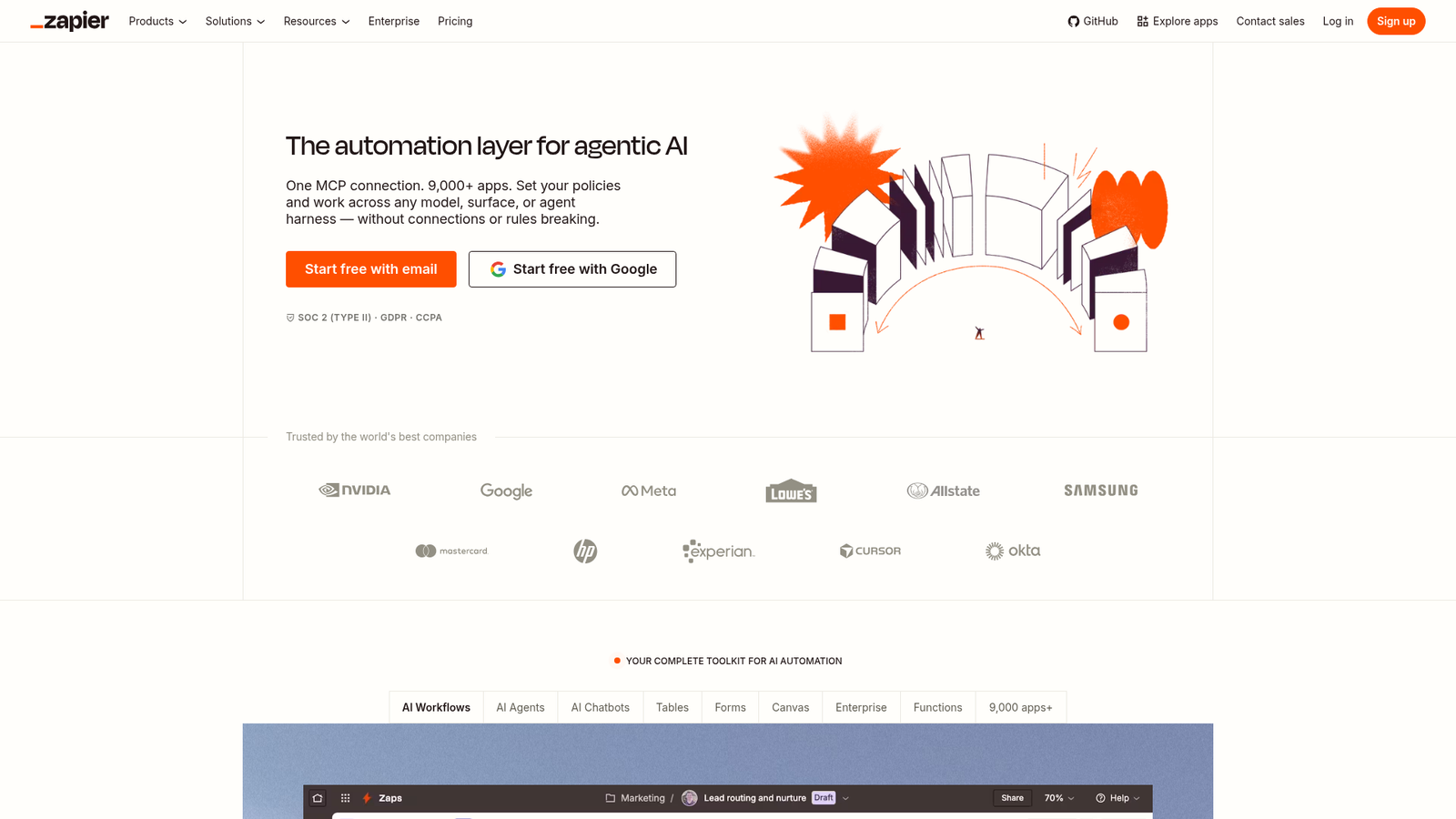
Zapier is a no-code workflow automation platform that connects web apps through event-driven workflows called Zaps. Each Zap starts with a trigger in one app and fires one or more actions in another. The platform targets small businesses, operations teams, marketers, and solopreneurs who want to automate repetitive tasks without relying on custom development work.
What sets Zapier apart from the field is its sheer breadth — the platform supports over 9,000 app integrations, which is more than any comparable tool. Beyond basic two-step automations, it also includes Tables, Forms, Zapier Agents, Chatbots, MCP, and AI-powered workflow features, positioning itself as more than just a connector between apps.
Key Features
No-Code Zap Builder
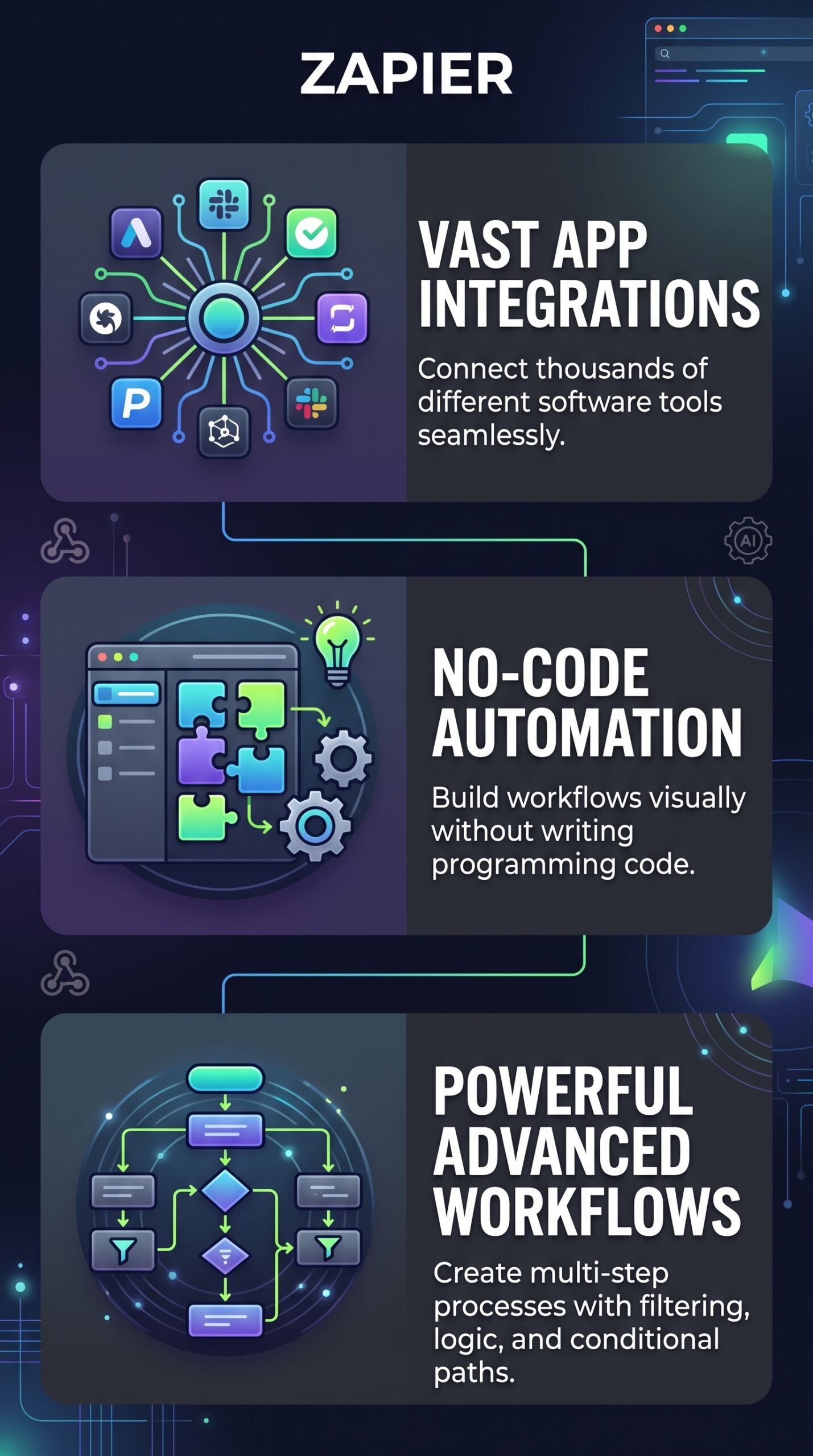
The core product is the Zap editor — a visual, no-code interface where you pick a trigger app, define the triggering event, then set up one or more actions in other apps. Free accounts get two-step Zaps. Professional and above unlock multi-step workflows with filters, paths, and branching logic. The setup process is built to be approachable for non-technical users from the start.
Filters, Paths, and Formatter
These built-in tools add logic and data transformation to your workflows without requiring code. Importantly, Zapier doesn’t count these steps as tasks — Filters, Paths, Formatter, Delay, Looping, and several other built-in tools are excluded from task usage, which is a genuine user-friendly design choice.
Tables, Forms, and AI Tools
Zapier has expanded well beyond simple app connections. Tables works as a lightweight database layer. Forms lets you build custom intake forms that feed directly into automations. AI-related features include Zapier Copilot (for building Zaps with AI assistance), AI fields in Tables, AI troubleshooting, and an MCP layer that connects AI assistants to your app ecosystem. These are available across plans, with limits varying by tier.
Webhooks and Premium App Access
Webhooks are available on the Professional plan and above, opening the door to custom integrations. Premium apps — a curated set of higher-tier integrations — are also unlocked from Professional onwards. The Free plan is limited to non-premium apps only.
How Zapier Works
The Trigger-Action Model
According to Zapier’s documentation, a Zap monitors for a trigger event in one app — say, a new lead entering a CRM — and automatically runs one or more actions when that trigger fires, such as sending a Slack message or creating a row in a spreadsheet. Triggers don’t count toward task usage; only successful actions do.
Task Usage and Polling
Zapier checks for new data by polling connected apps at intervals — every 15 minutes on the Free plan, down to 2 minutes on Professional and 1 minute on Team and Enterprise. Polling itself doesn’t consume tasks. Tasks are only counted when an action completes successfully. If an action fails, it doesn’t count. This model is clearly documented on the pricing page, though users still report confusion about how quickly tasks accumulate in multi-step Zaps.
What the Evidence Shows
What the Vendor Claims
Zapier pitches itself as the leading no-code automation platform, emphasizing its 9,000+ integrations, ease of use, and now its expanded AI orchestration capabilities. On the pricing page, they frame the task-based model as flexible and scalable, noting that built-in tools like Filters and Formatter don’t consume tasks. The free 14-day trial of Professional requires no credit card, which is a low-friction entry point.
What Users Report
Across review platforms, the pattern in user sentiment is consistent. Ease of use and integration breadth get the most praise — especially from non-technical users and operations teams who can get a working automation running in minutes. Managed-plan and enterprise customers tend to rate the product more favorably than self-serve users. The most common complaints center on pricing: task-based billing climbs fast when Zaps run frequently or include multiple actions, and some users report billing surprises when usage exceeds plan limits and pay-per-task rates kick in. Users building very complex workflows also flag that Zapier’s editor is less intuitive for debugging than more visual builders like Make.
How It Stacks Up Against the Category
Zapier’s integration count is a genuine differentiator — no direct competitor matches 9,000+ apps. Its ease of use is arguably the best in class for non-technical audiences. Where it falls behind is on price-to-volume economics and visual complexity handling. Tools like Make and n8n offer more flexibility for complex workflows, and several alternatives are more cost-effective at high automation volumes.
Zapier vs Competitors
Here’s how Zapier compares on features and pricing against its main rivals. For more context on AI-powered automation tools, check out our Google Flow review and our look at Reppit AI.
| Feature | Zapier | Make | n8n | Pabbly Connect |
|---|---|---|---|---|
| No-code builder | Yes | Yes | Partial | Yes |
| App integrations | 9,000+ | 1,000+ | 400+ | 1,000+ |
| Self-hosting option | No | No | Yes | No |
| Free plan | Yes (100 tasks/mo) | Yes | Yes (community) | Yes |
| Paid plan starts at | $19.99/mo (annual) | ~$9/mo | ~$20/mo (cloud) | ~$19/mo |
| AI workflow tools | Yes | Partial | Partial | No |
Pricing
Zapier’s Free plan includes 100 tasks per month with unlimited Zaps, Tables, Forms, and access to Zapier Copilot — good enough to experiment, but tight for regular use. The Professional plan starts at $19.99/month billed annually (14-day free trial, no credit card required) and unlocks multi-step Zaps, webhooks, unlimited premium apps, and AI tools. The Team plan starts at $69/month billed annually and adds 25 seats, shared workspaces, and SAML SSO. Enterprise is custom pricing. All paid plans use task-based billing — costs rise as automation volume grows, and pay-per-task rates apply if you exceed your plan limit.
| Plan | Monthly price | Tasks included per month | Main features |
|---|---|---|---|
| Free | $0/month | 100 tasks | Basic two-step Zaps, Tables, Forms, and limited AI features |
| Professional | From $29.99/month | 750 tasks | Multi-step Zaps, premium apps, filters, paths, webhooks, and faster updates |
| Team | From $103.50/month | 2,000 tasks | Shared workspaces, unlimited users, team collaboration, admin controls, and SAML SSO |
For current pricing and task tier options, visit Zapier’s official pricing page.
Pros and Cons
Pros
- 9,000+ app integrations — the largest library in the category
- Genuinely easy to learn for non-technical users; most Zaps can be set up in minutes
- Strong multi-step automation support with Filters, Paths, and Formatter (which don’t consume tasks)
- Expanding AI layer including Copilot, MCP, Agents, and Chatbots adds real value beyond simple connectors
- No credit card required for the 14-day Professional trial
Cons
- Task-based pricing gets expensive fast at high automation volumes, especially with multi-action Zaps
- Self-serve users report billing surprises when pay-per-task rates kick in after hitting plan limits
- Complex workflows can be harder to debug than in more visual tools like Make
Who Should Use Zapier?
Non-technical solopreneurs and small business owners who need to connect common SaaS tools — think CRMs, email platforms, project management apps, and spreadsheets — will find Zapier the easiest starting point. The setup experience is the best in class for this audience.
Operations and marketing teams running moderate-volume automations across a wide variety of apps will benefit most from the Professional or Team plans, where the breadth of integrations and reliability really shine.
Organizations that need enterprise governance — SSO, admin controls, audit logs, custom data retention — have a clear path to the Enterprise tier without switching platforms.
On the other hand, if you’re a technical user or developer who wants visual debugging, self-hosting, or tighter cost control at high volumes, n8n or Make will likely serve you better. And if your workflows are simple and your budget is tight, Pabbly Connect or Integrately may offer comparable results at lower cost. For a broader look at automation and AI tools, see our NotebookLM review.
Zapier Main Facts
FAQ
Does Zapier require coding knowledge?
No. Zapier is built specifically for non-technical users. The visual editor guides you through connecting apps, and no code is required for standard Zaps. Advanced users can optionally use Code by Zapier for custom scripting, but it’s not necessary for most workflows.
How many apps does Zapier support?
Zapier supports over 9,000 app integrations, according to their pricing page — more than any other automation platform in this category. Premium apps (a subset requiring a paid plan) are unlocked from the Professional plan onwards.
What happens when I hit my task limit?
Zapier emails you when you’re close to your limit and again when you hit it. If you have pay-per-task billing enabled, your Zaps keep running at a higher per-task rate. If it’s turned off, your Zaps pause until the next billing period starts.
Is there a free trial for paid plans?
Yes. New accounts automatically get a 14-day free trial of the Professional plan with no credit card required. Trials for Team and Enterprise plans are available through the Zapier sales team.
Final Verdict
Zapier earns its reputation. The integration library is genuinely unmatched, the setup experience is the easiest in the category, and the expanding AI toolkit adds real staying power for 2026. For non-technical users and teams who need reliable automations across common business apps, it’s still a strong default choice.
The honest caveat is pricing. Task-based billing works fine at low to moderate volumes, but it can become a real cost problem as workflows scale — especially in multi-step Zaps where each action counts separately. If you’re budget-sensitive or building high-volume, complex automations, run the numbers carefully before committing to a plan. Competitors like Make and n8n are worth looking at before you decide.
For most solopreneurs and small teams, Zapier is worth trying — the free trial costs nothing, and the time it saves is real.
Review Methodology
This review is based on analysis of Zapier’s official documentation, pricing pages, and feature set, combined with user reports gathered from G2, Trustpilot, Reddit, and Capterra, as well as vendor-published FAQs and plan comparison materials.