Disclosure: Some of the links on Daily Digital Reviews are affiliate links. This means that if you click on a link and make a purchase, we may earn a small commission — at no extra cost to you.
Google’s Source-First AI Tool — But Is It Right for You?
NotebookLM review searches keep climbing, and it’s easy to see why. Most AI tools answer from memory or the open web, which means you can’t always trust what they say. NotebookLM takes a different approach: it only works from the sources you provide. That’s either a smart design choice or a frustrating limitation, depending on what you need. I reviewed the feature set, vendor documentation, and user reports to give you a straight answer.
Quick Verdict: NotebookLM is one of the best tools available for turning your own documents into cited answers, study aids, audio overviews, video overviews, and cinematic video summaries. Its video and cinematic overviews can transform complex source material into engaging, easy-to-follow visual explanations, making dense research more accessible and memorable. It’s not a general-purpose AI assistant, and it doesn’t try to be — which is exactly why researchers and students rate it highly. If your work involves digesting dense material, creating visual study aids, or understanding information through audio and video, it’s worth trying the free tier today
Overall Rating: 4.3 / 5 ⭐
Feature depth: 4.5/5 · Ease of use: 4.0/5 · Pricing value: 4.0/5 · Trust signals: 4.5/5
What Is NotebookLM?
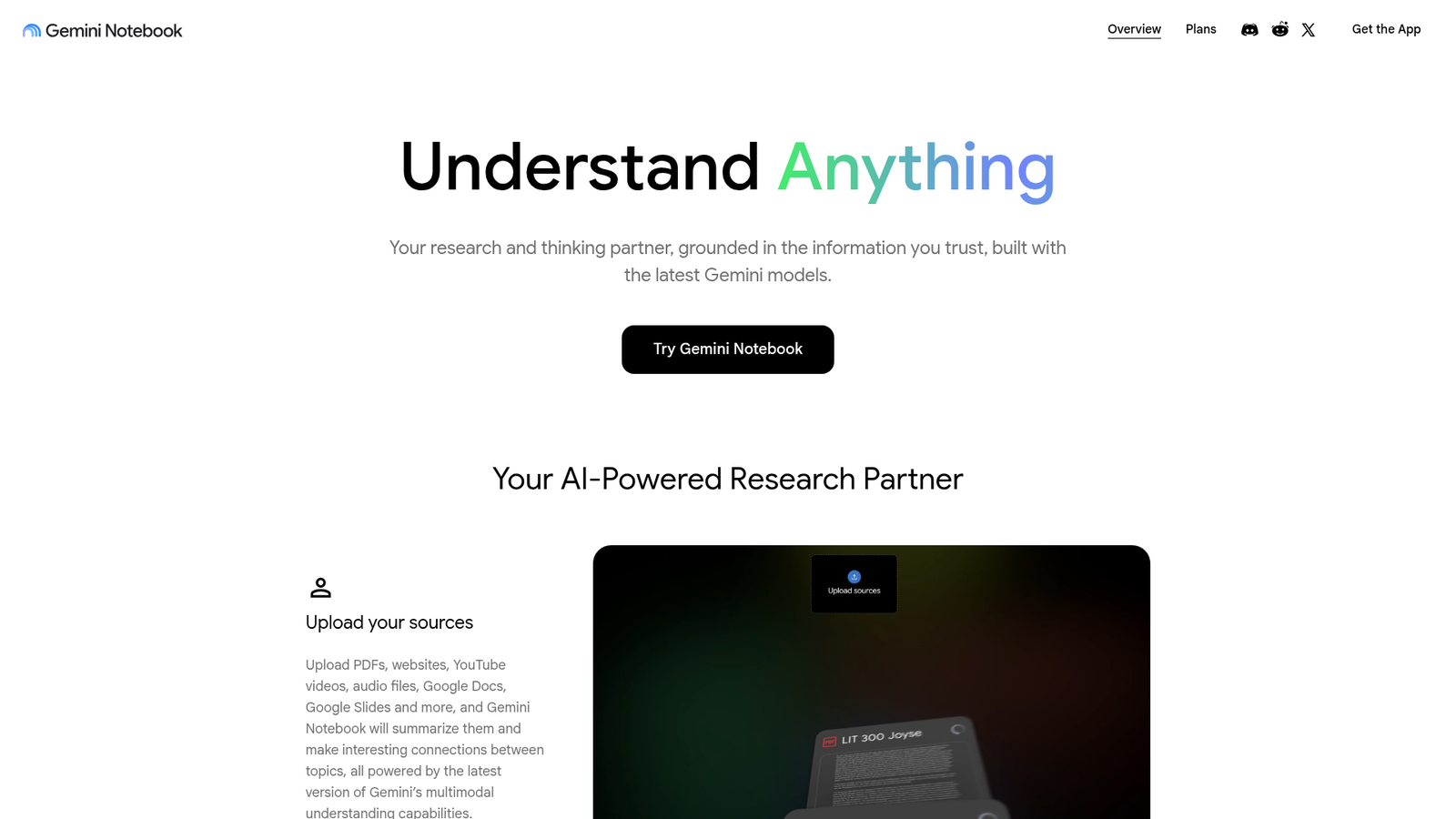
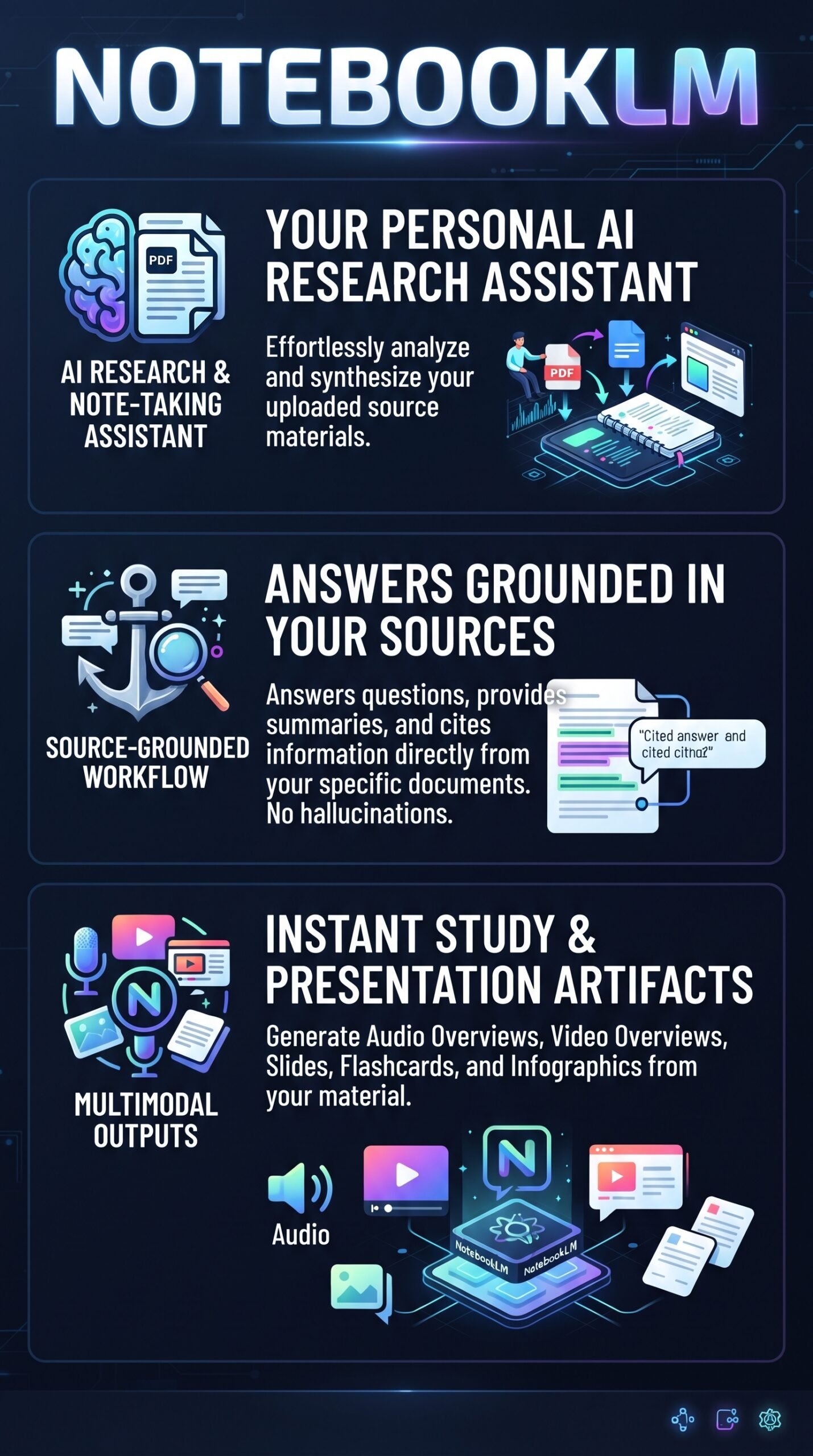
NotebookLM is Google’s AI research and note-taking assistant, now officially rebranded as Gemini Notebook as of July 2026. It’s powered by Google’s Gemini models and built on a retrieval-augmented generation system — meaning it pulls answers from the documents and sources you upload, not from open-ended model memory. Google describes it as a “thinking partner” grounded in the information you trust. The intended users are students, researchers, analysts, and knowledge workers who need accurate, traceable answers from a specific body of material rather than broad AI conversations.
Key Features
Source-Grounded Q&A With Inline Citations
Every answer NotebookLM generates links back to the exact passage in your uploaded sources. You can see where the information came from before you trust it. Google says this approach reduces hallucinations significantly, since the tool isn’t generating from general knowledge — it’s extracting from your material. It also supports images, charts, and diagrams in source documents, not just plain text.
Audio Overviews and Video Overviews
This is the feature that got mainstream attention. Audio Overviews generate podcast-style conversational summaries of your sources with one click. Google has since added Video Overviews and Cinematic Video Overviews— including shorter vertical video styles — turning your uploaded notes, PDFs, slides, links, and sources into engaging, narrated visual summaries, explainer videos, and downloadable MP4 files.
Study and Productivity Artifacts
NotebookLM doesn’t stop at Q&A. It can generate quizzes, flashcards, briefing docs, FAQs, tables of contents, mind maps, slide decks, infographics, and data tables from your uploaded sources. Google’s recent updates describe interactive improvements like slide revision tools and flashcards with saved progress. This moves the product well beyond a research chatbot into something closer to a content transformation workspace.
How NotebookLM Works
Step 1: Upload Your Sources
You start by uploading or connecting sources. Supported formats include Google Docs, PDFs, Google Slides, web URLs, text files, EPUB files, and in some cases YouTube transcripts. The system summarizes the material automatically and extracts key topics and suggested questions once a document lands in the notebook.
Step 2: Ask Questions or Generate Artifacts
With sources in place, you can chat with the material, ask specific questions, or choose an artifact type from the available menu. According to Google’s documentation, the system uses multimodal understanding to handle non-text content like charts and images, not just written passages.
Step 3: Review Citations and Export
Answers arrive with inline citations pointing to the specific source passage used. You can verify claims directly, which is the core trust mechanism the product is built around. Generated artifacts like slide decks and audio files can be used directly or refined through follow-up instructions.
How Video Overviews Work in NotebookLM
Source-Grounded Generation: The AI builds the video narrative strictly from the documents or YouTube links you provide inside your specific notebook.
Studio Panel Integration: Navigate to the Studio section of your notebook, select the video generation option, and customize the focus or visual style.
Cinematic Styles: Advanced tiers support cinematic visual styles (such as manga, comic books, or documentary animation) using integrated generation models.
Export and Share: Finished videos can be viewed in full-screen mode or downloaded directly as MP4 files for presentations and teaching.
What the Evidence Shows
What the Vendor Claims
Google positions NotebookLM as a tool that delivers “more accurate answers and insights based on your actual material,” reducing the likelihood of AI errors and hallucinations. The official site highlights direct source control, personalized learning, and efficiency in synthesising large volumes of text. They also note that organization and school data stays private and isn’t used to train Gemini models, even if feedback is submitted — a meaningful distinction for enterprise and academic users.
What Users Report
User sentiment is consistently positive for the specific use cases the tool is designed for. Reviewers and commentators highlight how useful it is for digesting dense reading, building study guides quickly, and converting notes into audio summaries that work for multitasking. The citation model gets specific praise — users say it builds trust in the output in a way that general chatbots don’t. Criticism tends to center on the narrow scope: if you haven’t uploaded the right sources, the tool can’t help you. Some users also note that generation limits on the free tier can interrupt heavier workflows. Media coverage from WSJ, The Verge, CNBC, and AI researcher Andrej Karpathy has been broadly enthusiastic, particularly about the Audio Overview format.
How It Stacks Up Against the Category
Source-grounded document Q&A is a real category now, and NotebookLM leads it on artifact breadth. Humata is closer in spirit — it also focuses on document-based Q&A — but NotebookLM’s wider artifact output and Google ecosystem integration make it more useful for learning and presentation workflows. General-purpose assistants like ChatGPT or Claude are more flexible for open-ended work, but they don’t give you the same citation traceability or the ability to turn sources into podcasts and slide decks.
NotebookLM vs Competitors
| Feature | NotebookLM | Perplexity | ChatGPT | Claude |
|---|---|---|---|---|
| Source-grounded answers | Yes (core feature) | Yes (web search) | Partial | Partial |
| Inline citations | Yes | Yes | No | No |
| Audio / Video Overviews | Yes | No | No | No |
| Flashcards / quizzes | Yes | No | Partial | Partial |
| Live web research | No | Yes | Yes (paid) | Yes (paid) |
| Free tier available | Yes | Yes | Yes | Yes |
For a deeper look at two of these alternatives, see the Perplexity review and the Claude review on this site.
Pricing
NotebookLM (now Gemini Notebook) has a free Standard plan and paid premium plans. The free tier is functional enough to evaluate the core features before committing to a paid plan.
| Plan | Monthly price | What it includes |
|---|---|---|
| Free | $0/month | Basic NotebookLM/Gemini Notebook access |
| Google AI Plus | $7.99/month | Expanded limits compared with Free |
| Google AI Pro | $19.99/month | Higher limits and additional Google AI features |
Pros and Cons
Pros
- Answers are tied to your sources with inline citations — much lower hallucination risk than general chatbots
- Supports a wide range of source types including PDFs, Google Docs, Slides, URLs, EPUBs, and images
- Audio Overviews and Video Overviews are genuinely useful for learning and sharing research
- Artifact variety is strong: quizzes, flashcards, briefing docs, mind maps, infographics, and slide decks all in one place
- Google confirms organizational and school data isn’t used to train Gemini models
Cons
- Scope is deliberately narrow — it won’t help you with anything outside your uploaded sources
- Generation limits on the free tier can slow down heavier workflows.
- Output quality depends entirely on the quality and completeness of the sources you provide
Who Should Use NotebookLM?
Students and academic researchers are the most obvious fit. If you’re working through textbooks, papers, or lecture recordings and want cited summaries, quizzes, and audio walkthroughs, this tool was built for you. Analysts and knowledge workers who deal with policy documents, competitor research, or internal reports will also find the citation model genuinely useful — it makes it easy to verify what the AI pulled and where.
Content creators who want to turn a pile of research into podcast-style audio or a slide deck without starting from scratch will find the artifact generation surprisingly capable. The Audio Overview feature in particular has attracted a lot of attention from people who learn better by listening.
If you need open-ended creative writing help, broad web research, or a general AI assistant for varied daily tasks, you’d be better served by ChatGPT or Claude. NotebookLM isn’t trying to be everything — and that’s both its strength and its limit.
NOTEBOOKLM Main Facts
Frequently Asked Questions
Is NotebookLM the same as Gemini Notebook?
Yes. Google rebranded NotebookLM as Gemini Notebook in July 2026. It’s the same product, and existing notebooks remain fully accessible. The rebrand reflects deeper integration with Google’s broader Gemini AI ecosystem.
Does NotebookLM make up information?
It’s designed not to. Because it answers only from your uploaded sources, the hallucination risk is lower than with general-purpose chatbots. Google says the tool provides inline citations so you can check every claim against the original material. That said, output quality still depends on what you upload.
What file types does NotebookLM support?
According to Google’s documentation, supported sources include Google Docs, PDFs, Google Slides, web URLs, text files, EPUB files, and in some cases YouTube transcripts. It also handles images, charts, and diagrams within documents using multimodal understanding.
Is there a free version of NotebookLM?
Yes. There’s a free Standard plan that covers the core features, including Q&A, citations, and artifact generation. The premium plan unlocks 5x more generations of Audio and Video Overviews and other outputs. Check the official site for current pricing details.
Final Verdict
NotebookLM does one thing really well: it helps you understand and transform a specific set of documents you trust. The cited answers, multimodal source support, and unusually broad artifact library — from podcast-style audio and video overviews to cinematic video overviews, flashcards, and slide decks — make it one of the more capable tools in its category. Its video overviews explain your sources through structured visual presentations, while cinematic video overviews aim to make the material more immersive and engaging. It’s not a replacement for ChatGPT or Claude if you need a general AI assistant, but it’s also not trying to be.
If you regularly work through dense research, need traceable AI answers, or want to turn your notes into something usable — including polished audio and visual summaries — NotebookLM is worth trying on the free tier. The main caveat is that you get out what you put in: bring better sources and you’ll get better results.
Review Methodology
This review is based on analysis of the vendor’s documentation, pricing pages, and feature set, combined with user reports and commentary gathered from media coverage (WSJ, The Verge, CNBC), public user sentiment, and third-party explainers.