Disclosure: Some of the links on Daily Digital Reviews are affiliate links. This means that if you click on a link and make a purchase, we may earn a small commission — at no extra cost to you.
A Big Promise in a Crowded Market
HeyBoss.AI review searches have been picking up, and it’s easy to see why — the pitch is hard to ignore. Type a sentence, get a live website, app, or game, with hosting, SEO, CRM, and payments already baked in. No developers, no tool stack, no setup headaches. That’s a bold claim, and I looked at the vendor’s documentation, feature pages, and available media coverage to figure out whether the substance matches the story.
The short version: there’s a lot that’s genuinely interesting here, but there are also some gaps worth knowing about before you hand over a credit card.
Quick Verdict: HeyBoss.AI offers one of the broadest AI-driven builder pitches on the market right now, with a multi-agent setup that covers everything from design to payments. The concept is compelling for non-technical founders, but independent user reviews are limited and real-world performance on complex builds remains an open question.
Overall Rating: 4.0 / 5 ⭐
Feature depth: 4.0/5 · Ease of use: 4.0/5 · Pricing value: 4.5/5 · Trust signals: 3.5/5
What Is HeyBoss.AI?
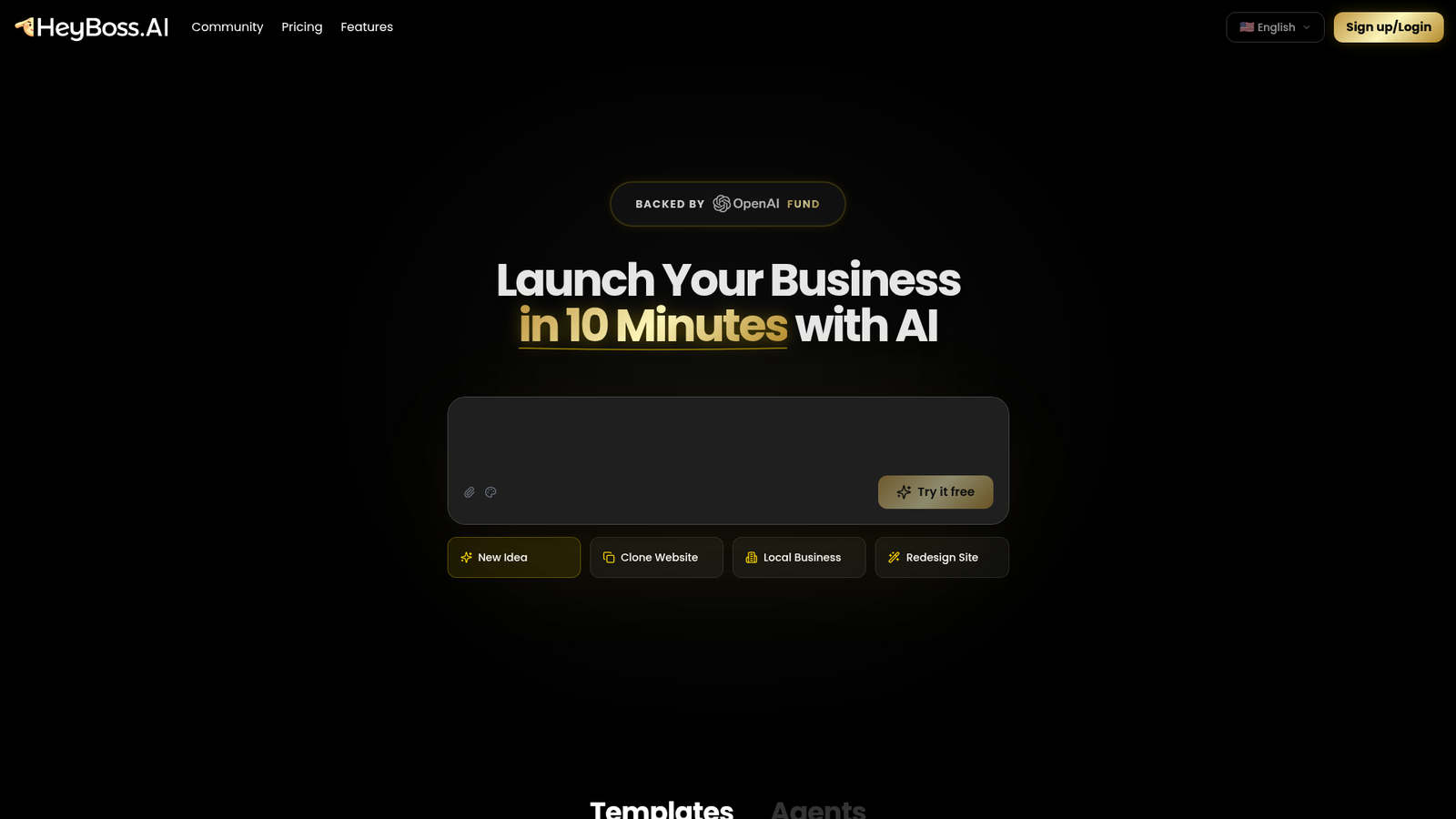
HeyBoss.AI is a no-code, AI-first platform for building websites, apps, and games. It targets small and medium-sized businesses and solo founders who want to launch a working digital product without writing code or piecing together multiple tools. The company describes it as an all-in-one business builder with built-in SEO, hosting, CRM, emails, templates, payments, and a database — a stack that would normally require several paid subscriptions.
What sets it apart from a standard site builder is its framing as a multi-agent AI team rather than a single generator. Their materials describe specialized AI components for product management, front-end and back-end development, content writing, and marketing, all coordinating to take an idea from description to launch.
Key Features
Prompt-to-Product Builder
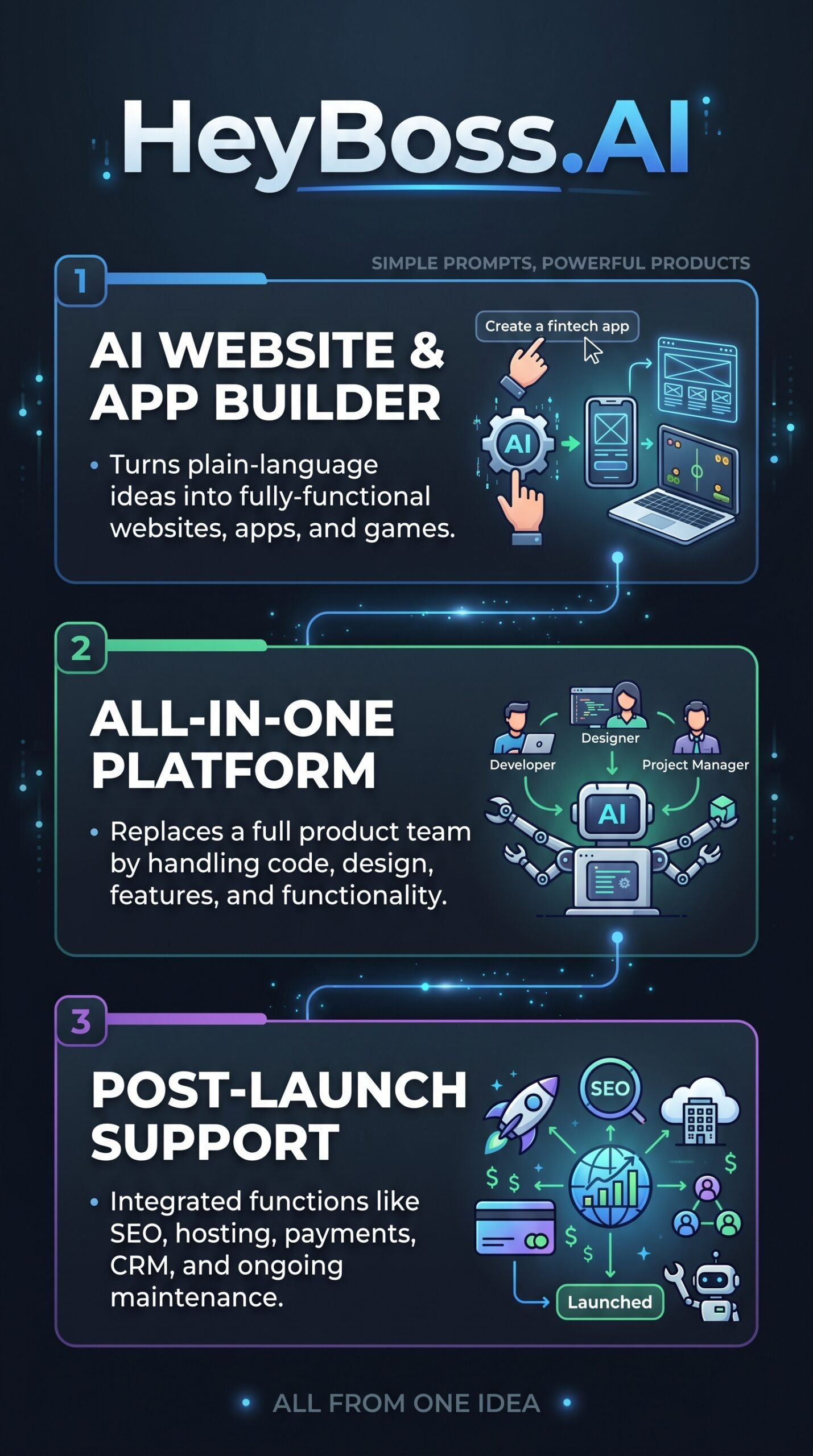
The core feature is a natural-language input that triggers the full build process. You describe your idea in one sentence and the system produces a functional website, app, or game, including design, code, and content layers. The company says this covers everything from a simple portfolio to a full SaaS app with authentication, database, and payments — though the credit cost for complex builds is significantly higher.
Built-In Business Stack
HeyBoss.AI includes CRM, email, payments and storefront, AI SEO automation, conversion tracking, and hosting without requiring external integrations. The feature page also references a built-in database and CMS, an AI app store, and workflow automation on higher-tier plans. This is the “replace dozens of tools” pitch, and it’s the clearest differentiator against design-focused builders like Framer.
Multi-Agent AI Team
According to Inc. coverage and the company’s own materials, HeyBoss.AI positions its system as a full AI organization with an AI named Astra acting as CEO, coordinating engineering, design, product management, writing, and SEO roles. This isn’t just branding — it reflects a structured orchestration model where different AI components handle different parts of the workflow.
Market Research Tool
A separate feature page shows a market-research workflow: define an industry, region, and questions, and the agent generates a research plan, synthesizes trends and customer pain points, and exports a shareable report with charts. This extends the platform well beyond building into planning and validation, which is useful for founders still testing an idea.
How HeyBoss.AI Works
Step 1: Describe Your Idea
You start by typing a description in plain language. The system uses that prompt to determine what kind of product to build and which AI agents to activate.
Step 2: Multi-Agent Build Process
According to the vendor’s documentation, the platform then runs a coordinated workflow covering research, design, code generation, content writing, and deployment. Specialized AI components handle front-end, back-end, and content tasks in parallel rather than sequentially.
Step 3: Launch and Manage
Once the build is complete, the platform handles hosting and ongoing maintenance. Users can make free quick edits — text changes, colors, fonts, spacing — without spending AI credits. More complex changes like new pages or AI-generated images draw from the monthly credit allowance.
What the Evidence Shows
What the Vendor Claims
HeyBoss.AI’s official site and feature pages describe a platform that replaces dozens of tools, automates the full build lifecycle, and lets anyone launch a live product from a single sentence. The company also publishes case studies claiming faster site creation and cost savings, and their AI-CEO narrative has earned coverage from Inc., which gives the brand more visibility than most early-stage builders get.
What Users Report
This is the weakest area in the available research. The supplied sources don’t include data from G2, Trustpilot, Capterra, or Reddit at scale. Vendor-published case studies point to positive outcomes around speed and cost, but those are not independent assessments. There’s no significant third-party review corpus available to draw on here, which is worth noting before you commit.
How It Stacks Up Against the Category
Among AI website builders, HeyBoss.AI’s scope is unusually broad. Most competitors focus on one layer — Framer on design, Bubble on logic, Durable on fast SMB sites. HeyBoss.AI tries to cover all of them plus business ops. That’s ambitious, and in this category, ambition often outpaces execution on complex projects. Without independent benchmarks, it’s hard to say how well it delivers at the edges of its stated capability.
HeyBoss.AI vs Competitors
Here’s how HeyBoss.AI compares on documented features and pricing against key rivals. For a deeper look at AI-driven tools in this space, check out our Devaito review and Storeclaw review.
| Feature | HeyBoss.AI | Lovable | Wix | Bubble |
|---|---|---|---|---|
| Prompt-to-site AI | Yes | Yes | Partial | No |
| Built-in CRM | Yes | No | Partial | No |
| Built-in payments | Yes (Premium+) | Via integrations | Yes | Via plugins |
| AI SEO automation | Yes (Premium+) | No | Partial | No |
| Free tier available | Yes (70 credits) | Yes | Yes | Yes |
| Starting paid price | $23.99/month | ~$20/month | ~$17/month | ~$29/month |
Pricing
HeyBoss.AI has a free plan with 70 AI credits and two projects — enough to test the concept. Paid plans run $23.99/month (Basic), $39.99/month (Premium), and $79.99/month (Platinum), all billed annually. The Premium plan is flagged as most popular and adds payments, AI SEO automation, conversion tracking, and team workspace. Platinum adds workflow automation and priority support. A 7-day money-back applies to Basic; Premium carries a 30-day refund window. For current pricing, visit HeyBoss.AI’s official website.
Pros and Cons
Pros
- Genuinely broad feature set — CRM, hosting, SEO, payments, and database in one platform
- Free tier lets you test the core workflow before committing
- Multi-agent architecture covers the full build lifecycle, not just design
- Market research tool adds planning value beyond just site creation
- 30-day refund on Premium reduces the financial risk of trying it
Cons
- Independent user reviews are scarce — hard to verify real-world performance at scale
- Complex builds (full SaaS apps) consume credits fast and costs can climb quickly
- Vendor-published case studies aren’t a substitute for third-party validation
Who Should Use HeyBoss.AI?
HeyBoss.AI looks like the right fit for non-technical founders who want to launch something fast without hiring developers or assembling a tool stack. If you’re building a landing page, a simple SaaS front-end, or a small business site and want SEO and CRM included out of the box, this is worth a look.
It also suits solopreneurs who are still in the idea-validation stage — the market research feature is a genuinely useful addition that most builders don’t offer.
It’s probably not the right choice if you need a highly customized app with complex logic. Bubble gives you more control there. It’s also not ideal if you’re already comfortable with Wix or a similar established builder and just need incremental improvements. And if independent review coverage matters to your buying decision, the thin third-party track record here is a real gap right now. You might also want to compare AI-driven tools — our Mujo AI review covers another platform in a similar space.
HeyBoss.AI Main Facts
Frequently Asked Questions
Does HeyBoss.AI require any coding knowledge?
No. The platform is designed for non-technical users. You describe your idea in plain language and the system handles design, code, and deployment. A code editor is available on paid plans for users who want to make manual adjustments.
What are AI credits and do they roll over?
AI credits are the currency for advanced tasks like generating new pages, creating AI images, and using AI plugins. Simple edits like changing text or colors are free. The pricing page lists this as a FAQ but does not show the answer in the supplied materials — check the platform directly for rollover policy details.
Is there a free plan?
Yes. The free plan gives you 70 AI credits and two projects, which is enough to test the builder and get a feel for the workflow before upgrading.
What’s the refund policy?
HeyBoss.AI offers a 7-day money-back guarantee on the Basic plan and a 30-day refund window on the Premium plan. The pricing page also notes you can cancel at any time.
Final Verdict
HeyBoss.AI is one of the more ambitious pitches in the AI builder category right now. The multi-agent framing, the built-in business stack, and the market research feature all point to a team that’s thinking bigger than a simple drag-and-drop tool. For a non-technical founder who wants to move fast and keep their tool count low, that’s a compelling offer.
The honest caveat is that ambition and execution aren’t always the same thing. Independent reviews are limited, complex projects eat credits quickly, and the platform is still building its public track record. The free tier and Premium’s 30-day refund make it low-risk to try. If the free plan impresses you, it’s worth going further. If you need proven reliability on complex builds, give it more time to accumulate independent validation first.
Review Methodology
This review is based on analysis of HeyBoss.AI’s official documentation, pricing pages, and feature set, combined with vendor-published case studies and media coverage from Inc. and the AI Agent Store profile. No independent user review platforms with sufficient HeyBoss.AI data were available in the research at the time of writing.