
Disclosure: Some of the links on Daily Digital Reviews are affiliate links. This means that if you click on a link and make a purchase, we may earn a small commission — at no extra cost to you.
A Social Media Scheduler That Does More Than Schedule
PostSyncer review searches are picking up, and it’s easy to see why. Managing social media across 11+ platforms is genuinely painful. You’re jumping between tabs, copy-pasting captions, and forgetting to post half the time. PostSyncer pitches itself as the fix — one workspace for scheduling, publishing, AI content creation, and comment management all at once.
Quick Verdict: PostSyncer is a genuinely capable social media management platform with broad platform support, built-in AI tools, and a pricing structure that’s hard to argue with at the entry level.
Overall Rating: 4.5 / 5 ⭐
Feature depth: 4.5/5 · Ease of use: 4.5/5 · Pricing value: 4.5/5 · Trust signals: 4.5/5
What Is PostSyncer?
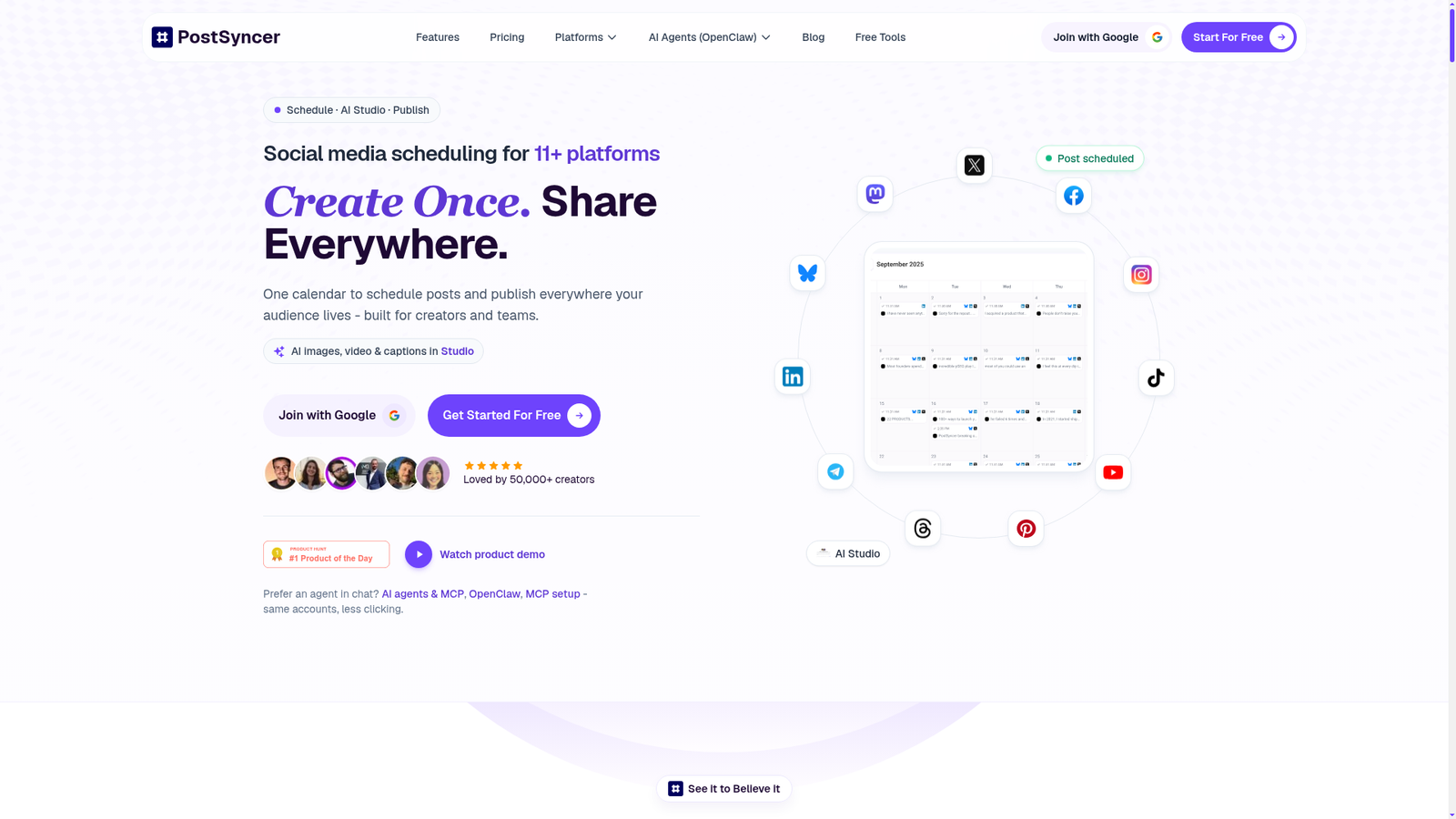
PostSyncer is a cloud-based social media management platform designed for creators, freelancers, and agencies. It lets you connect accounts across Instagram, Facebook, X, LinkedIn, TikTok, Pinterest, YouTube, Telegram, Threads, Bluesky, and Mastodon, then schedule, publish, and manage content from a single dashboard. The company describes it as a “social media HQ” — one place to plan content, generate it with AI, schedule it, reply to comments, and track performance. It’s not a niche tool for one platform. It’s going after the full workflow, and that’s what makes it interesting to evaluate.
Key Features
Multi-Platform Scheduling
The core feature is a visual content calendar where you can schedule posts across 11+ networks simultaneously. The platform supports reels, shorts, carousel posts, threaded posts, and first-comment scheduling. Bulk scheduling via CSV or Excel upload is also available on all paid plans, letting you load up to 30 days of content at once.
AI Content Studio
PostSyncer includes a built-in AI Studio for generating captions, post text, images, and videos. The AI Content Agent can take a URL, PDF, image, or video as input and produce platform-ready content. The company’s documentation highlights image and video generation modes including Veo 3, Sora 2, and Nano Banana Pro. This goes well beyond basic caption suggestions and is one of the more distinctive parts of the product.
Comment Management and Engagement Tools
A unified comment inbox pulls conversations from all connected platforms into one place, with filtering for spam. The platform also supports AI-powered auto-replies and a CRM contact management layer for tracking audience interactions. This is a feature set you’d usually need a separate tool to handle.
Team Collaboration and Workspaces
Approval workflows, role-based permissions, and workspace separation are available on all paid plans. Each workspace handles up to 10 accounts, and additional workspaces can be added for $19/month each, which makes scaling up for agencies fairly straightforward.
Analytics
Basic analytics come with the Starter plan; advanced analytics unlock at Pro and above. The platform includes a performance heatmap and cross-platform reporting, though the depth of reporting isn’t fully documented in available materials.
How PostSyncer Works
Connect and Organize
You start by connecting your social accounts through OAuth — PostSyncer says it doesn’t store passwords and uses official platform connections. Accounts get organized into workspaces, making it easy to separate clients or brands.
Create and Schedule
From the unified editor, you write or generate content, attach media, and select which platforms and accounts should receive the post. The visual calendar shows everything in one view. You can queue posts, drag and drop to reschedule, or set specific times per platform.
Manage Replies and Track Performance
Once posts go live, the unified inbox collects comments. The API documentation confirms that PostSyncer exposes endpoints for listing, creating, updating, deleting, and hiding comments across platforms — which suggests the engagement layer is more than cosmetic. Analytics then feed back performance data to inform the next round of content.
What the Evidence Shows
What the Vendor Claims
PostSyncer positions itself as an all-in-one platform for creators and agencies who need scale without complexity. They emphasize unlimited scheduled posts, unlimited team members on all paid plans, and AI tools that cover text, images, and video. The company also claims 50,000+ creators use the platform, per the homepage.
What Users Report
User signals collected from testimonials and public mentions are positive but come mostly from the vendor’s own site and social media posts, so they carry less independent weight. Recurring themes include praise for the clean UI, value-for-money pricing, and active founder support. One user noted they upgraded from a free trial to a paid annual plan within days. Another specifically called out the support quality, saying “no issue is too much.” A separate Reddit reference describes the product as solving the core problem of connecting profiles and writing once for multi-platform distribution. Structured independent review data from platforms like G2 or Capterra wasn’t surfaced in the available research, so the overall sentiment should be treated as directionally positive rather than statistically verified.
How It Stacks Up Against the Category
For its price tier, PostSyncer’s feature set is unusually broad. Most tools at $29/month don’t include AI video generation, comment management, CRM tools, and bulk scheduling simultaneously. The workspace model for agencies is also more flexible than Buffer’s account caps at equivalent pricing. The main gap compared to established players is in independent reputation and enterprise-grade reporting depth, where tools like Sprout Social have years of third-party validation that PostSyncer hasn’t yet accumulated.
PostSyncer vs Competitors
For a fuller look at comparable scheduling tools, see our Postiz review and our Publora review.
| Feature | PostSyncer | Buffer | Hootsuite |
|---|---|---|---|
| Platforms supported | 11+ | 8+ | 10+ |
| AI content generation | Yes (text + image + video) | Partial (text/captions) | Partial (text/captions) |
| Comment management | Yes (unified inbox) | Limited | Yes |
| Team members (entry plan) | Unlimited | 1 user (free), paid per seat | 1 user (entry) |
| Entry price (monthly) | $29/mo | ~$6/mo (limited) | ~$99/mo |
| Bulk scheduling | Yes (CSV/Excel) | No | Yes |
| Independent review depth | Limited (newer product) | Extensive | Extensive |
Pricing
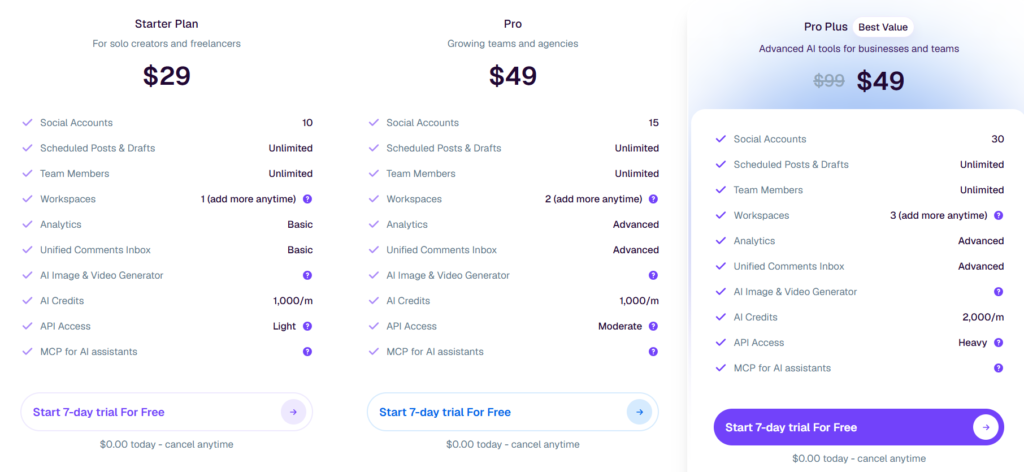
PostSyncer offers three paid tiers. The Starter plan is $29/month (or $24/month billed annually) for up to 10 social accounts, 1 workspace, unlimited posts, unlimited team members, basic analytics, 1,000 AI credits/month, and live chat support. The Pro plan is $49/month ($39/month annually) for 15 accounts, 2 workspaces, advanced analytics, and a higher API posting limit. The Pro Plus plan is currently listed at $49/month (promotional, down from $99/month) for 30 accounts, 3 workspaces, 2,000 AI credits, and heavy API access. Additional workspaces cost $19/month each on any plan. All plans include a 7-day free trial with no charge on day one.
Pros and Cons
Pros
- Broad platform support across 11+ networks including Bluesky and Mastodon
- AI content generation for text, images, and video is included on all paid plans
- Unlimited team members and scheduled posts even at the entry tier
- Unified comment inbox and CRM tools reduce the need for separate software
- Flexible workspace model makes it practical for agencies and freelancers
Cons
- Advanced analytics are locked to Pro plans and above
- Enterprise-level governance, deep reporting, and integrations don’t yet match older tools like Sprout Social
Who Should Use PostSyncer?
Solopreneurs and creators who post to multiple platforms regularly will find the Starter plan a strong fit. You get unlimited posts, AI tools, and 11 platforms for $29/month — that’s hard to beat at this price point.
Freelancers managing client accounts benefit from the workspace model. Each client gets a clean, separated environment, and the unlimited team member allowance means you’re not paying extra per collaborator.
Small agencies looking for scheduling plus comment management plus AI in one tool will find PostSyncer covers more ground than most alternatives at this price tier.
Enterprise teams with complex governance requirements, deep CRM integrations, or robust reporting demands may find PostSyncer’s current feature set falls short. Hootsuite or Sprout Social are more mature choices in that case. You can also compare options in our Virlo review for a different angle on scheduling tools.
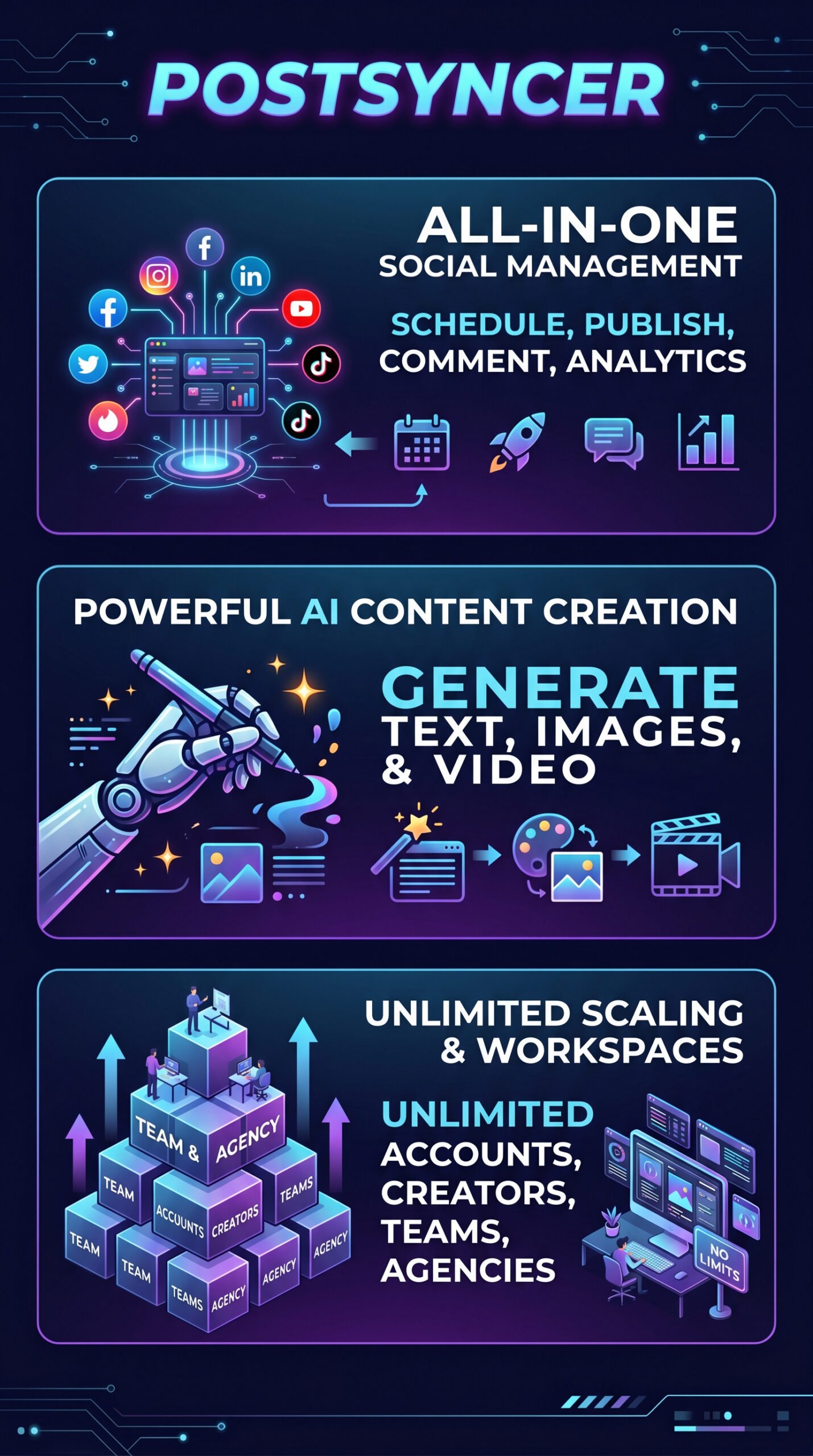
Postsyncer Main Facts
Frequently Asked Questions
Does PostSyncer support Instagram and TikTok?
Yes. PostSyncer supports direct publishing to both Instagram and TikTok, along with Facebook, X, LinkedIn, Pinterest, YouTube, Telegram, Threads, Bluesky, and Mastodon, per the official platform documentation.
Is there a free plan?
PostSyncer doesn’t list a permanent free plan. It offers a 7-day free trial on all paid tiers, with no charge on the first day and no cancellation fee if you decide not to continue.
Can I manage multiple clients in PostSyncer?
Yes. The workspace model is designed for exactly this. Each workspace is separate with its own accounts and calendar. The Starter plan includes one workspace; additional ones are $19/month each.
How does PostSyncer’s AI content creation work?
The AI Content Agent accepts URLs, PDFs, images, videos, or plain text as inputs, then generates captions, post copy, images, or short-form video. AI credits are allocated monthly — 1,000/month on Starter and Pro, 2,000/month on Pro Plus.
Final Verdict
PostSyncer is a genuinely well-built tool for the price. At $29/month, the combination of 11+ platforms, unlimited posts, unlimited team members, AI content generation, comment management, and bulk scheduling is difficult to match among established competitors. The workspace model also makes it sensible for freelancers and small agencies, not just solo creators.
The honest caveat: most of the positive feedback comes from the vendor’s own channels. That doesn’t mean the product is weak — it means you should take the 7-day free trial seriously and test your specific workflow before committing. If the features match your needs, the pricing makes it an easy call. Visit PostSyncer’s official site to start your free trial.
Review Methodology
This review is based on analysis of PostSyncer’s official documentation, pricing pages, and feature set, combined with user reports gathered from the vendor’s testimonials page, Product Hunt, and Reddit threads surfaced during desk research.