Disclosure: Some of the links on Daily Digital Reviews are affiliate links. This means that if you click on a link and make a purchase, we may earn a small commission — at no extra cost to you.
An AI Agent Social API Worth Knowing About
Publora is pitching itself as the first MCP-native API built specifically for AI agents. If you’re building autonomous agents and want them to post, comment and react, across 10 social networks without writing custom integrations for each one, that’s the gap Publora is trying to fill. I reviewed the vendor documentation, pricing pages, and early user feedback to figure out whether this tool actually delivers on that promise or whether it’s just clever positioning.
Quick Verdict: Publora is a genuinely novel product in a space that barely existed a year ago. Its MCP-native approach does simplify multi-network agent deployment in a way that traditional social tools don’t.
Overall Rating: 4.3 / 5 ⭐
Feature depth: 4.5/5 · Ease of use: 4.0/5 · Pricing value: 4.5/5 · Trust signals: 4.0/5
What Is Publora?
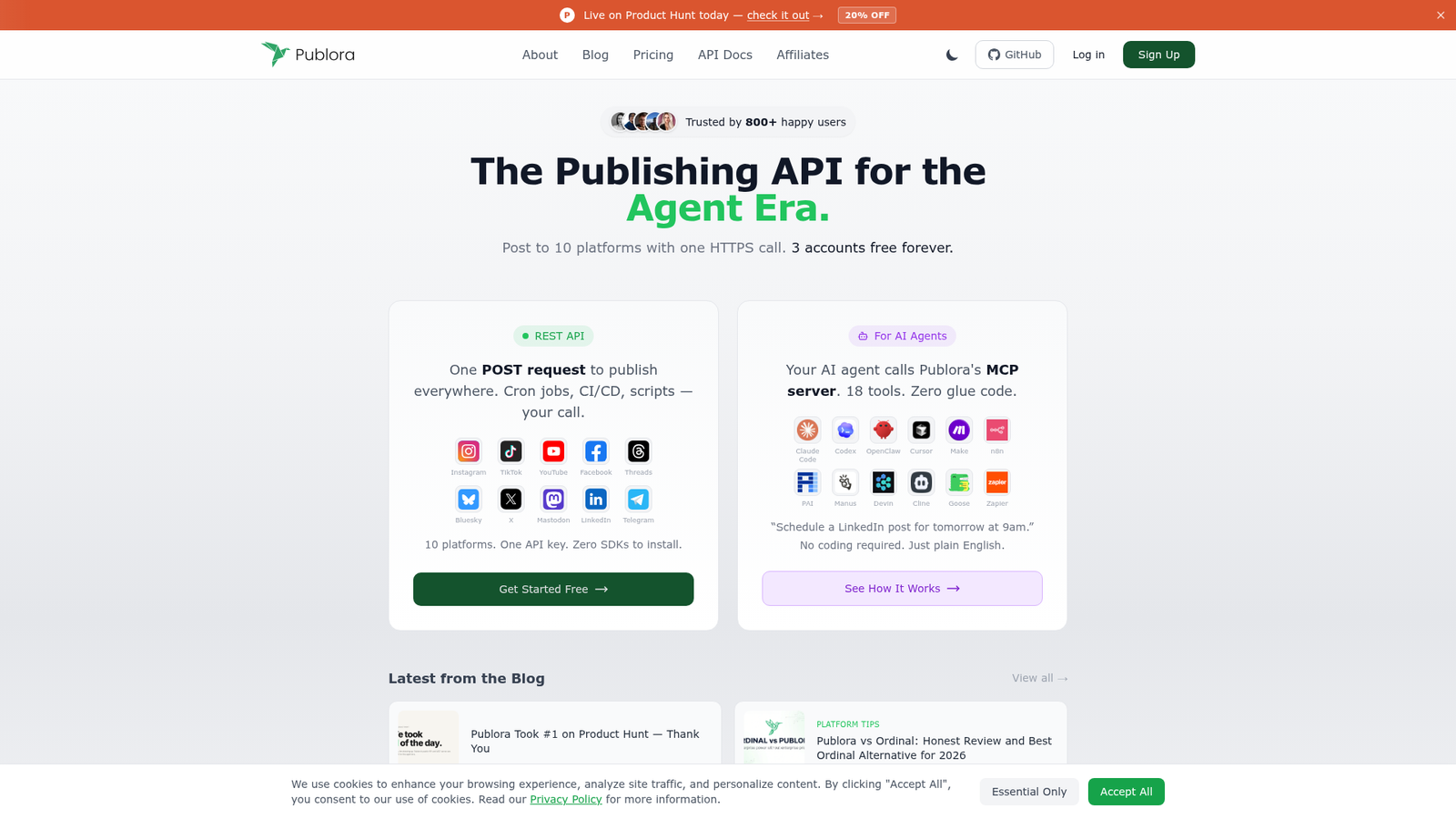
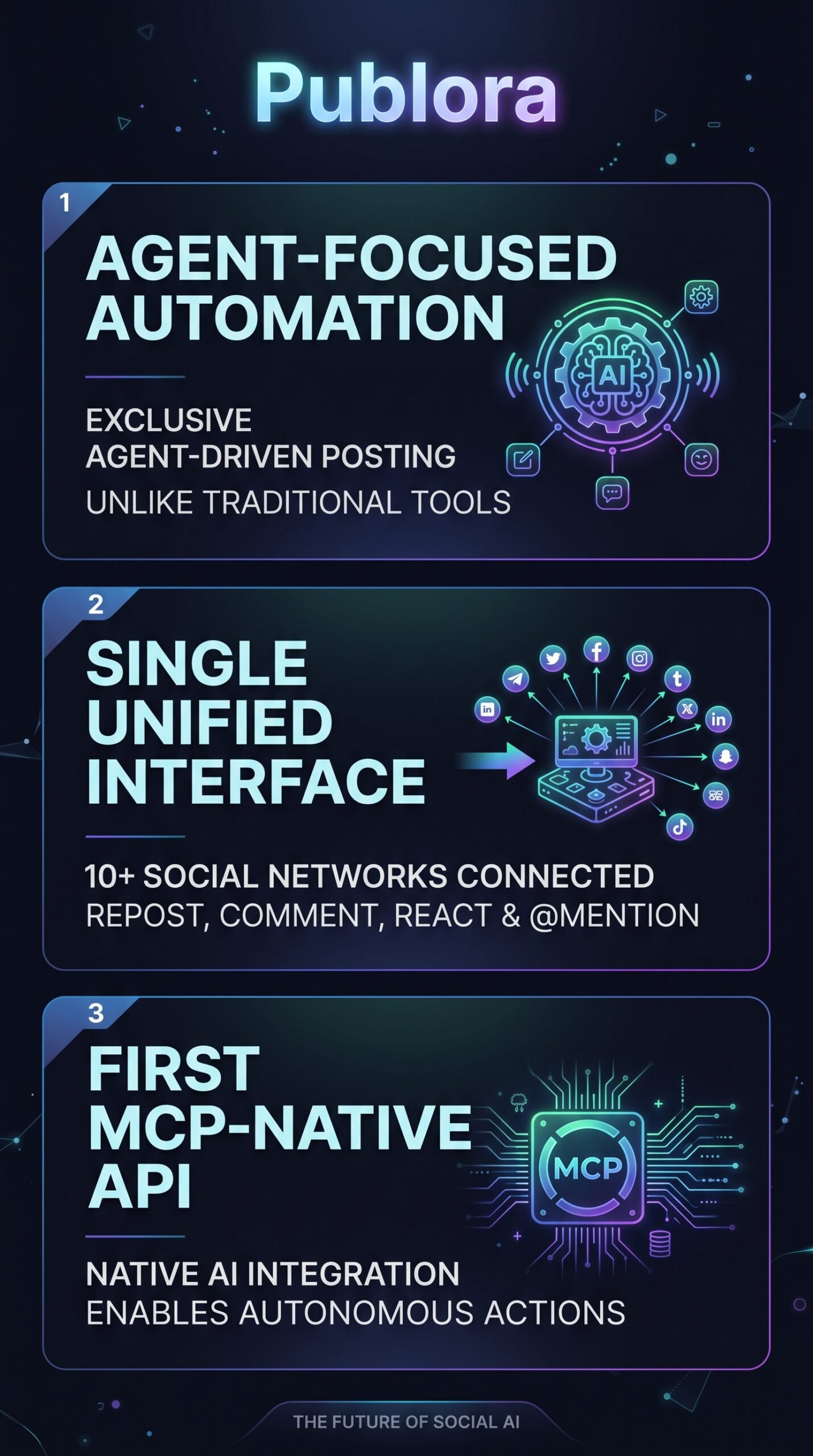
Publora is a social media API platform designed exclusively for AI agent automation. It connects to 10 major social networks — LinkedIn, X, Instagram, Threads, TikTok, YouTube, Facebook, Bluesky, Mastodon, and Telegram — through a single unified interface built on the Model Context Protocol (MCP). The idea is that instead of your AI agent needing custom code for each platform, it sends structured commands to Publora, which handles the translation into native network actions. It’s not a scheduling tool for humans. It’s infrastructure for developers and teams deploying autonomous agents at scale.
Key Features
MCP-Native API
This is the core of what makes Publora different. The Model Context Protocol creates a standardized way for AI agents to communicate with external systems. Publora builds its entire product around this protocol, meaning agents can interact with all 10 supported networks through one consistent command structure instead of 10 different APIs.
Autonomous Cross-Network Actions
Agents can post, comment, react, and @mention across all supported platforms. The platform handles RESTful API calls with JSON-based command structures in the background. Your agent doesn’t need to know the difference between a LinkedIn post and a Bluesky toot — Publora abstracts that away.
Unified Agent Dashboard
There’s a real-time dashboard that shows what your agents are doing, engagement metrics, and cross-platform performance data. For teams running multiple agents, this is the monitoring layer that keeps things visible.
AI Editor
Available on all plans including the free Starter tier. It’s listed as a content editing feature, though the vendor documentation doesn’t go deep on exactly what it does beyond content assistance.
Built-in Reliability Tools
The platform includes error handling, retry mechanisms, and performance monitoring to keep agent operations running reliably — important when your agent is supposed to be working autonomously without someone watching it constantly.
How Publora Works
The MCP Command Flow
According to the vendor’s documentation, the workflow starts with your AI agent sending a structured command to Publora’s API. That command could be “post this content to LinkedIn and Threads” or “reply to @username on X.” Publora receives it, translates it into the native action for each platform, and executes it in real time. The agent doesn’t need platform-specific logic — the translation layer handles it.
Setup and Onboarding
You connect your social accounts through Publora’s dashboard, configure your agent’s API access, and point your agent at Publora’s MCP server. The Starter plan lets you do this for free with up to 3 social accounts and 15 posts per month, which is enough to test whether the integration works for your use case before paying anything.
What the Evidence Shows
What the Vendor Claims
Publora describes itself as “the first MCP-native social API” and positions this as foundational infrastructure for the next generation of autonomous social agents. They say the standardized approach eliminates custom integrations and reduces development complexity. The company recently hit #1 Product of the Day on Product Hunt, which signals real market interest even if it doesn’t prove the product works perfectly.
What Users Report
Early adopters consistently mention time savings and simplified agent management as the main wins. The MCP-native approach gets praised as a genuinely useful abstraction. On the flip side, users flag that granular control over agent behavior in complex scenarios is limited — if you need fine-tuned conditional logic or niche platform-specific configurations, you may hit walls. There’s also a noted dependency on stable API connections, which matters when you’re running autonomous operations that can’t have a human babysitting them.
How It Stacks Up Against the Category
Tools like Buffer, Hootsuite, and Sprout Social were built for human social media managers. They’ve added some agent capabilities, but they weren’t designed from the ground up for autonomous operation. Publora is. That architectural difference genuinely matters if you’re a developer building agents rather than a marketer scheduling posts. For pure agent-driven automation at scale across multiple networks, nothing in the current competitive landscape appears to match the MCP-native approach.
Publora vs Competitors
Traditional social tools have started adding AI features, but they’re not built for agent-first workflows. Here’s how they compare on the features that actually matter for this use case. For more context on AI social tools, check out our Postiz review and our Reppit AI review.
| Feature | Publora | Buffer for AI | Hootsuite Agent |
|---|---|---|---|
| MCP-native architecture | Yes | No | No |
| Autonomous agent posting | Yes | Partial | Partial |
| Networks supported | 10 | ~6 | ~8 |
| Unified command interface | Yes | No | No |
| Free plan available | Yes (forever) | Trial only | Trial only |
| Starting paid price | $2.99/mo per account | ~$6/mo+ | ~$99/mo+ |
Pricing
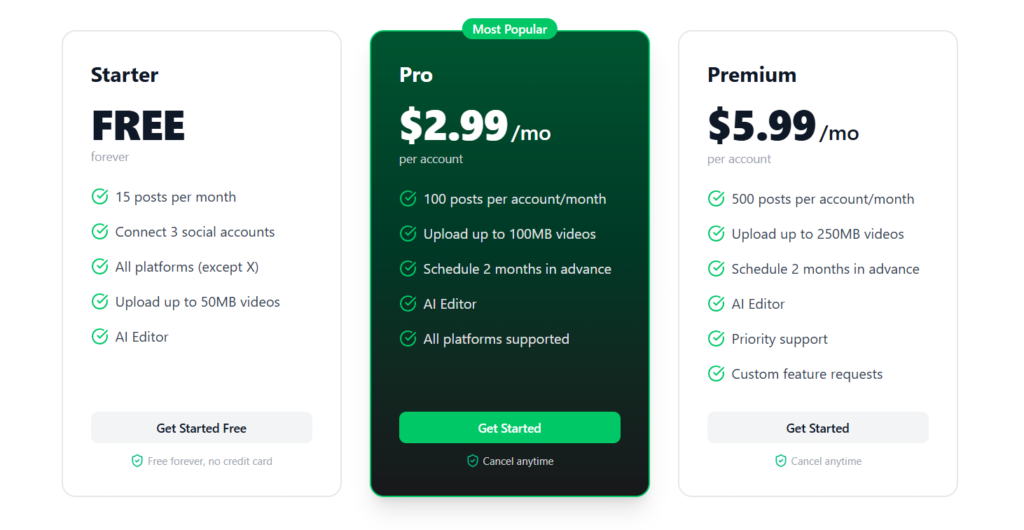
There are three plans. Starter is free forever — 15 posts per month, 3 social accounts, all platforms except X, and includes the AI Editor. Pro is $2.99 per account per month — 100 posts per account, all platforms including X, scheduling up to 2 months ahead. Premium is $5.99 per account per month — 500 posts per account, 250MB video uploads, priority support, and custom feature requests. Enterprise pricing is custom — contact support@publora.com. There’s a 7-day full refund policy on first payments, and a 50% discount is available on yearly billing.
Pros and Cons
Pros
- First MCP-native social API — genuinely new architecture, not a rebrand of existing tools
- 10 networks covered through one unified interface — no custom integrations per platform
- Free forever Starter plan — no credit card required to evaluate it
- Very low per-account pricing on paid plans compared to legacy social tools
- Built-in error handling and retry logic makes autonomous operation more reliable
Cons
- Limited granular control for complex agent behaviors — users flag this as a real gap
- Performance depends on stable API connections, which matters for autonomous workflows
Who Should Use Publora?
Publora is a strong fit if you’re a developer or technical founder building AI agents that need social media capabilities. If you’re already working with MCP-based systems, the integration overhead here is minimal compared to building platform-specific connectors yourself. It’s also well-suited for small AI teams who want to deploy agents across multiple networks without maintaining separate integrations for each one.
It’s less suited to traditional social media managers who want a human-friendly scheduling dashboard — tools like Postclaw or Blotato are better built for that workflow.
Publora Main Facts
Frequently Asked Questions
Is Publora really free?
Yes. The Starter plan is free forever with no credit card required. You get 15 posts per month, 3 social accounts, and all platforms except X. It’s a real free tier, not a limited trial.
What is MCP and why does it matter?
MCP stands for Model Context Protocol — a standardized way for AI agents to communicate with external tools and APIs. Publora builds its entire platform on this protocol, meaning your agent can interact with 10 social networks using one consistent command structure instead of custom code for each platform.
Does Publora support X (Twitter)?
X is supported on Pro and Premium plans. The free Starter plan covers all platforms except X.
What’s the refund policy?
Publora offers a full refund within 7 days of your first payment. According to the pricing page, you contact their support team and they process it immediately.
Final Verdict
Publora is doing something genuinely new. If you’re building AI agents and you need them to operate across social networks, the MCP-native approach is a smart solution to a real engineering problem. The pricing is very accessible — $2.99 per account per month is low enough to experiment without much risk — and the free tier means you can evaluate it before spending anything.
The honest caveats: it’s early-stage, user feedback flags limits on complex agent customization, and performance depends on reliable API connections. None of those are dealbreakers, but they’re worth knowing before you build something production-critical on top of it. If you’re a developer in the AI agent space, Publora is worth a serious look.
Review Methodology
This review is based on analysis of Publora’s official documentation, pricing pages, and feature set, combined with user reports gathered from Product Hunt, early adopter feedback forums, and vendor-published user testimonials.