
Disclosure: Some of the links on Daily Digital Reviews are affiliate links. This means that if you click on a link and make a purchase, we may earn a small commission — at no extra cost to you.
The Email Problem That Won’t Go Away
Slashy, the AI email assistant, promises to solve one of the most stubborn productivity problems solopreneurs face: the inbox that never empties. If you’ve ever spent an hour writing emails that could have taken ten minutes, or missed a follow-up because it got buried under fifty other threads, you already understand the pitch. I looked at Slashy’s feature set, pricing pages, and user reports to figure out whether it actually delivers — or just adds another layer of complexity to your workflow.
Quick Verdict: Slashy stands out in a crowded AI email market because it learns your writing style over time rather than generating generic replies. The feature set is genuinely deep, the free trial lowers the barrier to entry, and the Product Hunt reception suggests real user demand. Early launch issues with Gmail access and OAuth certification have reportedly been resolved, but the tool is still relatively new — which warrants some caution.
Overall Rating: 3.8 / 5 ⭐
Feature depth: 4.5/5 · Ease of use: 3.5/5 · Pricing value: 3.5/5 · Trust signals: 3.5/5
What Is Slashy?
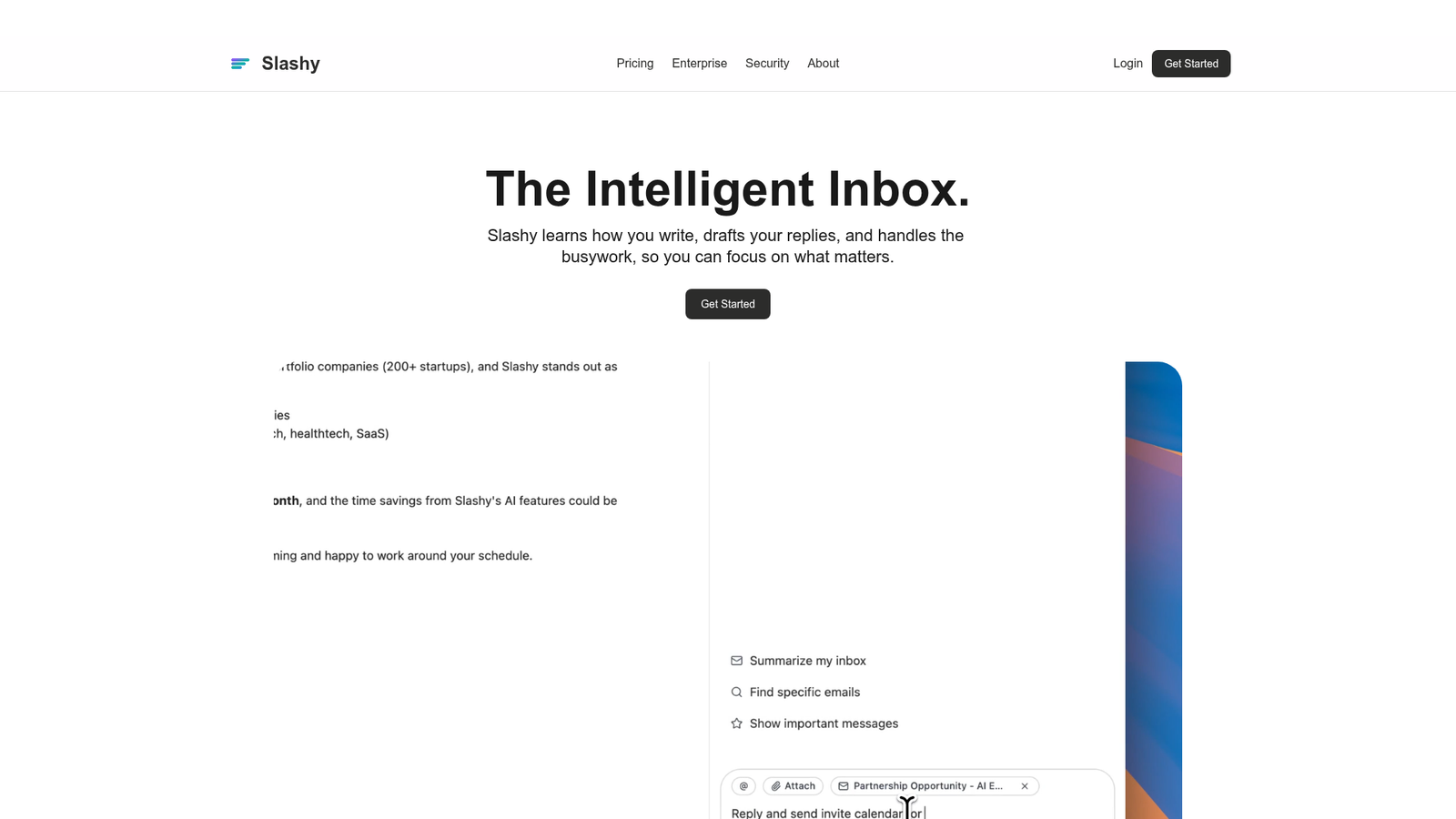
Slashy is an AI-native email assistant built for professionals who manage high-volume inboxes. It sits on top of your existing email setup — you don’t need to migrate away from Gmail — and connects to your calendar, CRM, and meeting notes to get full context on what’s happening in your work life. The core idea is that it builds a real model of how you write, not just a generic AI that churns out templated replies. According to the company’s positioning, it drafts emails in your exact voice while also triaging, tracking follow-ups, and automating workflows across connected apps.
Key Features
AI Voice Drafting
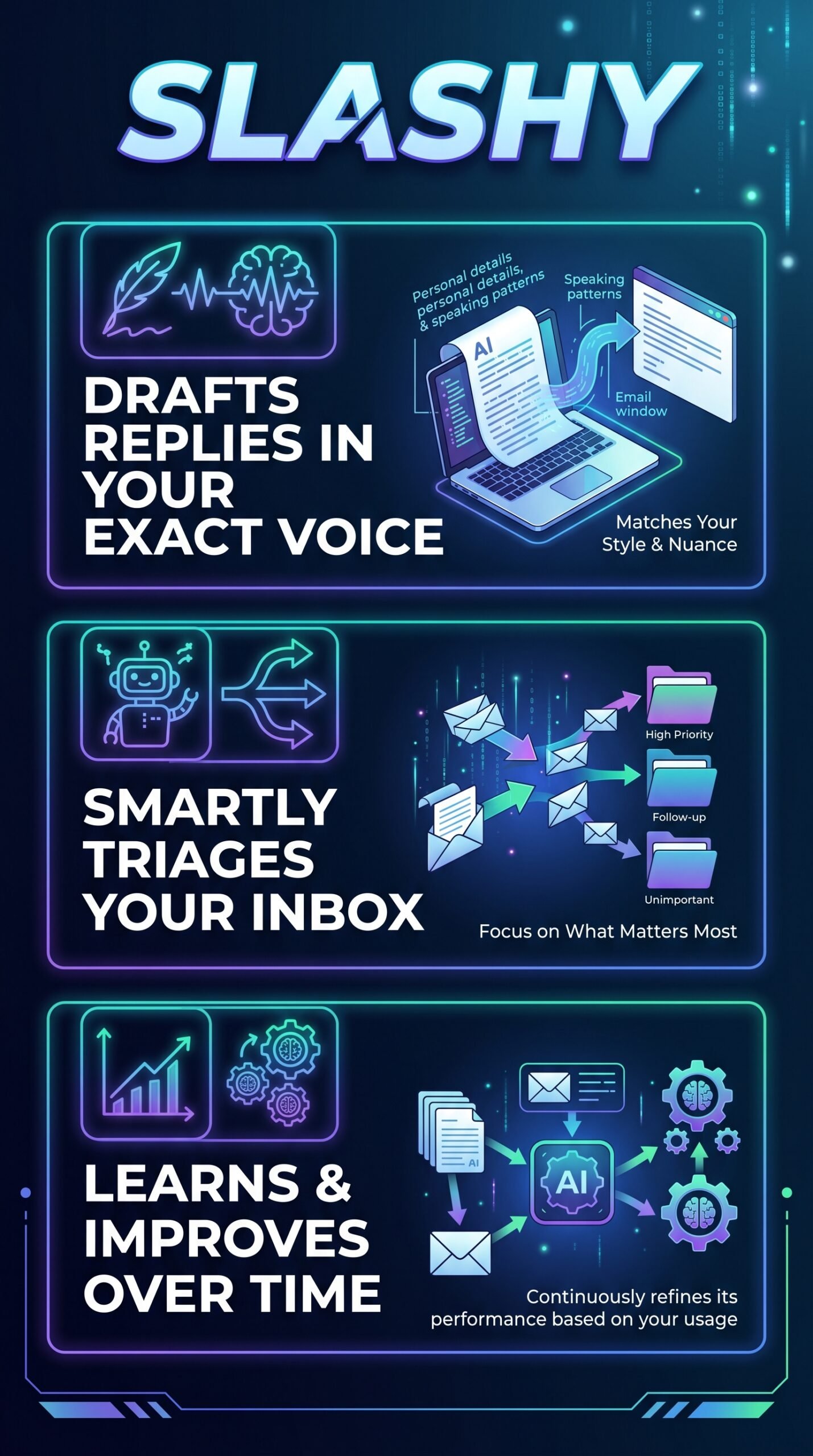
This is the headline feature. Rather than stuffing your last few sent emails into a prompt, Slashy builds what their docs describe as “a real model of your tone, VIPs, and routines from your full inbox.” It’s a self-improving memory that updates with every reply, edit, and correction you make. The goal is replies that don’t sound like a robot wrote them.
Inbox Triage and Follow-Up Tracking
Slashy auto-archives spam, applies custom AI labels, and splits your inbox into focused streams like Important, Newsletters, and Calendar. It also turns important emails into tracked tasks and chases down replies you haven’t received — so you’re less likely to drop the ball on a deal or client request.
Calendar Management via AI
You can reschedule, decline, or move meetings just by telling Slashy what you want. It reads your calendar to draft replies that respect your schedule, finds available times across teams and time zones, and can turn any email into a calendar event with attendees pre-filled.
Deep App Integrations
The integration list is wider than most competitors. Slashy connects to HubSpot and Attio for CRM data, Granola for meeting notes, Zoom and Google Meet for scheduling, and even iMessage and Slack so you can manage your inbox from outside the email client itself. It also supports MCP-compatible AI agents like Claude and ChatGPT.
Email Productivity Utilities
Beyond AI, there’s a solid set of standard productivity tools: open tracking, send later, undo send, snooze, one-click unsubscribe, snippets, remind me, unified inbox, and AI-powered plain-English search across your threads.
How Slashy Works
Connect and Context-Build
You connect Slashy to your Gmail account, calendar, and any CRM or note-taking tools you use. From there, the AI ingests your historical email data to build a model of your writing style and communication patterns.
Triage and Prioritize
Incoming messages get sorted automatically. Slashy applies AI labels, archives low-priority noise, and surfaces what actually needs your attention. According to the vendor’s documentation, triage is based on urgency, relevance, and user-defined priorities.
Draft, Review, Send
When you need to reply, Slashy generates a draft in your voice. You review it, adjust if needed, and send. The system learns from any edits you make, improving future drafts over time. Attachment-aware composition means you can include files without breaking your flow.
What the Evidence Shows
What the Vendor Claims
Slashy’s pricing page positions it as a direct alternative to Superhuman and Gemini in Gmail, claiming it outperforms both on AI personalization, self-improving memory, automation capabilities, and calendar integration. They say it builds a “real model” of your tone rather than using a handful of recent emails as context — a meaningful distinction if it holds up in practice.
What Users Report
User sentiment from the Product Hunt launch and early adopter reports skews positive. Users highlight the voice-matching accuracy and the seamless multi-app integrations as genuine strengths. The product hit number one on Product Hunt, suggesting real enthusiasm rather than manufactured buzz. That said, early users did flag issues: Gmail access was restricted to 100 pilot users at launch, and the team had to work through CASA approval and OAuth certification before wider rollout. Those issues are described as resolved, but they’re worth noting for anyone evaluating a newer tool.
How It Stacks Up Against the Category
Most AI email tools either bolt AI onto a basic client (like Gemini in Gmail) or rely on rule-based automation. Slashy’s self-improving voice model is a genuine differentiator if the technology works as described. The MCP integration with Claude and ChatGPT is also ahead of most competitors in this space. The weaker area, based on the research, is trust signal maturity — SOC 2 Type II is listed as available but the product is still relatively young.
Slashy vs Competitors
Here’s how Slashy compares on features and pricing against two close competitors. For a broader look at AI productivity tools, check out our Reppit AI review and our Mujo AI review.
| Feature | Slashy | Superhuman | Gemini in Gmail |
|---|---|---|---|
| AI Voice Personalization | Full model of tone + history | Generic AI drafts | Generic AI drafts |
| Self-Improving Memory | Yes | No | No |
| Calendar AI Management | Yes | No | No |
| CRM Integration (HubSpot) | Full sync + AI query | Sync only | No |
| MCP Agent Support | Yes (Claude, ChatGPT) | No | No |
| Free Trial | 7 days (card required) | No | Included with Google Workspace |
| Starting Price | $25/user/month (annual) | ~$30/user/month | Bundled with Workspace |
Pricing
Slashy’s pricing page shows a Professional plan at $25 per user per month billed annually (or $30 month-to-month). There’s a 7-day free trial, though a credit card is required to start. Enterprise pricing is bespoke — you’ll need to contact sales for that.
Pros and Cons
Pros
- AI voice model learns from your full inbox history, not just recent emails — a genuine differentiator
- Deep integrations with HubSpot, Attio, Granola, Zoom, iMessage, and Slack go well beyond standard email tools
- Calendar management via AI is included — most competitors don’t offer this at all
- MCP support lets you pipe inbox context into Claude or ChatGPT for more complex workflows
- Hit number one on Product Hunt, suggesting strong early user validation
Cons
- Early launch required a credit card for the free trial, and initial access was limited to 100 pilot users — not a great first impression for some
- The tool is still relatively young, which means the self-improving memory and personalization claims haven’t been independently validated over a long time period
Who Should Use Slashy?
Slashy is a good fit for solopreneurs and small team leads who live in their inbox and need replies to sound like them — not like a generic AI assistant. If you’re managing sales outreach, client relationships, or partnership conversations at volume, the voice-matching and CRM integration could save real time.
It also makes sense for anyone already using HubSpot or Attio who wants their email and CRM data to talk to each other without manual syncing. The Granola integration is a nice touch for people who take AI meeting notes.
On the other hand, if you only get a handful of emails per day, the value prop gets thinner fast — Slashy is designed for high-volume communication. And if you’re on a very tight budget, the $25/month per-user cost (billed annually) might be hard to justify compared to free tools like Gemini in Gmail. You can also read our Workbeaver review if you’re looking at broader AI productivity options.
Slashy Main Facts
Frequently Asked Questions
Does Slashy replace Gmail?
No. According to the pricing page, you don’t need to migrate away from Gmail. Slashy sits on top of your existing email setup and connects to it rather than replacing it.
Is there a free plan?
Slashy offers a 7-day free trial, but a credit card is required. There’s no ongoing free tier listed on the current pricing page, though earlier research data referenced a $0 tier. Check the vendor’s site directly to confirm what’s currently available.
How is Slashy different from Superhuman?
The main difference, as Slashy’s own comparison page lays out, is AI personalization depth. Slashy builds a persistent model of your tone and habits from your full inbox history, while Superhuman uses more generic AI drafting. Slashy also includes calendar management and broader CRM integrations that Superhuman doesn’t match.
Is Slashy secure?
SOC 2 Type II compliance is listed on the pricing page. HIPAA compliance is available on the Enterprise plan. The team had to work through CASA approval and OAuth certification during the launch phase, which suggests they take security standards seriously, even if it slowed early rollout.
Final Verdict
Slashy has a genuinely interesting take on AI email. The self-improving voice model, calendar AI, and deep CRM integrations put it ahead of most tools in this category on paper. The Product Hunt traction and positive early user sentiment back up the core claims. The main thing to be cautious about is maturity — it’s a newer product, the pricing details aren’t fully consistent across sources, and the early access issues (while resolved) are a reminder that this isn’t a decade-old platform. If you manage a high-volume inbox and want replies that actually sound like you, it’s worth trying the free trial. Just go in with realistic expectations and verify current pricing before you commit.
Review Methodology
This review is based on analysis of Slashy’s official documentation, pricing pages, and feature comparison materials, combined with user reports gathered from Product Hunt and early adopter feedback referenced in publicly available research data.