Disclosure: Some of the links on Daily Digital Reviews are affiliate links. This means that if you click on a link and make a purchase, we may earn a small commission — at no extra cost to you.
One Platform, Too Many Tools to Juggle?
The Loova review question worth asking in 2026 is simple: does consolidating your entire AI video and image workflow into one place actually save you time, or just add another subscription to your stack? If you’ve been bouncing between Runway for video, Midjourney for images, and something else for editing, you already know how fragmented AI creative work has become. Loova’s pitch is that it solves exactly that problem by putting text-to-video, image generation, editing, avatar tools, and an AI director layer all under one roof.
Quick Verdict: Loova is a genuinely broad multi-model creative platform with a standout “AI director” workflow that goes beyond simple prompt-to-video tools. The feature depth is real, but it’s a relatively new product with limited independent reviews, and you’ll need to check the pricing page directly to understand credit limits before committing.
Overall Rating: 3.9 / 5 ⭐
Feature depth: 4.5/5 · Ease of use: 3.5/5 · Pricing value: 3.5/5 · Trust signals: 4.0/5
What Is Loova?
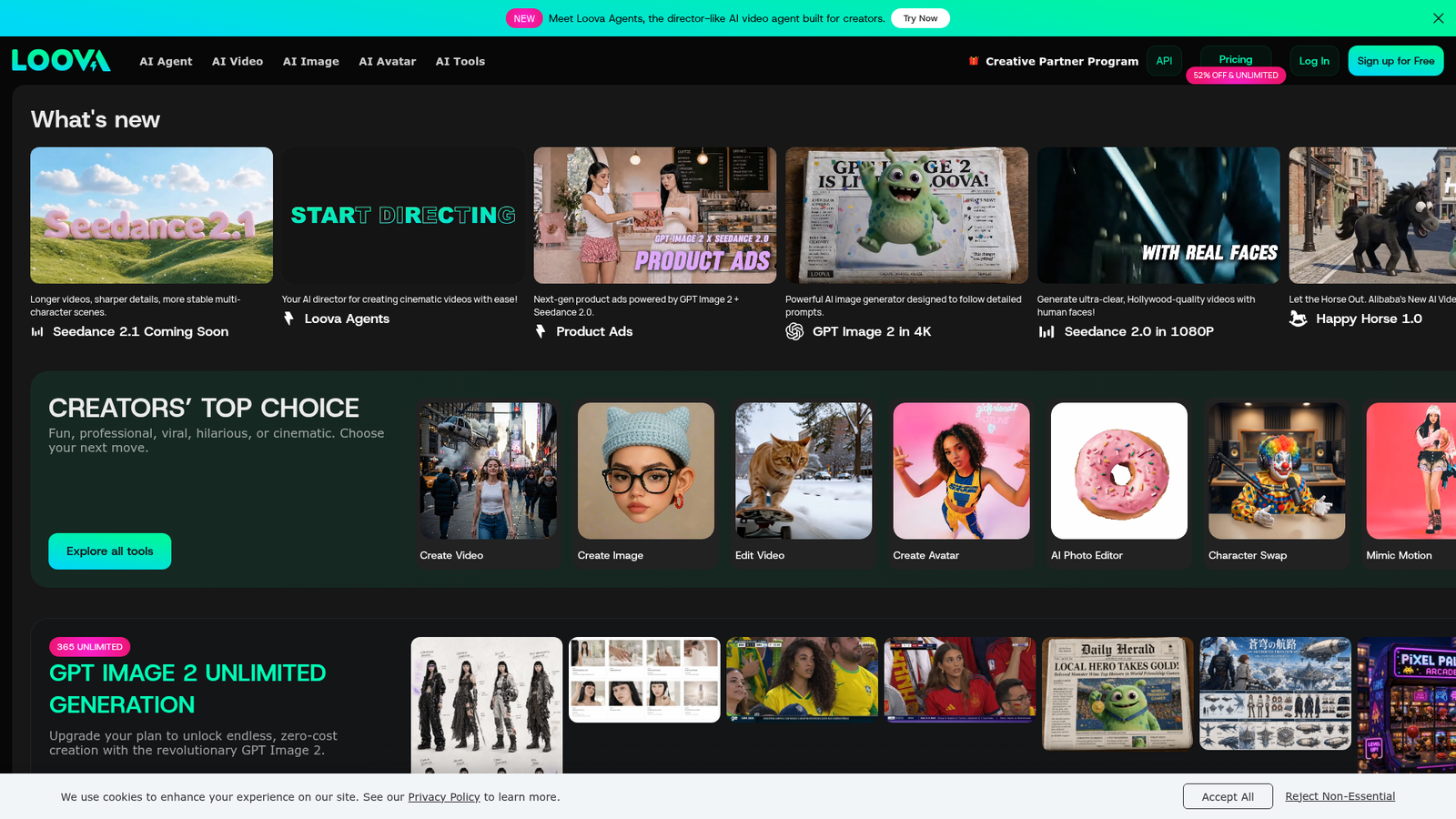
Loova is an AI image and video generation platform built around a creator-first workflow. Rather than offering a single generation model, it works as a coordinated hub that routes your requests to multiple best-fit AI engines depending on whether you’re generating images, creating video, editing, or upscaling. The included models span names like Seedance 2.1, Google VEO 3.1, Sora 2, Kling O1, Midjourney, GPT Image 2, and more — all accessible from the same interface. The target users are content creators, marketers, and short-form video producers who want to move from concept to finished video without switching between four or five different apps.
Key Features
AI Director and Agent Workflow
The standout feature is Loova Agents — described on the Product Hunt listing as a “director-like AI video agent built for creators.” You give it a rough idea in plain language, and the agent handles scene planning, shot selection, camera movement, and even background music generation. It can infer suitable camera directions when you don’t specify them, but it’ll also follow explicit instructions like pan, dolly in, handheld, or close-up when you do. That’s a meaningfully different experience from most text-to-video tools, which just generate a clip and leave you to figure out the rest.
Video Generation Modes
The platform supports text-to-video, image-to-video, and a reference-to-video workflow that lets you feed in multiple reference images. That last one is particularly useful for preserving character consistency or visual style across multiple shots — something that’s notoriously tricky in AI video work. There’s also a prompt-based AI video editor for iterative refinement, including tools for removing objects from video and changing formats, such as converting a square image to a 9:16 output while keeping the original design intact.
Image Generation and Upscaling
On the image side, you get text-to-image and image-to-image modes with controls for aspect ratio, resolution, and output count, plus model selection across more than a dozen engines. An upscaler can push outputs to 2K or 4K quality.
Avatar and Effects Tools
Loova also includes tools that cross into avatar and character territory: Talking Photo (turns a still image into a talking video), Character Swap (replace a person in a video or image), Mimic Motion (transfer movement and expressions from a source video onto a different subject), and Text to Speech. These make it relevant for ad creators and social content producers who need more than just raw generation.
How Loova Works
The Core Pipeline
Based on their documentation and product descriptions, Loova functions as an orchestration layer over multiple generative AI systems. You pick a generation mode — text-to-video, image-to-video, reference-based, or editing — and Loova routes the task to the appropriate underlying model. You stay in the same interface throughout. The AI director layer adds planning logic on top: it can convert a script or rough creative goal into scenes, suggest or infer camera shots, and maintain some continuity across multiple generated outputs.
Iterating and Refining
Once you have a generated output, the built-in AI video editor lets you refine it with prompts rather than manual cuts. You can add or remove objects, adjust the angle, enhance quality, or change the background — all without exporting to a separate app. The reference-to-video feature gives you extra control over style and character consistency when you need multiple shots to feel like they belong together.
What the Evidence Shows
What Loova Claims
They pitch Loova as a way to make scroll-stopping ads and cinematic short videos without needing multiple tools or a technical background. Their product messaging emphasizes the AI director concept as the key differentiator — the idea that planning and generation happen together rather than separately. The pricing page also promotes the breadth of model access as a core selling point: one subscription covering Sora 2, Google VEO 3.1, Kling 3.0, Midjourney, and more.
What Users Report
Available feedback from product demos and walkthrough coverage is broadly positive, with convenience and workflow consolidation cited most often. Users highlight the ability to generate, edit, and iterate without leaving the platform. That said, this is a relatively new product and the independent review base is still thin — there aren’t enough large-scale reviews on G2, Trustpilot, or Capterra to draw firm conclusions about output consistency, customer support responsiveness, or long-term reliability. The usual caveats for multi-model AI platforms apply: output quality can vary by model, and good results often require prompt experimentation.
How It Stacks Up Against the Category
Most AI video tools in this space — Runway, Pika, Kling AI directly, Luma Dream Machine — specialize in one or two strong capabilities. Loova’s approach is different: it’s wider rather than deeper. That makes it a better fit for creators who need a full workflow than for people chasing the absolute best output from a single specialized engine. For short-form content and ad production, the breadth is a genuine advantage. For users who need maximum realism from one specific model, a dedicated tool may still outperform it.
Loova vs Competitors
| Feature | Loova | Runway | Pika | Kling AI |
|---|---|---|---|---|
| Multi-model access | Yes (20+ models) | No (own models) | No (own models) | No (own models) |
| AI director / agent layer | Yes | No | No | No |
| Reference-to-video | Yes | Partial | Partial | Partial |
| Built-in image generation | Yes | No | No | Partial |
| Avatar / character tools | Yes | No | No | No |
| Starting price (annual) | $15/mo (Lite) | ~$12/mo | ~$8/mo | ~$8/mo |
If you’re already using Autoshorts AI for automated short-form content or a tool like Virlo for video repurposing, Loova sits in a different category — it’s a generation and editing platform, not a scheduling or repurposing tool. For broader AI content workflows, see also our breakdown of Remixify.
Pricing
Loova offers a free tier with 10 credits to start. Paid plans on annual billing run as follows: Lite at $15/mo (300 credits/month), Pro at $39.20/mo (1,200 credits/month), Max at $59.40/mo (3,000 credits/month), and Ultimate at $119.50/mo (8,000 credits/month). Higher tiers unlock more models — notably Sora 2 and Google VEO 3.1 are only available from Pro upward. Some models have “365 Unlimited” access on certain plans, while others consume credits per generation. The credit system adds complexity, so check Loova’s pricing page directly for the current breakdown before signing up.
Pros and Cons
Pros
- Genuinely broad multi-model access — 20+ video and image models in one interface
- AI director and agent workflow goes beyond basic prompt-to-video tools
- Reference-to-video helps with character and style consistency across shots
- Built-in editing, upscaling, avatar tools, and format conversion reduce app-switching
- Free tier available to try before committing
Cons
- The credit and unlimited-access system is complex — you’ll need to read the pricing page carefully
- Still a relatively new product with limited independent reviews for reliability assessment
- Best model access (Sora 2, VEO 3.1) requires Pro plan or higher, starting at $39.20/mo
Who Should Use Loova?
Loova is a good fit if you’re a content creator or social media marketer who needs to produce short-form videos and ads regularly and doesn’t want to maintain separate subscriptions for image generation, video creation, and editing. It’s also worth looking at if you’re a solopreneur or small team who wants cinematic-style video content without a complex production pipeline — the AI director feature specifically helps here.
It’s also relevant for ad creators and e-commerce brands who need product images, talking photos, character swaps, and video ads from the same workflow.
On the other hand, if you’re a filmmaker or video professional who needs the absolute best output quality from one specific model, a dedicated tool like Runway or Kling AI directly may serve you better. And if your budget is tight, the free tier is very limited — meaningful use starts at the Lite or Pro tier.
FAQ
Is Loova free to use?
Yes, there’s a free tier that includes 10 credits and access to a limited model set, including Nano Banana Pro, Seedream 5.0, and GPT Image 2. It’s enough to test the platform but not for regular production work.
What makes Loova different from Runway or Pika?
The main difference is model breadth and workflow integration. Runway and Pika use their own proprietary models. Loova gives you access to 20+ models — including Runway Gen4 Turbo as one of them — plus built-in image generation, editing, and avatar tools in the same platform.
Does Loova have an AI agent or automation feature?
Yes. Loova Agents is their director-style AI workflow that plans scenes, infers or follows camera directions, and generates video with background music from a plain-language prompt. It’s positioned as a step above basic text-to-video tools.
Can you upscale video and images in Loova?
Yes. The platform includes an AI image upscaler that can produce 2K or 4K outputs, and an AI video enhancer for improving video quality, both accessible within the same interface.
Final Verdict
Loova is one of the more interesting AI creative platforms to come out recently, and that’s not easy to say in a crowded market. The AI director concept is genuinely differentiated — it adds planning and structure to the generation process rather than just giving you a text box and a generate button. The feature set is wide: video generation in multiple modes, image generation across many models, avatar tools, editing, and upscaling all in one place.
The honest caveats: it’s still early days, the credit system takes some effort to understand, and independent reviews are limited. If the workflow consolidation pitch appeals to you and your budget fits the Pro tier or above, it’s worth a real look. Start with the free tier to see if the interface suits how you work.
Review Methodology
This review is based on analysis of Loova’s official documentation, pricing page, and feature set sourced from loova.ai, combined with user feedback and product walkthroughs gathered from Product Hunt and third-party video review coverage. This is desk research, not hands-on testing.