Disclosure: Some of the links on Daily Digital Reviews are affiliate links. This means that if you click on a link and make a purchase, we may earn a small commission — at no extra cost to you.
AI Video Gets Complicated — Does Higgsfield Simplify It?
Higgsfield is an AI video generation platform that pitches itself as something more than a basic text-to-clip tool. Most AI video tools give you one model and a prompt box. Higgsfield bundles dozens of third-party models — Kling, Sora, Veo, Wan, Seedance, and more — into one browser workspace, then layers its own cinematic controls on top. That’s a genuinely different approach, and it’s worth understanding before you hand over your credit card.
I analyzed the platform’s feature set, pricing structure, and user reports to give you a clear picture. Here’s what the evidence actually shows.
Quick Verdict: Higgsfield delivers on its core promise — access to many top AI video models in one place, with cinematic camera controls and creator-friendly tools that go beyond simple text-to-video. The catch is a credit system that can get expensive fast, especially if you need multiple generations to nail a single shot.
Overall Rating: 3.9 / 5 ⭐
Feature depth: 4.5/5 · Ease of use: 4.0/5 · Pricing value: 3.5/5 · Trust signals: 4.0/5

What Is Higgsfield?
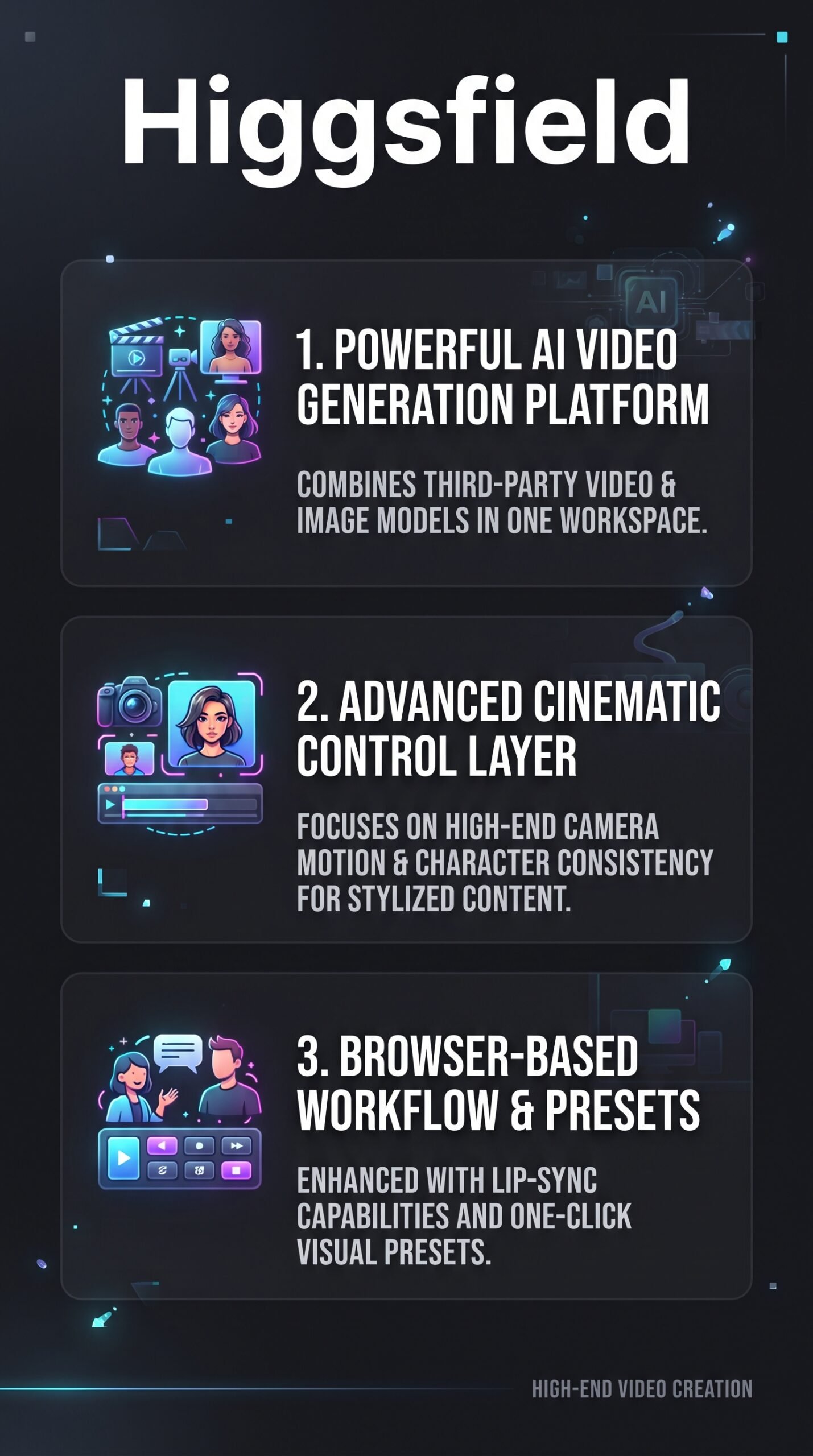
Higgsfield is a browser-based AI video and image creation platform aimed at creators, marketers, and small production teams. Its core idea is model aggregation plus cinematic direction. Instead of building a single proprietary model and stopping there, the platform integrates a wide library of third-party models — Kling 3.0, Sora 2, Google Veo 3.1, Wan, Seedance, Minimax Hailuo, and others — and wraps them in its own control layer. That layer handles camera motion presets, character consistency, lip-sync, and ad-style output. The result is pitched as a creative studio rather than a single-model generator.
Key Features
Multi-Model Video and Image Generation
The model list on Higgsfield’s pricing page is genuinely long. On the Plus plan and above, users get access to Kling 3.0, Sora 2, Google Veo 3.1, Wan 3.0, Seedance 2.0, Minimax Hailuo 2.3, Grok Video, and more — all within one interface. Image models include Nano Banana 2, FLUX.2 Pro, GPT Image, Seedream, and Higgsfield’s own Soul 2.0. For anyone who currently juggles multiple subscriptions to access different models, that consolidation is a real draw.
Cinematic Camera Controls
Higgsfield’s proprietary “DoP” (Director of Photography) models — DoP Lite, Standard, and Turbo — are built directly into the credit system. These give users shot-level camera control: movement direction, motion style, and preset-based visual looks. This is the feature that separates Higgsfield most clearly from basic text-to-video tools, which usually give you no camera control at all.
Lip-Sync and Character Tools
The platform has a dedicated Lipsync Studio with multiple models, including Higgsfield Speak 2.0, Kling Speak, Kling Lipsync, and Sync Lipsync 3 in 4K. There’s also a Character section with its own concurrent job limits and generation caps per plan. Character consistency and talking-head creation are explicitly supported, which makes this interesting for marketers building ad creatives or UGC-style content.
Ad and Marketing Tools
Higgsfield Ads, a UGC builder, and product placement tools are all listed in the feature comparison. These are available on Plus and Ultra plans. For social media teams or e-commerce brands producing short-form video ads, these tools reduce the need for separate production software.
How Higgsfield Works
Credit-Based Generation
Every output costs credits, and the rate depends on which model you pick, what resolution you want, and how long the clip is. For example, Kling 3.0 at 720p costs 7 credits per 5 seconds, while Sora 2 Pro at 1080p runs 50 credits per 4 seconds. The pricing page shows the exact credit cost before you generate, so there are no hidden charges mid-session — but it also means the cost of experimentation adds up fast.
Unlimited Tiers and Promos
Some plans include unlimited generation access on select models, subject to dynamic speed adjustments during high-traffic periods. The platform also runs time-limited promos — at the time of writing, a 365-day unlimited promotion was active for specific models on eligible plans. These unlimiteds run in a standard queue, while credit-based generations get priority.
Browser-Based Workflow
Everything runs in the browser. No desktop install required. Users can run parallel generations depending on their plan — up to 8 concurrent video jobs on Ultra — which speeds up iteration significantly compared to waiting on one clip at a time.
What the Evidence Shows
What the Vendor Claims
Higgsfield positions itself as a full creative studio with best-in-class cinematic control, marketing tools, and multi-model access. Their pricing page describes features like Start and End Frame control, a Supercomputer option for complex tasks, priority queue access, and early access to new models on higher plans. They also describe commercial use rights as starting at the Starter plan.
What Users Report
User sentiment, based on public reviews and community discussions, leans positive on output quality. Praise consistently goes to the cinematic look of generated clips, especially when camera presets are used well. The multi-model access under one subscription is also a frequently cited benefit. The friction points are just as consistent: credits burn faster than expected, the cost per final usable clip can feel steep when several attempts are needed, and some users note that plan names and included models have changed enough between 2025 and 2026 to make older comparisons confusing.
How It Stacks Up Against the Category
In a category where most tools specialize in one model or one style of output, Higgsfield’s breadth is a real differentiator. The downside is complexity — more models means more decisions, and more credit variables. If you compare it to Runway, which focuses on pro editing workflows, or Kling 3.0 as a standalone value-focused generator, Higgsfield sits in a middle ground: more model variety than most, more cinematic control than the entry-level options, but potentially more expensive to use intensively.
Higgsfield vs Competitors
| Feature | Higgsfield | Runway | Kling AI | Pika |
|---|---|---|---|---|
| Multi-model access | Yes (many models) | Partial | No (own models) | No (own models) |
| Cinematic camera controls | Yes (DoP models) | Yes | Yes (Motion Control) | Partial |
| Lip-sync / talking head | Yes | Partial | Yes (Kling Speak) | No |
| Ad / marketing tools | Yes | Partial | No | No |
| Free tier | Yes (limited) | Yes | Yes | Yes |
| Paid plans from | ~$19/mo (annual) | ~$12/mo | ~$8/mo | ~$8/mo |
Pricing
Based on the current pricing page at Higgsfield.ai, there are three plans. The Starter plan is $15/month billed annually and includes 200 credits. The Plus plan is $39/month billed annually with 1,000 credits and full model access. The Ultra plan is $129/month billed annually with 3,000 credits. Commercial use rights start at Starter. Unused credits don’t roll over. Because plan names and credit allocations have changed across 2026, always confirm current pricing directly on their site before subscribing.
| Plan | Monthly price | Annual billing equivalent | Total annual price | Annual savings | Monthly Credits |
|---|---|---|---|---|---|
| Starter | $15 | $15/month | $180 | $0/year | 200 |
| Plus | $49 | $39/month | $468 | $120/year | 1,000 |
| Ultra | $129 | $99/month | $1,188 | $360/year | 3,000 |
Pros and Cons
Pros
- Access to a large library of top AI video and image models under one subscription
- Proprietary cinematic camera controls (DoP models) that most single-model tools don’t offer
- Dedicated lip-sync studio and character consistency tools built into the platform
- Ad creation, UGC builder, and product placement tools on Plus and above
- Browser-based with no install required and parallel generation on higher plans
Cons
- Credits disappear quickly, especially with high-resolution or premium models — effective cost per final clip can be steep
- Best results often require multiple generation attempts, which multiplies credit spend
Who Should Use Higgsfield?
Higgsfield makes the most sense for content creators and social media teams who want cinematic-quality short video without managing five separate tool subscriptions. If you’re already producing ad content or UGC-style videos regularly, the built-in marketing and lip-sync tools cut real workflow friction.
It’s also a strong fit for marketers and e-commerce brands that need talking-head assets, product placement visuals, or stylized ad clips at scale — especially on the Plus or Ultra plan where the full model library opens up.
It’s probably not the right choice if you’re a casual experimenter on a tight budget. The free tier has 0 credits, and even the Starter plan’s 270 credits won’t last long if you’re learning by trial and error. In that case, a tool with a more generous free tier might serve you better. If you mainly need simple short clips without camera direction, a single-model tool like Kling AI could be cheaper.
Higgsfield Main Facts
Frequently Asked Questions
Do Higgsfield credits roll over each month?
No. According to the platform’s own FAQ, subscription credits expire at the end of each credit cycle and don’t carry over. Monthly plans refresh on the original purchase date; annual plans refresh every 30 days. If you don’t use them, you lose them.
Does Higgsfield include commercial use rights?
Yes, starting at the Starter plan. The free tier does not include commercial use. All paid plans — Starter, Plus, and Ultra — include commercial use rights based on the feature comparison table on the pricing page.
Can I access Sora and Veo inside Higgsfield?
Yes. The pricing page lists Sora 2 (multiple variants) and Google Veo 3.1 among the available video models on Plus and Ultra plans. Starter plan does not include Sora or Veo access based on the current feature table.
What happens if I run out of credits mid-month?
You can buy additional credit packs without changing your subscription plan. The platform also describes an “Unlimited” feature on select models for eligible plans, though unlimited generations run in a standard queue rather than the priority queue used by credit-based generations.
Final Verdict
Higgsfield is a genuinely interesting platform in an increasingly crowded space. It doesn’t win by having the cheapest clips or the single best model. It wins — when it does — by putting a lot of capable tools in one place: cinematic camera direction, multi-model generation, lip-sync, character consistency, and ad-specific tools, all accessible from a browser tab.
The honest caveat is cost. The credit system is logical but unforgiving. Iterative creators who need several attempts per final output will burn through credits fast, and the effective cost per polished clip can exceed what the subscription headline suggests. If you have a clear enough creative vision to get good results quickly, the value is there. If you’re still experimenting heavily, budget for extra credit packs or consider starting on a lower plan to gauge your usage first.
Review Methodology
This review is based on analysis of Higgsfield’s official documentation, pricing pages, and feature set, combined with user reports gathered from public review platforms and community discussions including Reddit and product-focused forums.