Disclosure: Some of the links on Daily Digital Reviews are affiliate links. This means that if you click on a link and make a purchase, we may earn a small commission — at no extra cost to you.
AI Video Clipping Without the Guesswork
The Krible.ai review question that keeps coming up is simple: does it actually save time, or is it just another AI clipping tool that overpromises and underdelivers? Short-form content has become a real production burden for creators and social teams. Repurposing a one-hour podcast into five polished clips used to mean hours of timeline scrubbing. Krible.ai says it solves that. I looked at the vendor’s documentation, pricing pages, and available user feedback to see whether that claim holds up.
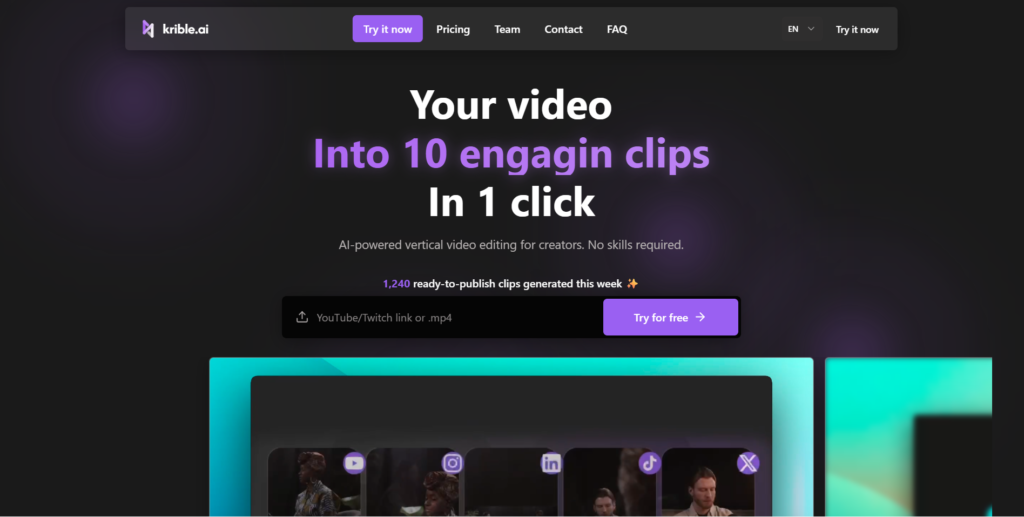
Quick Verdict: Krible.ai looks like a genuinely capable repurposing tool for creators who produce long-form content regularly. The 4K export, large upload limit, and virality scoring give it a real edge over many competitors — but it’s not a zero-touch solution, and some pricing details vary across their public pages.
Overall Rating: 4.4 / 5 ⭐
Feature depth: 4.5/5 · Ease of use: 4.5/5 · Pricing value: 4/5 · Trust signals: 4.5/5
What Is Krible.ai?
Krible.ai is an AI video clipping and short-form content repurposing tool built for creators who need to convert long videos into publish-ready clips quickly. It’s aimed at YouTube creators, podcasters, social media managers, and content teams who regularly produce long-form material and want a faster path to TikTok, Instagram Reels, and YouTube Shorts.
The tool is built by a French team — CEO Pierre-Jean Besnard, CTO Louis Billaut, and VP Engineer Armand Liégey — which gives it more visible ownership and accountability than many faceless SaaS products in this space. Their positioning is clear: Krible isn’t trying to be a full video editor. It’s a focused repurposing system. You bring the raw footage, it finds the moments worth sharing, and you refine from there.
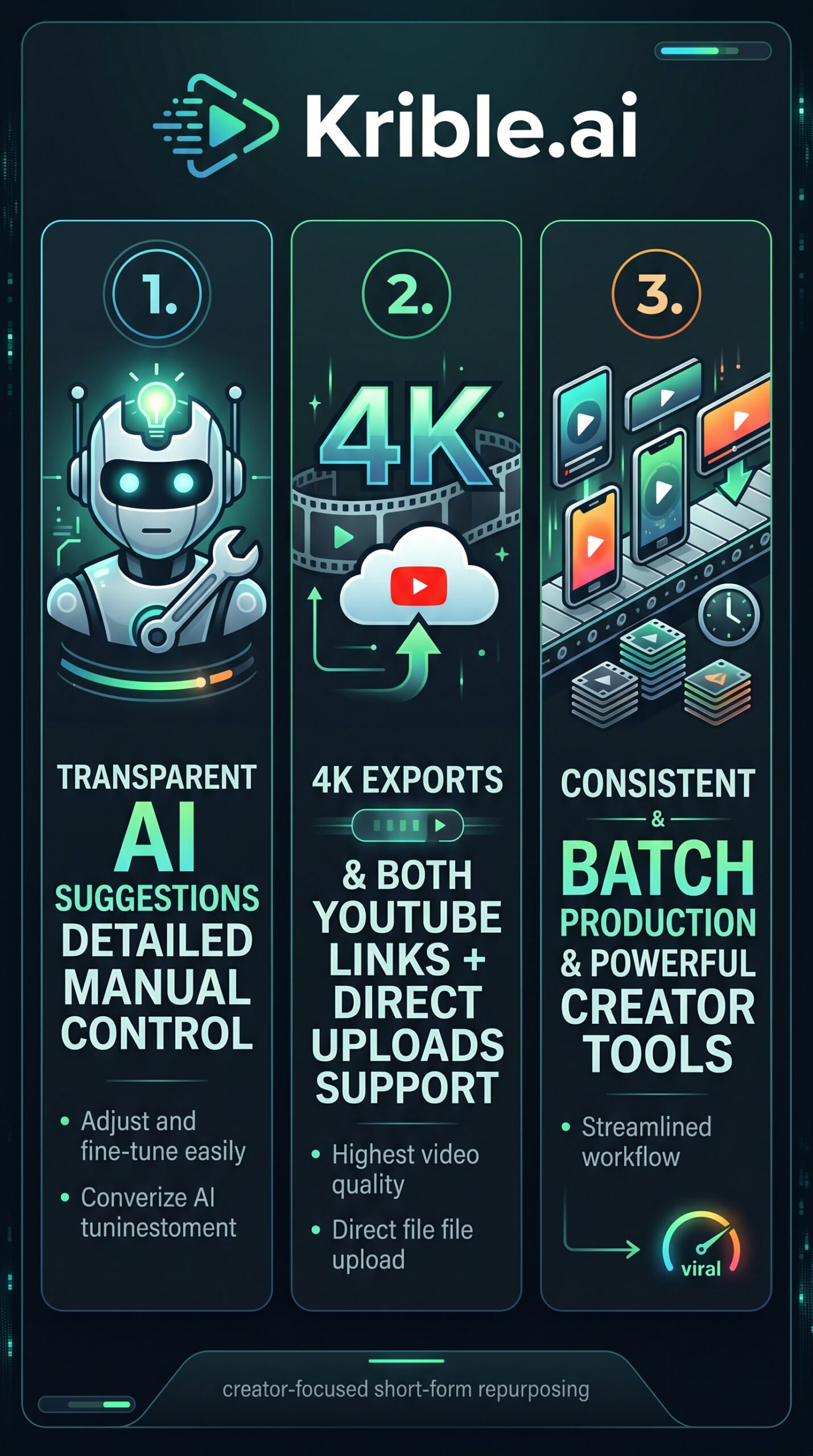
What separates it from simpler tools is the balance between AI automation and manual control. It doesn’t just spit out clips — it gives you a ranked list of suggestions you can actually work with. That’s a deliberate product choice, and it matters if you care about brand consistency.
Key Features
YouTube Links and Direct File Uploads
Krible accepts both YouTube URLs and direct file uploads, with a maximum upload size of 5 GB. That’s a meaningful detail. Many competing tools are limited to smaller file sizes or YouTube-only input. If you’re working with locally stored recordings, long podcast episodes, or high-resolution footage that isn’t on YouTube, this matters a lot.
AI Clip Detection and Virality Scoring
The core AI analyzes your video to detect high-engagement moments — semantically strong sections, hooks, and highlight-worthy segments. What makes this stand out is the virality score, which ranks candidate clips by predicted performance. Instead of giving you ten clips of equal weight, it tells you which ones are most likely to land. For creators with hours of raw footage and limited time, that prioritization is genuinely useful.
Manual Refinement Controls
Krible’s editor lets you adjust trims, captions, pacing, and export settings without scrubbing a full timeline from scratch. Their “Highlight Control™” feature lets you tell the AI exactly what kind of highlights you want — a level of direction that most pure-automation tools don’t offer. Style cloning is also included, which applies consistent captions, framing, and visual style across all clips in a batch.
Up to 4K Export with No Watermark
The Pro+ plan supports exports up to 4K resolution. Comparison pages also emphasize no-watermark output. For professional creators and agencies, these details matter — 1080p is fine for casual use, but 4K preserves quality when content is repurposed across premium platforms or printed materials.
Platform-Optimized Output
Clips are auto-formatted for TikTok, LinkedIn, Instagram Reels, and YouTube Shorts. The batch workflow is designed for repeatable production, with presets that keep your output consistent week after week.
How Krible.ai Works
Step 1: Bring Your Source Video
According to the vendor’s documentation, you start by pasting a YouTube URL or uploading a file directly. YouTube links must be under four hours. The system then begins processing the video to identify key moments.
Step 2: AI Analysis and Clip Suggestions
Krible’s AI analyzes the content for high semantic and engagement signal, then proposes clip boundaries, hooks, and subtitle segments. The virality score ranks these suggestions so you can prioritize the strongest clips first rather than reviewing every candidate from scratch.
Step 3: Refine in the Lightweight Editor
Users adjust trims, pacing, captions, and visual style in what the vendor describes as a clean, focused editor. The goal is to skip the manual scrubbing and start from an already-reasonable first cut. You’re not building from scratch — you’re refining something the AI has already shaped.
Step 4: Export and Publish
Once clips are finalized, you export them in your chosen resolution and push them to your channels. The batch workflow means you can process multiple clips in a single session, which is where the time savings stack up for teams with regular publishing schedules.
What the Evidence Shows
What the Vendor Claims
Krible’s marketing frames it as a tool that helps the average creator post significantly more content. They emphasize the Auto AI Preset — automatic subtitles, reframing, titles, and effects — as the fast path from raw footage to a post-ready clip. Their Highlight Control™ feature is positioned as a key differentiator for creators who want to direct the AI rather than just accept its output. The pricing page lists 229 creators subscribing to the Pro plan that month, which is a specific claim worth noting but not independently verifiable.
What Users Report
User reviews on the Krible.ai homepage, rated 4.6 on Trustpilot, are brief but consistent. Reviewers describe it as “a huge time saver” and praise the AI for “picking the most interesting moments.” One reviewer calls it a “very nice tool with a highly competitive price.” The feedback pattern suggests the tool delivers on its core promise for creators repurposing long-form content. There aren’t enough third-party reviews in the available research data to draw strong conclusions about edge cases or failure modes, so I’d treat the homepage testimonials as a starting signal rather than a complete picture.
How It Stacks Up Against the Category
For an AI clipping tool, Krible’s feature set is above average. The 5 GB upload limit, 4K export, virality scoring, and manual refinement controls put it ahead of tools that cap uploads at smaller sizes or max out at 1080p. The main trade-off is that Krible requires more hands-on engagement than fully automated tools. If you want one-click clips with no review step, this probably isn’t your fastest option. But if you care about output quality and brand consistency, that extra step is a feature, not a bug. You can also check our Repurpose review for context on how another tool handles the repurposing workflow.
Krible.ai vs Competitors
| Feature | Krible.ai | Vidyo.ai | Klap |
|---|---|---|---|
| Direct file upload | Yes (up to 5 GB) | Partial | Partial |
| Max export resolution | 4K (Pro+ plan) | 1080p | 1080p |
| Virality scoring | Yes | No | No |
| No watermark | Yes (paid plans) | Yes (paid plans) | Yes (paid plans) |
| Manual refinement | Yes | Yes | Limited |
| Free trial | Yes | Yes | Yes |
| Entry price | $9/month | ~$29/month | ~$29/month |
For a broader look at content repurposing tools, our Remixify review and Blotato review cover related workflows worth comparing.
Pricing
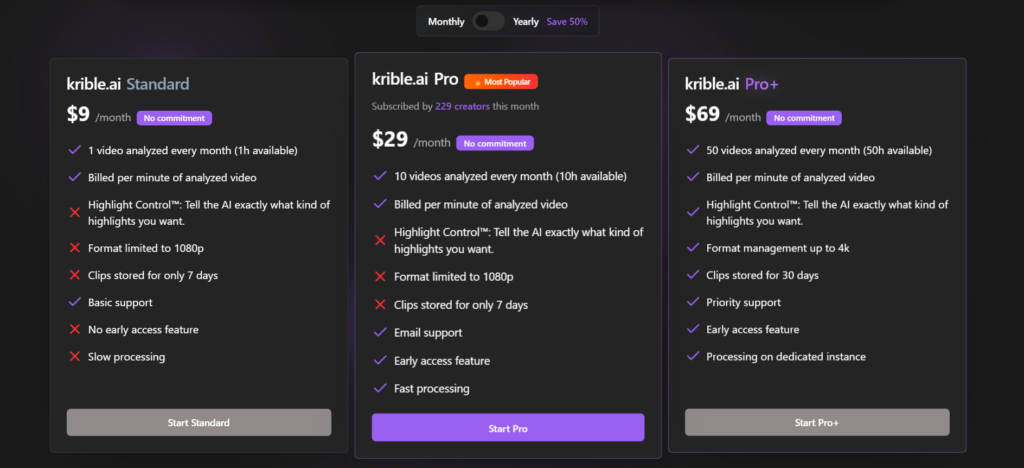
The current pricing page on krible.ai lists three plans billed monthly, with a 50% discount available on annual billing:
- Standard — $9/month: 1 video analyzed per month (1 hour), 1080p format, clips stored for 7 days, basic support, slow processing.
- Pro — $29/month: 10 videos per month (10 hours), 1080p format, clips stored 7 days, email support, early access features, fast processing. Listed as the most popular plan.
- Pro+ — $69/month: 50 videos per month (50 hours), 4K export, clips stored for 30 days, priority support, dedicated processing instance, early access features.
A free trial is available with no commitment required. Note that earlier research material referenced slightly different plan structures — if you’re comparing, confirm the latest limits directly on the pricing page, as details appear to have been updated.
Pros and Cons
Pros
- Pro: Accepts both YouTube links and direct file uploads up to 5 GB — broader input support than many competitors
- Pro: 4K export available on Pro+ plan, with no-watermark output on paid plans
- Pro: Virality score helps you prioritize the strongest clips instead of reviewing everything manually
- Pro: Highlight Control™ lets you direct the AI rather than just accept its suggestions
- Pro: Free trial available with no commitment, and annual billing cuts costs by 50%
Cons
- Con: Not a zero-touch solution — creators who want fully automated, no-review output will find this more hands-on than the simplest tools
- Con: Clip storage is capped at 7 days on Standard and Pro plans, which could be a problem for slower workflows
- Con: Pricing details varied across public pages before the current version — worth confirming the latest plan structure directly on-site
Who Should Use Krible.ai?
Krible.ai fits best when you’re producing long-form content regularly and need a reliable system to turn it into short-form output without rebuilding your workflow from scratch each time.
Podcast creators and interviewers will get the most out of it — the AI clip detection works especially well on talk-heavy content with clear hook moments. Social media managers and content teams who publish on a weekly or daily schedule will appreciate the batch workflow and consistent presets. YouTubers and educators with hours of existing footage will find the 5 GB upload limit and virality scoring particularly valuable for mining their back catalogue.
On the other hand, if you want fully automated clips with zero review steps, or if you need a complete video editor for things like multi-track audio or motion graphics, Krible isn’t the right fit. It’s a repurposing tool, not a general-purpose editor.
Krible.ai Main Facts
Frequently Asked Questions
What types of videos work best with Krible.ai?
According to the vendor’s positioning, Krible works best with podcasts, interviews, webinars, tutorials, and gaming footage. Essentially, any long-form content with clear moments worth highlighting is a good candidate.
Does Krible.ai support languages other than English?
The FAQ on the Krible website references language support as a common question, but the specific languages supported aren’t detailed in the available research material. Check directly on their site or contact them via contact@krible.ai for a current list.
Is there a free plan or trial?
Yes. Krible offers a free trial with no commitment required. The Standard plan is also available at $9/month as an entry point before upgrading to Pro or Pro+.
Can I upload videos that aren’t on YouTube?
Yes. Krible supports direct file uploads up to 5 GB, which is a key advantage over tools that only accept YouTube URLs. This covers locally stored recordings, podcast exports, and other files not hosted on a public platform.
How long are clips stored after export?
On the Standard and Pro plans, clips are stored for 7 days. The Pro+ plan extends storage to 30 days. If you need long-term access to your processed clips, download them before the storage window closes.
Final Verdict
Krible.ai is a well-designed tool for creators who repurpose long-form content on a regular schedule. The combination of large upload support, 4K export, virality scoring, and manual refinement controls puts it genuinely ahead of many tools in this category. It’s not trying to be everything — it’s trying to be the best option for the specific job of turning long videos into polished short clips, and from what the available evidence shows, it does that job well.
The $29/month Pro plan looks like the sweet spot for most individual creators. If you’re running a team or processing high-volume content, the $69/month Pro+ plan gives you more capacity, better quality, and longer storage. The free trial means you can test the workflow before spending anything. Just confirm the current plan details on-site before committing, since some details varied across public pages during research.
Review Methodology
This review is based on analysis of Krible.ai’s documentation, pricing pages, and public feature set, combined with user reports gathered from the Krible.ai homepage and Trustpilot.