Disclosure: Some of the links on Daily Digital Reviews are affiliate links. This means that if you click on a link and make a purchase, we may earn a small commission — at no extra cost to you.
AI Video Creation Is Crowded — Where Does Magiclight.AI Fit?
Magiclight.AI is one of the newer names in the AI video generator space, and it’s making a specific bet: that creators need long-form, story-driven video — not just short clips from a single prompt. I’ve analyzed the vendor’s documentation, pricing pages, and available user reports to give you a straight answer on whether this tool is worth your time and money.
The AI video market is full of tools that do one thing well — a quick clip, a single shot, a social reel. What’s harder to find is a platform that handles scripting, scene continuity, avatars, voice cloning, and subtitles in one place. That’s the gap Magiclight.AI is targeting, and from what I can see, the positioning is at least coherent.
Quick Verdict: Magiclight.AI is a solid option for solopreneurs and content creators who need multi-scene story videos with consistent characters and an integrated production workflow. The toolset is genuinely broad — covering script, voice, lip sync, avatars, and subtitles — and pricing is competitive with a free entry point. The main caveat is that some feature claims vary across sources, so verify your specific use case against the current plan before committing.
Overall Rating: 4.1 / 5 ⭐
Feature depth: 4.0/5 · Ease of use: 4/5 · Pricing value: 4.0/5 · Trust signals: 4.5/5
What Is Magiclight.AI?
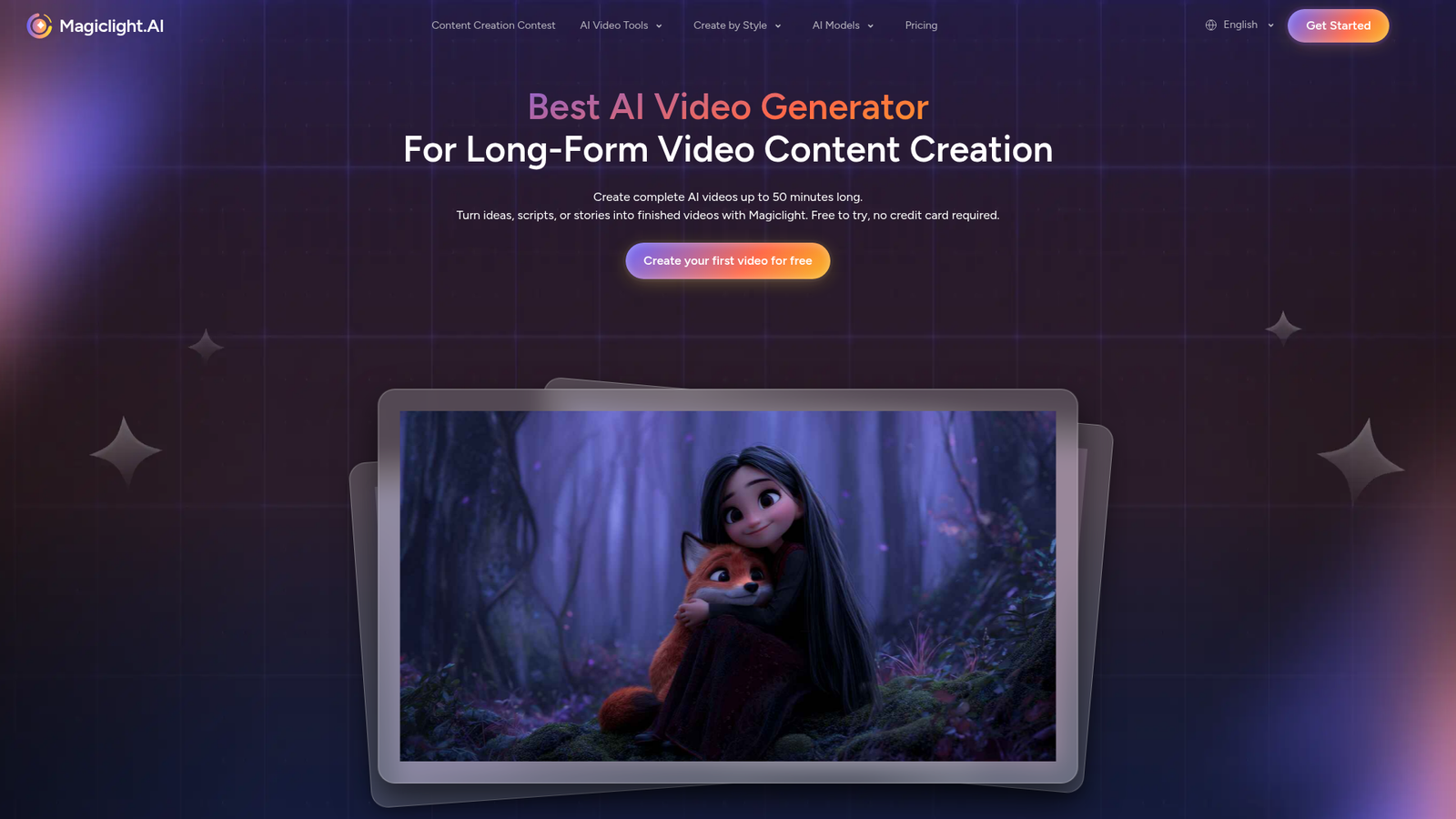
Magiclight.AI is an AI-powered video creation platform built around story-to-video workflows. The official homepage describes it as an all-in-one tool for turning scripts, stories, or text prompts into animated and scene-based videos with consistent characters. It’s not a single-purpose clip generator — the feature list covers text-to-video, script-to-video, AI avatar generation, voice cloning, lip sync, music-to-video, image-to-video, subtitle generation, and video editing.
The intended user is a non-technical creator: a YouTuber, educator, or storyteller who wants a guided pipeline from idea to finished video without juggling five separate tools. If you’ve looked at tools like HeyGen for avatars or ElevenLabs for voice and wished they were connected, that’s the problem this platform is trying to solve.
Key Features
Story-to-Video and Script-to-Video Generation
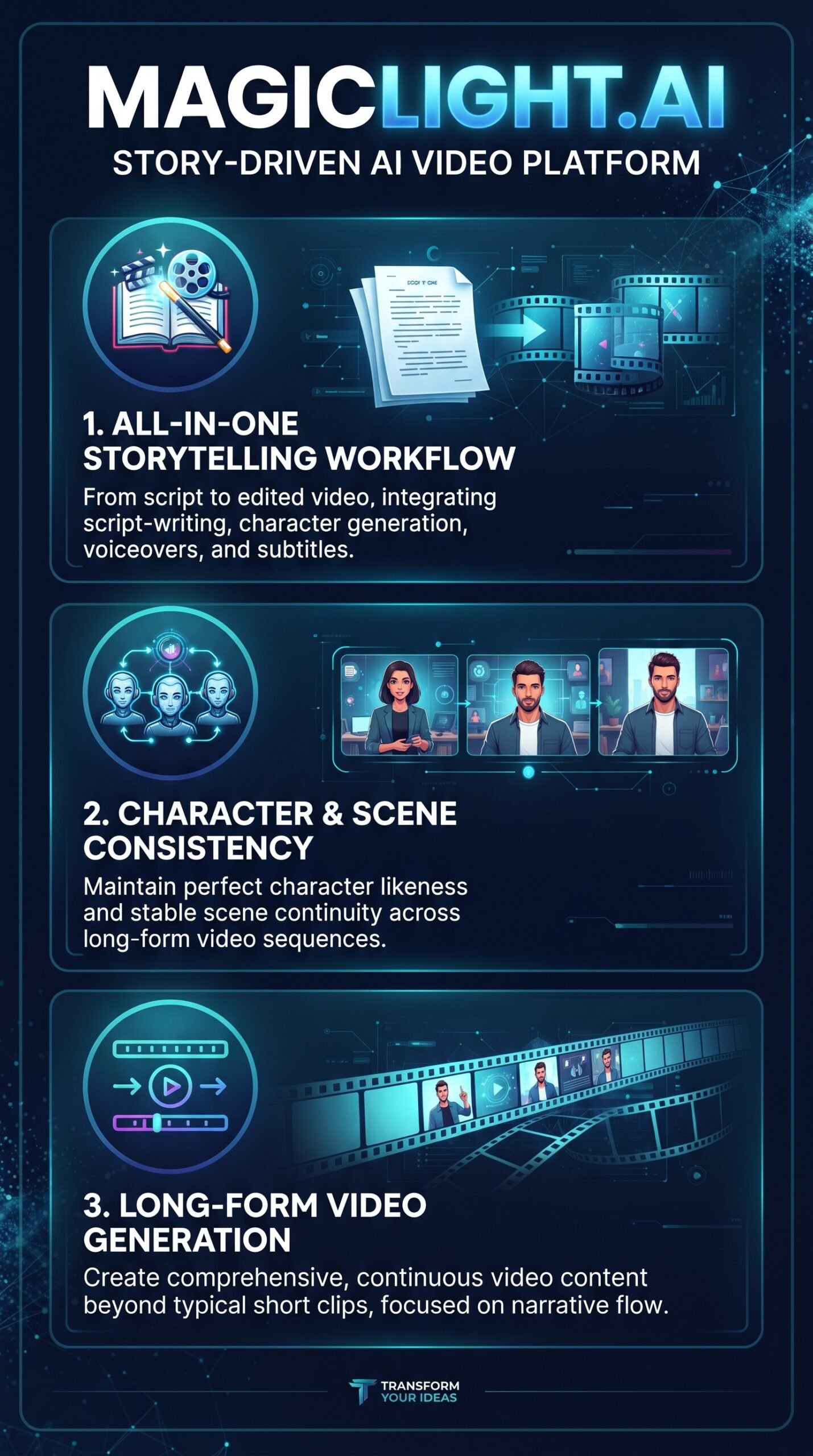
The core workflow lets users enter a story or script, pick a visual style, and let the AI break it into structured scenes. The platform handles scene planning automatically, which is different from tools that require you to craft individual prompts for each shot. Built-in script generation is also included, so you can start from a rough idea rather than a finished script.
Long-Form Video with Character Continuity
The tools page states the platform supports videos up to 50 minutes with scene linking and character consistency. This is a genuine differentiator. Most AI video generators produce short clips — 5 to 30 seconds — with no guaranteed visual continuity between shots. Magiclight.AI’s architecture is explicitly designed to preserve character appearance and style across a full narrative arc, according to their official documentation.
Integrated Voice, Avatar, and Subtitle Tools
Beyond video, the platform includes AI avatar video generation, voice cloning, lip sync, and automatic subtitle generation. Multi-language voice support is also listed on the tools page. This means a creator could theoretically go from script to localized, captioned, avatar-hosted video inside one product — without third-party tools for each step. For context, our Autoshorts AI review covers a similar integrated content approach, though focused on short-form social clips rather than long narratives.
How Magiclight.AI Works
Step 1 — Input Your Story or Script
According to the official FAQ, users create a free account and enter their story or script as text. No video editing experience is needed. The platform also includes built-in script generation, so you can start even earlier in the creative process.
Step 2 — Choose a Visual Style
After entering text, you select a visual style. The platform then automatically generates an animated storyboard and breaks the content into connected scenes. The tools page describes this as an automated storyboard creation process, not a manual timeline build.
Step 3 — Generate, Refine, and Export
The system generates the video, handles narration and lip sync, and exports in 1080p HD. The image-to-video workflow follows the same pattern — drag and drop images, describe actions, pick format, and export. Third-party reviews describe additional workflow elements like automated thumbnail and description generation, though those claims come from YouTube reviewers rather than official product documentation, so treat them as user-reported behavior.
What the Evidence Shows
What the Vendor Claims
Magiclight.AI positions itself as the only AI platform built specifically for long-form narrative video, with character consistency, scene linking, 1080p export, and a complete creator toolkit in one place. The pricing page also claims 4.7 stars from 2,000+ reviews across platforms, and the FAQ confirms no card is required to start.
What Users Report
YouTube reviewers consistently highlight the long-form capability and character consistency as genuine strengths. One reviewer describes it as a strong pick for creators building YouTube channels, citing time savings across scripting, scene creation, and lip sync. Other sources characterize the onboarding as beginner-friendly, noting it suits educators and storytellers who want a simple workflow. The main friction points mentioned across sources: some confusion around maximum video duration (which varies between 30 and 50 minutes across different product pages and platforms), and limited detail on what’s included in each plan tier.
How It Stacks Up Against the Category
Compared to tools like Runway or Pika, which focus on short cinematic clips and creative experimentation, Magiclight.AI is clearly more specialized in structured narrative production. It’s closer in spirit to HeyGen on the avatar and voice side, but with a broader story-construction layer on top. If you need a 60-second artistic clip, this isn’t the right tool. If you need a 10-minute explainer with consistent characters, it’s more relevant than most alternatives.
Magiclight.AI vs Competitors
| Feature | Magiclight.AI | Runway | InVideo AI |
|---|---|---|---|
| Long-form video (10+ min) | Yes (up to 50 min) | No | Partial |
| Character consistency | Yes | No | Partial |
| Voice cloning + lip sync | Yes | No | Partial |
| AI avatars | Yes | No | Yes |
| Script-to-video automation | Yes | No | Yes |
| Free plan | Yes | Yes (limited) | Yes (limited) |
| Starting paid price | $6/mo (annual) | ~$12/mo | ~$20/mo |
For a closer look at AI voice tools that pair well with video workflows, the ElevenLabs review is worth reading — though Magiclight.AI builds voice cloning directly into its pipeline.
Pricing
Magiclight.AI offers four paid tiers plus a free plan. All prices below are annual billing rates, which carry a limited-time 50% discount according to the current pricing page.
- Free: $0 — limited credits, no card required
- Standard: $6/month (billed $72/year) — 7,000 credits/month, up to 130 min of video generation, 1080p HD, no watermark
- Pro: $17.50/month (billed $210/year) — 45,000 credits/month, up to 780 min of video generation
- Ultra: $45/month (billed $540/year) — 150,000 credits/month, up to 2,500 min of video generation, KLing 2.1 Master access
- Ultimate: $75/month (billed $900/year) — 280,000 credits/month, up to 3,670 min of video generation, top VIP channel access
All paid plans include commercial usage rights, 1080p export, and no watermark. Verify current pricing directly on the Magiclight.AI official site before purchasing, as the 50% discount is listed as a limited-time offer.
| Monthly price | Annual billing equivalent | Annual price | Annual savings | Monthly credits | Estimated video generation |
|---|---|---|---|---|---|
| $0 | – | – | – | Limited | Limited |
| $15 | $7.50/ month | $90 | $90 | 8 000 | Up to 130 minutes/ month |
| $28 | $14/ month | $168 | $168 | 27 000 | Up to 450 minutes/ month |
| $44 | $22/ month | $264 | $264 | 47 000 | Up to 780 minutes/ month |
| $90 | $45/ month | $540 | $540 | 150 000 | Up to 2 500 minutes/ month |
| $150 | $75/ month | $900 | $900 | 280 000 | Up to 4 670 minutes/ month |
Pros and Cons
Pros
- Genuine long-form video support up to 50 minutes with scene and character continuity — a real differentiator in this category
- Integrated toolkit covers script, voice cloning, lip sync, avatars, and subtitles in one workflow
- Beginner-friendly guided process with no technical editing skills required, per the official FAQ and multiple user reports
- Competitive pricing starting at $6/month annually with a no-card free plan available
- Commercial usage rights included across all paid plans
Cons
- Credit-based usage model can be opaque; actual output volume depends on which features you use and how often
- Not suited for general-purpose cinematic clip generation or advanced manual video editing — it’s a narrative production tool, not a creative sandbox
Who Should Use Magiclight.AI?
This platform is a strong fit for YouTube content creators who publish story-driven, explainer, or educational content and want to cut production time without losing character consistency across episodes. Educators and course creators will find value in the guided workflow and multi-language voice support. Solopreneurs building animated content channels — kids’ stories, historical explainers, faith content — are specifically called out in the platform’s own template library.
On the other hand, if you’re a filmmaker or creative director looking for high-fidelity, artistic short clips with maximum manual control, tools like Runway or Luma AI Dream Machine are a better match. And if you already have a dedicated voice tool like ElevenLabs and a solid video editor, the integrated approach here may duplicate things you’ve already paid for.
Magiclight.AI Main Facts
Frequently Asked Questions
Is Magiclight.AI free to use?
Yes. The platform offers a free plan with limited credits and no credit card required. You can sign up and start creating before committing to a paid tier.
How long can videos be on Magiclight.AI?
The official tools page states up to 50 minutes. However, some sources — including the Google Play listing — reference 30 minutes, which suggests limits may vary by plan or platform version. Check the current plan details before assuming a specific maximum.
Does Magiclight.AI include commercial rights?
Yes. All paid plans include a general commercial license, so you can publish and monetize videos across platforms without additional licensing fees.
What AI models does Magiclight.AI use?
According to the pricing page, the platform integrates Gemini 3, ChatGPT 5, ChatGPT 4, and Veo and Sora series models. The Ultra and Ultimate plans also include KLing 2.1 Master access.
Final Verdict
Magiclight.AI does something most AI video tools don’t: it builds a coherent, end-to-end story production pipeline instead of stopping at the clip. The long-form video support, character consistency emphasis, and integrated voice and avatar tools make it genuinely useful for content creators who publish narrative video regularly.
The pricing is accessible, the free plan lowers the barrier to entry, and the workflow appears designed for non-technical users. The main thing to watch: some claims around video length and feature availability vary across sources, so take the time to match your specific use case to the current plan before upgrading.
If you create story-driven content and want to cut production time, this is worth testing on the free plan first. If you need cinematic one-shot clips or advanced editing control, look elsewhere.
Review Methodology
This review is based on analysis of Magiclight.AI’s official documentation, pricing pages, and feature set, combined with user reports gathered from YouTube reviews and third-party review coverage available in the research data. No hands-on testing was conducted.