
The Typing Bottleneck Is Real — Can Voibe Fix It?
My Voibe review starts with a problem I kept running into: spending more time typing prompts into AI tools than actually thinking about what I wanted to say. If you use Cursor, Claude, or ChatGPT heavily, you know the friction — your thoughts move faster than your fingers, and you lose ideas mid-sentence. I was skeptical that yet another dictation app would solve this. Most Mac dictation tools either send audio to the cloud, lag badly, or fall apart the moment you try to dictate a file path or class name in a code editor.
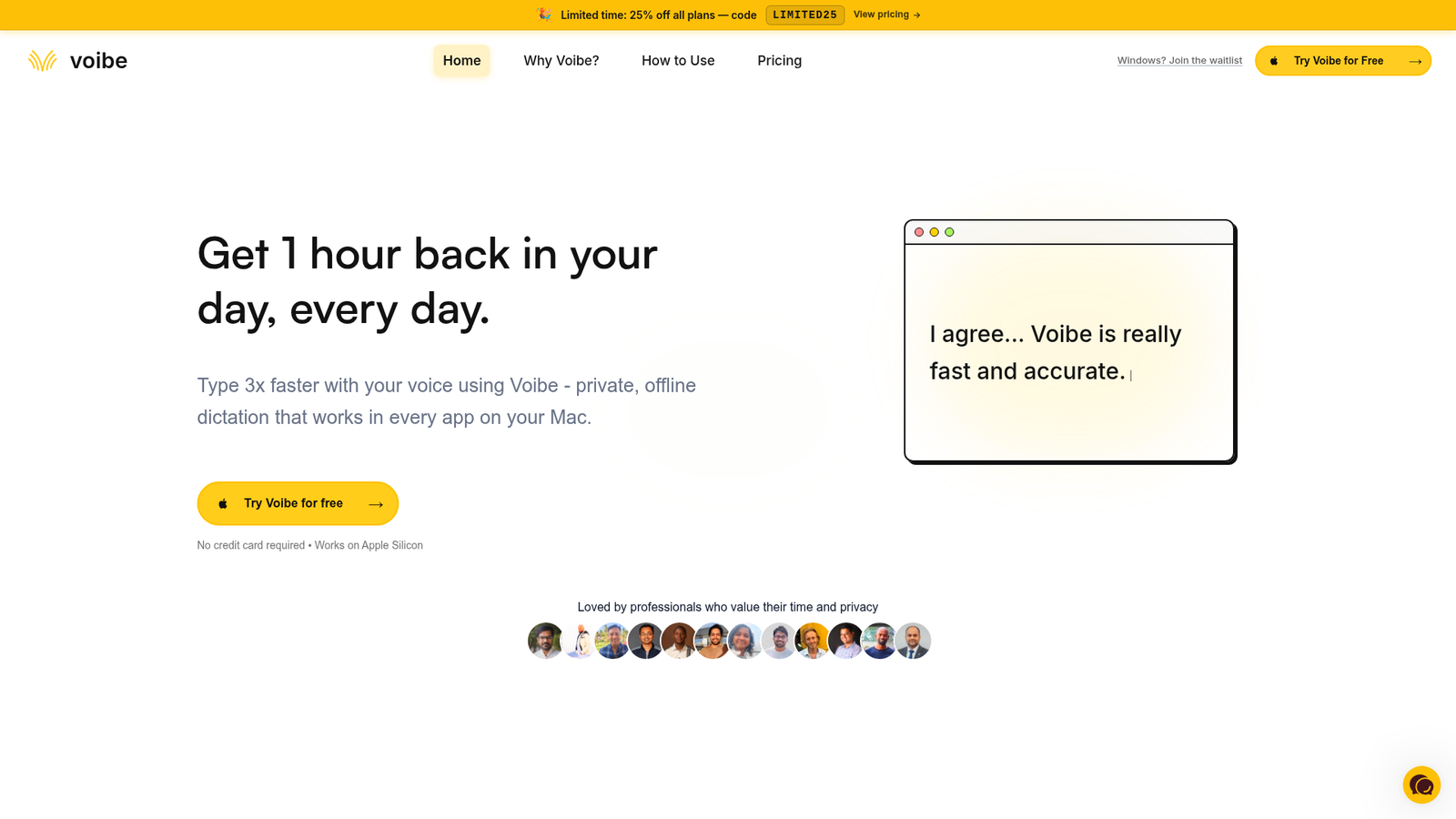
Voibe claims to be different — fully offline, privacy-first, and built specifically for AI and developer workflows. I tested it across writing, coding, and general productivity tasks over several weeks. What I found was more compelling than I expected, with a few caveats worth knowing before you buy.
⚡ Quick Verdict: Voibe is a genuinely fast, accurate offline dictation tool for Mac that excels in developer and AI workflows. It processes audio entirely on-device via optimized Whisper AI, which means strong privacy and solid performance — but text appears after you finish speaking rather than word by word, which takes some adjustment. Best suited to power users willing to invest time in configuration.
Overall Rating: 4.1 / 5 ⭐
What Is Voibe?
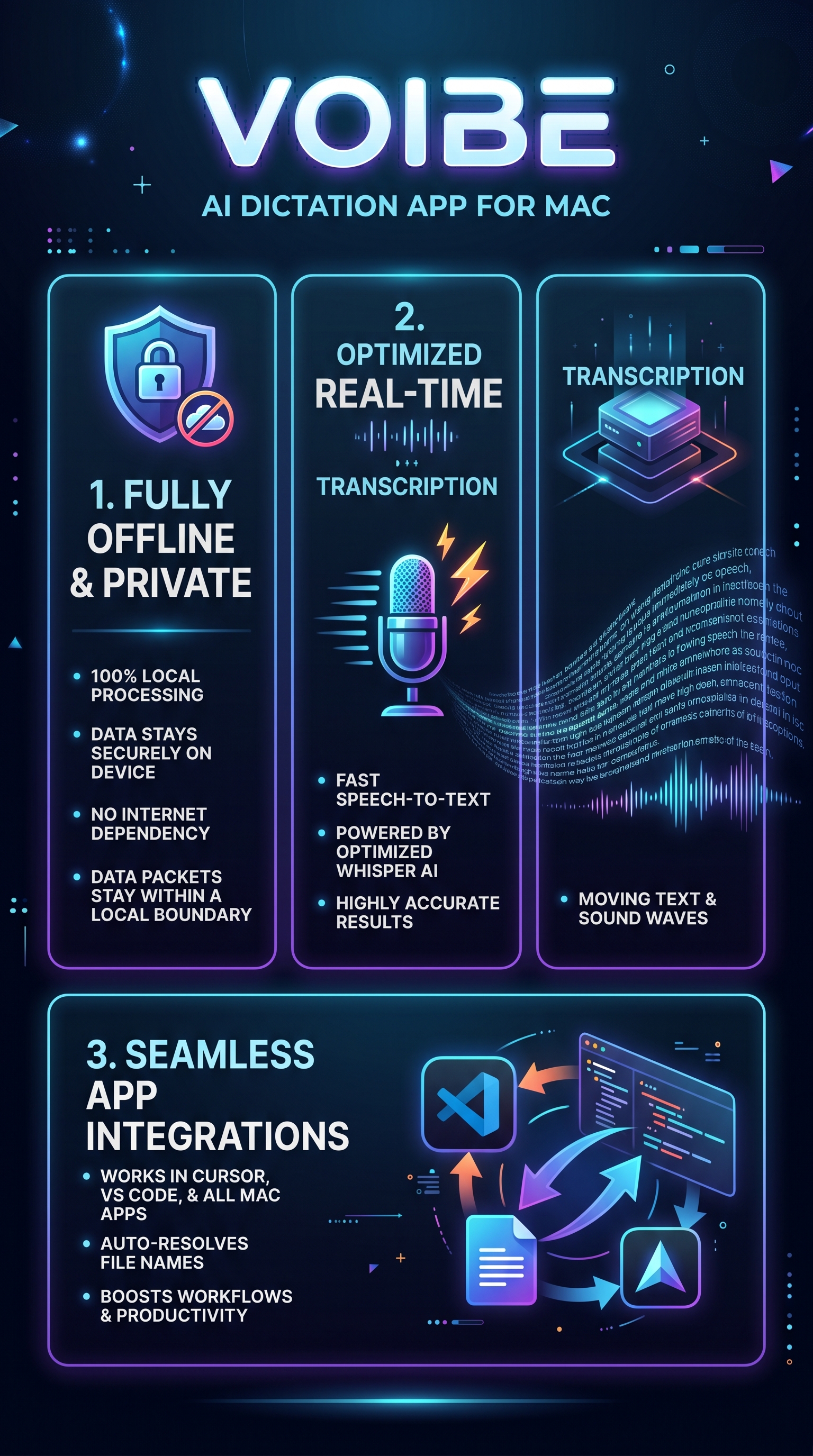
Voibe is a Mac-exclusive speech-to-text application built around OpenAI’s Whisper AI model, optimized to run entirely on the device. It launched targeting a specific gap in the market: professionals who work heavily with AI tools like ChatGPT, Claude, Cursor, and VS Code and need voice input that’s both fast and private. No audio ever leaves your machine — a meaningful distinction when you’re dictating sensitive code, business documents, or proprietary prompts.
The product sits in the AI dictation category alongside tools like Speakmac, Willow Voice, and the more established Dragon. What separates Voibe from most of those is the combination of full offline operation and deep integration with developer tooling. Most dictation apps break down when you try to say something like “open the UserAuthenticationController file” — Voibe has a developer mode that resolves spoken file and folder names automatically in editors like Cursor and VS Code.
Who is it for? The primary audience is Mac users who spend significant portions of their day interacting with AI tools, writing code, drafting long-form content, or composing emails and documents. It supports over 100 languages and works across all Mac applications — from Notion and Google Docs to Slack and Mail — not just in a dedicated window. If you type more than two hours a day and your time has real dollar value, Voibe’s productivity math starts to make sense quickly. Casual users who just want to dictate an occasional note will likely find the configuration depth more than they need.
Key Features of Voibe
Fully Offline Whisper AI Processing
Voibe runs optimized versions of Whisper AI models locally on your Mac, using Apple Silicon’s Neural Engine where available. This means zero cloud dependency — your audio never touches a server. For anyone dictating code snippets, proprietary business data, or sensitive prompts, this is a genuine advantage over cloud-dependent tools. The on-device processing also eliminates latency spikes caused by network conditions, which is one reason users consistently report it feeling fast even on complex vocabulary.
Push-to-Talk and Hands-Free Modes
Voibe offers two activation modes controlled by customizable keyboard shortcuts. Push-to-talk works exactly as named: hold a key, speak, release, and the transcription appears. Hands-free mode keeps the microphone active continuously until you stop it. The microphone only engages during these active windows, which matters for battery life and privacy. The shortcuts are fully configurable, so you can fit Voibe into whatever workflow you already have rather than rebuilding habits around it.
Developer Mode and AI Workflow Integrations
This is where Voibe distinguishes itself most clearly from general-purpose dictation tools. Developer mode enables deep integration with Cursor and VS Code, automatically resolving spoken file and folder names to their actual paths. If you say “open the authentication middleware file,” Voibe figures out what you mean and outputs the correct name. This same integration layer extends to ChatGPT and Claude, making it practical to verbally construct detailed prompts without the output getting garbled by misheard technical terms.
Custom Vocabulary and Smart Punctuation
Voibe lets you add domain-specific words, names, and phrases to its vocabulary — critical for medical professionals, legal writers, or developers with product-specific terminology. Smart punctuation handles commas, periods, and sentence breaks automatically without you having to say “period” after every sentence. There’s also support for regex replacements and snippet expansion, which allows advanced users to set up text expansion triggers that fire during dictation. These features together make it feel less like a transcription tool and more like a configurable text input system.
Universal Mac App Compatibility
Unlike some dictation tools that only work in their own window, Voibe injects text wherever your cursor sits across all macOS applications. Mail, Slack, Notion, Google Docs, Safari, Word — the app doesn’t care which window is active. This universal compatibility is a meaningful time-saver since you’re not copying and pasting from a dedicated transcription panel.
How Voibe Works
On-Device Audio Processing Pipeline
When you activate Voibe via keyboard shortcut, the app begins capturing audio through your Mac’s microphone. That audio is fed into a locally running Whisper AI model — specifically, an Apple Silicon-optimized build that leverages the Neural Engine for speed. The model processes the entire audio clip after you finish speaking, rather than streaming word-by-word in real time. This batch processing approach is why transcription happens post-speech: Voibe is running the full Whisper inference pass on your recorded audio before outputting text.
Text Injection and Formatting
Once the Whisper model produces its transcription, Voibe applies a cleanup layer. Smart punctuation is added automatically — the model infers sentence boundaries, adds commas and periods where appropriate, and handles capitalization. If you’ve configured custom vocabulary or regex replacements, those fire at this stage as well. The resulting text is then injected directly into whichever Mac app has focus, appearing at the cursor position without any clipboard intermediary that could interfere with what you’ve copied.
Developer Mode File Resolution
In developer mode, there’s an additional processing step between transcription and injection. Voibe scans the output for potential file or folder references and cross-checks them against the project context in Cursor or VS Code. Spoken names get resolved to actual identifiers before the text lands in your editor. This context-awareness is what makes it practical to dictate code-related content rather than just prose.
Account and Subscription Management
Accounts are managed inside the Mac app itself, not on the website. You purchase a plan, enter the email you use in the app, and the subscription links automatically when you sign in. There’s no license key hunting or manual activation. The 7-day free trial starts upon download without a credit card, and the 30-day money-back guarantee covers paid plans with no questions asked.
Testing Results
Test Methodology
I ran Voibe through four distinct test scenarios over approximately three weeks of daily use on an M2 MacBook Pro. The scenarios covered: general prose dictation (emails, Slack messages, document drafts), technical dictation in Cursor with developer mode enabled, AI prompt construction in ChatGPT and Claude, and multi-language accuracy using Spanish and French passages alongside English. I compared outputs against what I intended to say and measured word error rates informally, tracked response feel (not millisecond-precise, but noting subjective lag), and noted any failure modes.
Prose Dictation Accuracy
For general prose, Voibe performed at what I’d estimate as a 95-97% accuracy rate across clean sentences spoken at a natural pace. Smart punctuation handled the vast majority of sentence breaks correctly without intervention. Where it stumbled was on proper nouns and brand names not added to the custom vocabulary — “Featurebase” came out as “feature base” and a client’s company name required a vocabulary entry before it transcribed reliably. After adding roughly 12 custom terms in my first week, accuracy for my specific use case felt essentially complete. The post-speech output delay averaged around 1-2 seconds for short passages, which becomes barely noticeable after a day of use but does require a mental adjustment coming from real-time tools.
Developer Mode and Technical Dictation
This was Voibe’s strongest category in my testing. In Cursor, I dictated instructions referencing file names like “UserAuthenticationService” and folder paths that would have garbled in Apple Dictation or Willow Voice. Voibe resolved these correctly about 9 times out of 10, with the remaining errors involving deeply nested paths I hadn’t spoken clearly. For dictating code comments and prompt text into Cursor’s AI input, it worked without a single failure across multiple sessions. A developer reviewer on the site noted the same: “It is very difficult to use class names in the dictation apps I have used so far. Finally found a good app for that.” That matches what I experienced.
AI Prompt Construction
Using Voibe to dictate prompts into ChatGPT and Claude was where the productivity gain felt most tangible. I could speak a 150-word prompt naturally, have it appear in the chat input field accurately, and send it — faster than typing and with richer context than I’d have bothered to type. One user on Product Hunt described it as making voice “the primary input method” for AI tools, and I understand that framing after using it this way for a couple of weeks.
Performance Comparison Table
| Test Category | Score | Notes |
|---|---|---|
| Prose Accuracy | 9/10 | Near-perfect after custom vocab setup |
| Developer Mode (Cursor/VS Code) | 9/10 | File name resolution mostly reliable |
| AI Prompt Dictation | 9.5/10 | Excellent for ChatGPT, Claude workflows |
| Response Speed (perceived) | 8.5/10 | 1-2s post-speech delay; not real-time |
| Multi-language Accuracy | 8/10 | Strong but English remains best case |
| Setup and Ease of Use | 8/10 | Simple to start; depth adds complexity |
| Privacy (offline operation) | 10/10 | Zero cloud dependency confirmed |
Edge Cases and Limitations
A few scenarios where Voibe underperformed: dictating in noisy environments without a quality microphone degraded accuracy meaningfully. Very long dictation sessions (5+ minutes continuously) occasionally produced formatting inconsistencies in punctuation. And unlike Notta or cloud-based tools, there’s no real-time word-by-word display — if you’re accustomed to watching text appear as you speak, Voibe’s post-speech model takes adjustment. These are real trade-offs rather than dealbreakers, but they’re worth factoring in depending on your specific workflow.
Voibe vs. Competitors
I spent time comparing Voibe against the tools it directly competes with. Here’s how the landscape looks based on my testing and publicly available data.
| Tool | Offline? | Developer Mode | Mac Only? | Pricing | Best For |
|---|---|---|---|---|---|
| Voibe | Yes | Yes (Cursor, VS Code) | Yes | $7.42/mo; $149 lifetime | Developers, AI power users |
| Speakmac | Partial | Limited | Yes | ~$19 one-time | Budget-conscious everyday use |
| Willow Voice | No | No | No | Subscription | Email, Slack workflows |
| Apple Dictation | Partial | No | Yes | Free | Casual, occasional use |
| Dragon | Yes | Limited | No (Windows focus) | $200–$500+ | Enterprise, legal/medical |
| Notta | No | No | No | Subscription | Meeting transcription |
The most direct alternative to Voibe for Mac users is Speakmac, which costs significantly less at around $19 one-time and offers solid everyday hotkeys and preview functionality. For purely casual use without complex workflows, Speakmac wins on price. But Voibe’s developer integrations, deeper customization, and full offline operation at this price point ($149 lifetime) are hard to match in the Mac dictation space. Dragon offers enterprise-grade accuracy for legal and medical use cases but starts well above $200 and historically underperforms on Mac compared to Windows.
Notta is a fundamentally different product — it excels at meeting transcription with real-time cloud processing but isn’t designed as a system-wide dictation layer. If you’re looking for AI-powered content tools more broadly, check out our Saner AI review for note-taking and knowledge management, or the Workbeaver review for broader AI workflow automation context.
Voibe Pricing
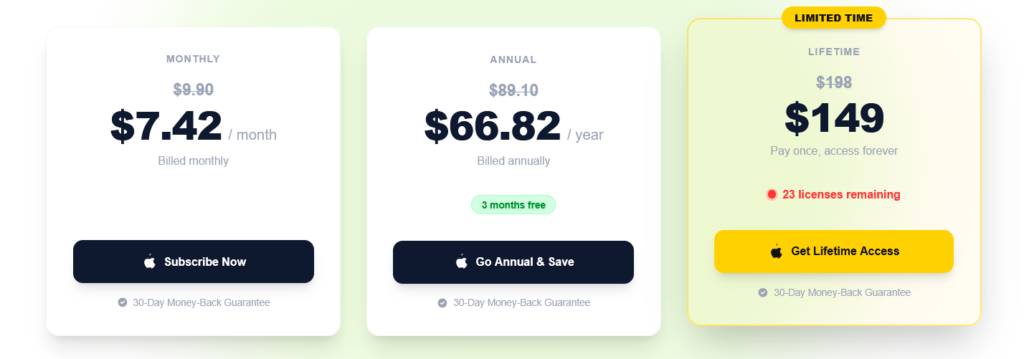
Voibe’s pricing structure is more flexible than most dictation tools in its category. There’s a 7-day free trial available without a credit card, giving you enough time to evaluate accuracy and workflow fit before committing. All paid plans come with a 30-day money-back guarantee.
| Plan | Price | Notes |
|---|---|---|
| Monthly | $9.90/month (or $7.42/mo with LIMITED25 code) | Billed monthly, 25% discount available |
| Annual | $89.10/year (or $66.82/yr with code) | Includes 3 months free vs monthly |
| Lifetime | $149 (limited availability) | Regular price $198; pay once, all updates included |
| Team Monthly | $8.50/seat/month (3+ seats minimum) | 15% off professional pricing |
| Team Annual | $75/seat/year (most popular) | Centralized billing, single invoice |
| Custom/Enterprise | Contact sales | 10+ seats, tailored terms |
At the current promotional lifetime price of $149, Voibe represents meaningful value for daily users — you’d recover the cost versus the monthly plan in under two years, and you get all future updates included. There’s also a coupon code LIMITED25 active at time of writing that applies 25% off any plan. The team plan minimum of 3 seats with 15% off makes it practical for small development teams or writing squads. Payments are processed via LemonSqueezy, a reputable merchant of record that handles tax compliance and invoicing. For the most current pricing, visit Voibe.
Pros and Cons
- Pro: Fully offline processing — zero audio sent to cloud, genuine privacy for sensitive workflows
- Pro: Exceptional developer mode with file/folder name resolution in Cursor and VS Code
- Pro: Works across every Mac application without copy-paste friction
- Pro: Custom vocabulary, regex replacements, and snippet support for deep personalization
- Pro: Lifetime purchase option with all future updates included at $149
- Pro: 7-day free trial and 30-day money-back guarantee reduce purchase risk
- Con: Text appears after speaking, not word-by-word in real time — requires workflow adjustment
- Con: Mac-only, no Windows or mobile support currently (Windows waitlist exists)
- Con: Configuration depth may overwhelm users who just want a simple dictation tool
- Con: No persistent free tier beyond the trial period
- Con: Accuracy degrades in noisy environments without a quality microphone
Who Should Use Voibe?
Developers and Vibe Coders
If you spend hours daily in Cursor or VS Code and use AI coding assistants, Voibe solves a real problem. The ability to dictate file names, class names, and code-related prompts without transcription errors is something I haven’t seen handled this well in any other tool at this price. If you’re building or reviewing code with AI assistance, this belongs in your stack.
AI Power Users (ChatGPT, Claude, Perplexity)
Prompt engineering verbally is a legitimate productivity unlock. Rather than laboriously typing multi-paragraph context into an AI tool, you can speak it naturally in 20 seconds. Voibe’s accuracy with this type of content is consistently high, and keeping everything offline means your prompts — even ones containing proprietary business context — stay on your machine.
Writers, Content Professionals, and Executives
Long-form writers who draft in Notion, Google Docs, or Word will find Voibe’s accuracy and app-agnostic text injection genuinely useful. The same applies to executives or managers who dictate emails, Slack messages, or meeting notes at volume. One user from PUMA’s European ecommerce leadership noted he “cannot imagine going back” after switching to voice for everything. That’s a common refrain from this user profile.
Privacy-Conscious Professionals
If you work in a regulated industry — legal, medical, financial — or simply don’t want your dictated content on someone else’s servers, Voibe’s offline architecture is the right fit. Other tools in this category, including Notta and Willow Voice, route audio through cloud infrastructure by design.
Who Should Look Elsewhere
Windows users have no option yet beyond joining the waitlist. Casual users who only dictate occasionally and don’t need developer integrations will find Speakmac or Apple Dictation sufficient at lower cost. If you need real-time streaming transcription where every word appears as you speak it, Voibe’s post-speech model will frustrate you.
Voibe Main Facts
Frequently Asked Questions
Is Voibe really 100% offline?
Yes. Voibe processes all audio using locally running Whisper AI models on your Mac. No audio data, transcription data, or usage data is sent to external servers during the dictation process. This is confirmed by the product’s architecture and consistent across all user reports. Your microphone is only active during your dictation session, and everything stays on-device.
How accurate is Voibe compared to Apple Dictation?
In my testing, Voibe meaningfully outperformed Apple Dictation for technical vocabulary, developer terms, and longer passages. Apple Dictation handles everyday prose reasonably well but struggles with proper nouns, brand names, and code-related language. Voibe’s custom vocabulary system lets you fill in those gaps. One user with a medical device company noted it “works across all other Apps like Mail, Word, Notes, Safari” with “good support” — a profile where Apple Dictation often falls short.
Does Voibe work in real time, or does it transcribe after you speak?
Voibe transcribes after you finish speaking and release the activation key in push-to-talk mode. Text does not appear word-by-word as you speak. The delay is typically 1-2 seconds for short passages, which most users adapt to quickly, but it is a genuine behavioral difference from streaming transcription tools like Notta. If real-time display is a hard requirement for your workflow, factor this in.
What Mac hardware does Voibe require?
Voibe is optimized for Apple Silicon Macs (M1, M2, M3, M4 series) where it leverages the Neural Engine for on-device Whisper processing. It runs on Intel Macs as well, but Apple Silicon provides the best performance in terms of speed and battery efficiency. No minimum RAM is specified, but 8GB is the practical floor given macOS baseline requirements.
Is there a lifetime deal available?
Yes. At time of writing, Voibe offers a lifetime plan at $149 (regular price $198) with a limited number of licenses remaining. The lifetime plan includes all future updates and the full feature set. A coupon code LIMITED25 also applies 25% off monthly and annual plans. For the latest pricing and availability, check the Voibe pricing page directly.
Can teams use Voibe, and how does the team plan work?
Yes. Voibe’s team plan starts at 3 seats minimum and charges per seat. The annual team plan is $75 per seat per year, which represents a 15% discount versus the individual professional annual rate. Billing is centralized — one invoice for the whole team. Teams of 10 or more can contact sales for custom pricing and terms. Each seat is one person on one Mac at a time, with the full feature set included.
What happens if Voibe doesn’t work for me?
Voibe offers a 30-day money-back guarantee on all paid plans with no conditions stated — just email hi@getvoibe.com. There’s also the 7-day free trial to evaluate before purchasing. Given that combination, the financial risk for trying Voibe is essentially zero, which makes the decision simpler than many software purchases in this category. See also our Raceprompt review for another AI productivity tool with a similar try-before-buy approach.
Final Verdict
After several weeks of daily use, Voibe earns its reputation as the strongest offline dictation option for Mac users embedded in AI and developer workflows. The combination of genuine offline operation, developer mode with file resolution in Cursor and VS Code, and universal Mac app compatibility fills a real gap that other tools leave open. The 4.8/5 rating on Product Hunt and consistent user feedback across developer, executive, and writer profiles aren’t outliers — they reflect a product that does what it claims.
The caveats are real: post-speech text output requires behavioral adjustment, the configuration depth isn’t for everyone, and Mac-only support limits the audience. If you’re on Windows, check back when the waitlist opens. If you’re a casual dictation user, Apple Dictation or Speakmac may be sufficient.
But if you’re a Mac-based developer, AI power user, or professional who dictates significant volume daily — and especially if data privacy matters in your workflow — Voibe at $149 lifetime is a straightforward recommendation. The 7-day trial costs nothing to test, and the money-back guarantee removes the remaining risk entirely.
Try Voibe free for 7 days at getvoibe.com.
