
Disclosure: Some of the links on Daily Digital Reviews are affiliate links. This means that if you click on a link and make a purchase, we may earn a small commission — at no extra cost to you.
Is AutoShorts.ai Worth Your Time?
AutoShorts.ai lands in a crowded space — AI short-form video tools that promise to run your faceless channel while you focus on other things. If you’ve been searching for a way to keep TikTok or YouTube Shorts active without filming yourself or spending hours editing, this tool will catch your eye. But the “post while you sleep” pitch gets used a lot in this category, so I looked past the homepage copy to see what the feature set and user reports actually tell us.
The short version: it’s a genuinely useful automation tool for the right user. Whether that user is you depends on what you need.
Quick Verdict: AutoShorts.ai delivers on its core promise — fast, automated faceless video creation for TikTok and YouTube Shorts. It’s a solid pick for creators who prioritize publishing speed over deep creative control, but if you want polished, highly customized output, you’ll hit the ceiling quickly. Pricing is clear and starts at $0, which makes it easy to test before committing.
Overall Rating: 3.6 / 5 ⭐
Feature depth: 3.5/5 · Ease of use: 4.0/5 · Pricing value: 3.5/5 · Trust signals: 3.5/5
What Is AutoShorts.ai?
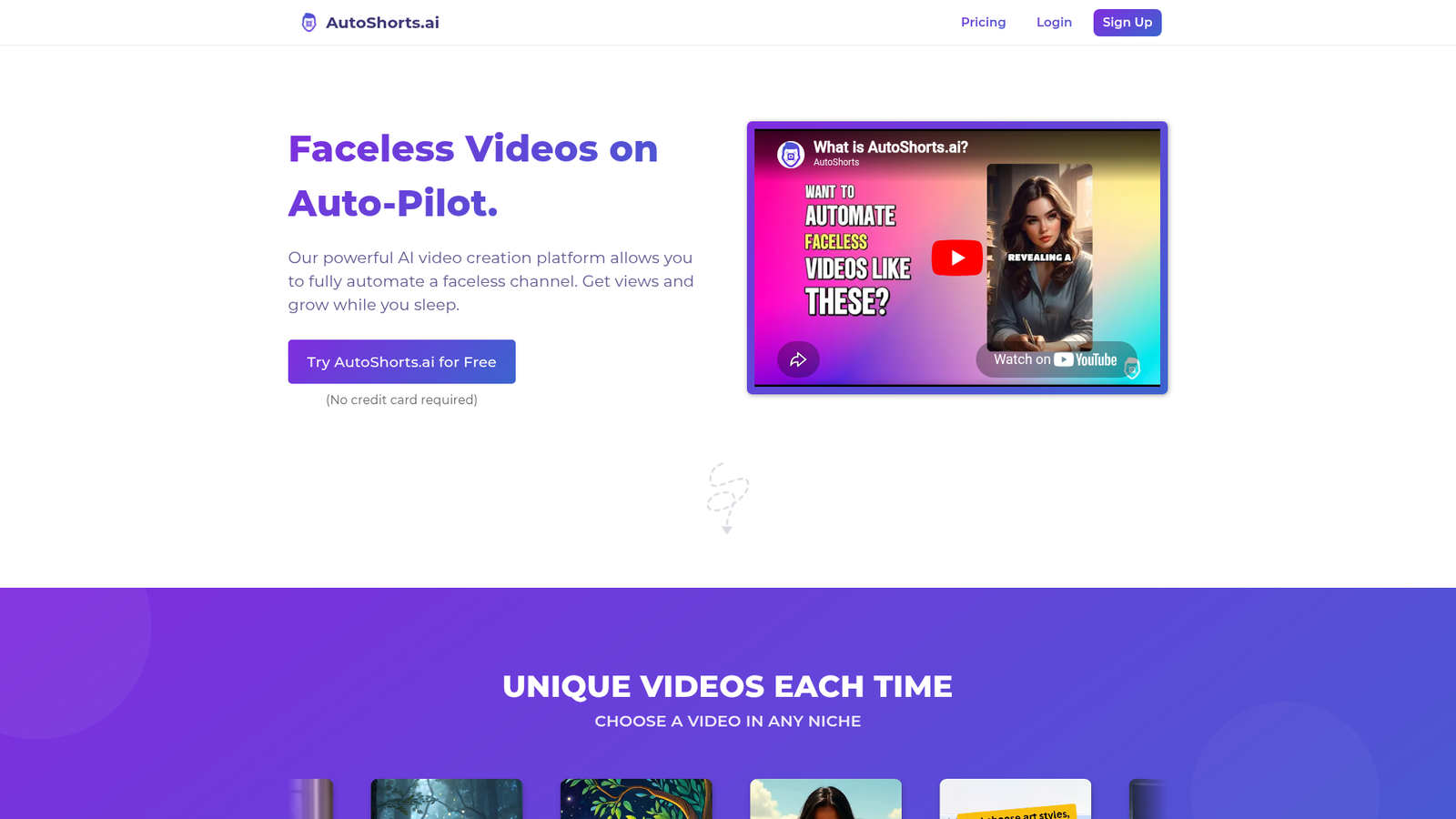
AutoShorts.ai is a faceless video automation platform built specifically for TikTok, YouTube Shorts, and Instagram. The company, Mavster LLC, describes it as a way to fully automate a faceless channel — from scripting and visuals to captions and posting schedules. It’s not a general-purpose video editor. The product is designed around series-based workflows, where you set a topic or prompt, and the platform handles the repeatable production pipeline from there. That makes it a productivity tool first, a creative tool second.
Key Features
Automated Faceless Video Generation
The core feature is exactly what it sounds like. You pick a niche or topic, and AutoShorts.ai generates short-form videos using AI-assisted scripting, visuals, and captions. The homepage showcases multiple visual styles — including Minecraft, GTAV, Lego, Disney Toon, Comic Book, Expressionism, and Children’s Book — which gives the output more variety than a single-template tool.
Series-Based Production Workflow
Rather than creating one-off videos, the platform is built around “Series.” You create a series for a topic, and the AI keeps generating new videos on that theme. This is well-suited to the faceless channel model, where consistency matters more than any single viral post.
Custom Prompt Support
The blog documentation confirms users can write detailed custom prompts to guide script generation for each video in a series. This gives you more creative direction without requiring manual editing. It’s not as precise as writing your own script from scratch, but it’s meaningfully more control than a pure auto-generate button.
Auto-Posting and Scheduling
AutoShorts.ai connects to TikTok, YouTube, and Instagram and handles scheduling and posting directly. On paid plans, this ranges from three posts per week up to twice daily, depending on the tier you’re on.
How AutoShorts.ai Works
Step 1: Create a Series
You choose a topic or niche for your faceless video series. You can pick from a preset list or write a custom prompt. The AI starts building your first video immediately after setup.
Step 2: Preview and Customize
Before anything goes live, you can review the AI-generated video. The platform lets you edit the script, title, images, and background music at this stage. Each video is generated uniquely for that series.
Step 3: Schedule and Post
You set your posting schedule, connect your social channels, and the platform handles creation and posting on an ongoing basis. According to their documentation, this is where the “auto-pilot” part kicks in — once the series is live, new videos are created and pushed without you needing to touch it every time.
What the Evidence Shows
What the vendor claims
AutoShorts.ai positions itself as the “#1 Faceless Video Generator” and promises views and channel growth “while you sleep.” They say videos are unique each time, HD resolution is included on all paid plans, and no watermark is applied even on entry-level tiers. The free plan creates one video with no credit card required, which is a genuine low-friction entry point.
What users report
User sentiment from available review coverage is broadly positive on the convenience side. A video review calls it a major time-saver and highlights how useful it is for beginners who want to maintain a consistent posting cadence. The same source notes a real limitation: creative control is limited, and users who want detailed, frame-level editing will find the tool frustrating. That’s a fair and honest tradeoff — automation tools almost always trade precision for speed.
How it stacks up against the category
Compared to the broader AI short-form video space, AutoShorts.ai sits clearly in the automation-first camp rather than the editing-first camp. Tools like InVideo give you more manual editing flexibility. SendShort focuses on repurposing long-form content into shorts. AutoShorts.ai’s niche is the creator who wants to run a faceless channel with minimal daily effort — and in that specific use case, the series-based workflow and multi-style visual options make it a stronger fit than most generalist editors.
AutoShorts.ai vs Competitors
Here’s how AutoShorts.ai compares to a few direct alternatives on key features. If you’re weighing your options, also worth reading our Virlo review and Repurpose.io review for related tools in the content automation space.
| Feature | AutoShorts.ai | AutoFaceless.ai | SendShort | InVideo |
|---|---|---|---|---|
| Faceless automation | Yes | Yes | Partial | No |
| Auto-posting to social | Yes | Yes | Yes | No |
| Custom prompt / scripting | Yes | Partial | No | Yes |
| Long-form repurposing | No | No | Yes | Yes |
| Free plan available | Yes | Varies | Varies | Yes |
| Starting paid price | $19/month | Not confirmed | Not confirmed | Not confirmed |
Pricing
AutoShorts.ai has a free plan ($0) that creates one video with no credit card required — though the free tier is listed as temporarily paused on the pricing page. Paid plans start at $19/month for the Starter tier (3 posts per week, 1 series, 27 Motion Credits), $39/month for Daily (1 post per day, 62 Motion Credits), and $69/month for Hardcore (twice daily, 124 Motion Credits). A yearly billing option saves you two months. All paid plans include HD resolution, background music, voice cloning, auto-posting, and no watermark. For the latest pricing, visit AutoShorts.ai’s official site.

Pros and Cons
Pros
- Fast content production — AI handles scripting, visuals, captions, and posting in one workflow
- Beginner-friendly with a clear three-step setup process
- Multiple visual styles (Minecraft, Disney Toon, Comic Book, and more) add variety to output
- Custom Prompt feature gives you meaningful script control without manual editing
- Free entry point with no credit card required makes it easy to test first
Cons
- Limited fine-grained editing control — not the right tool if you want precise creative oversight
- Each paid plan covers only 1 Series, so running multiple channels requires multiple plans or upgrades
- Output quality at scale depends heavily on how well you write your prompts — set-and-forget results can be inconsistent
Who Should Use AutoShorts.ai?
This tool is a good fit for solopreneurs and side-hustlers who want to run a faceless YouTube Shorts or TikTok channel without dedicating hours to editing. It also works well for affiliate marketers and niche content creators who need volume and consistency over bespoke creative work. Beginners who don’t have video editing skills will find the automation genuinely useful — there’s no learning curve on the editing side.
It’s a weaker fit for brand-focused creators who need tight control over visual identity, and for anyone whose strategy involves repurposing existing long-form content into shorts — SendShort or Repurpose.io would serve that use case better. If you’re building a full creative video production workflow, a more manual tool like InVideo gives you more room to work.
Frequently Asked Questions
Is AutoShorts.ai free to use?
There is a free plan that creates one video with no credit card required, though the pricing page notes it’s temporarily paused. Paid plans start at $19/month for the Starter tier.
What platforms does AutoShorts.ai post to?
According to the product homepage, AutoShorts.ai supports auto-posting to TikTok, YouTube, and Instagram.
Can you control what the AI writes in the scripts?
Yes. The platform includes a Custom Prompt feature that lets you give detailed instructions to guide the AI’s script generation for each video in a Series, as documented in the AutoShorts.ai blog.
Is AutoShorts.ai good for beginners?
User reports indicate it’s well-suited for beginners. The three-step workflow (create a series, preview, post) is straightforward, and no video editing experience is required to get started.
Final Verdict
AutoShorts.ai does what it promises: it automates the grind of short-form faceless video production. The pricing is transparent, the free entry point is genuine, and the series-based workflow makes sense for anyone trying to keep a channel active without burning out. The limitations are real too — don’t expect the output to replace a skilled video editor, and don’t expect one plan to power multiple channels without extra cost.
If your goal is volume, consistency, and hands-off posting for a faceless channel, this is worth testing. If you need precision, brand control, or long-form repurposing, look at alternatives. Also worth checking out our Cre8virals review if you want to compare tools in a similar space.
Review Methodology
This review is based on analysis of AutoShorts.ai’s official website, pricing page, and blog documentation, combined with user reports gathered from video review coverage and third-party commentary on the tool’s feature set and workflow. No hands-on testing was conducted.