Disclosure: Some of the links on Daily Digital Reviews are affiliate links. This means that if you click on a link and make a purchase, we may earn a small commission — at no extra cost to you.
HeyGen Can Replace Your Video Studio — But Should It?
HeyGen review searches are spiking for a reason: marketers and solopreneurs want to know if this AI avatar video tool actually delivers on its promise of camera-free, multilingual video production. I’ve analyzed the vendor’s documentation, public pricing, and user reports across Capterra and Product Hunt to give you a straight answer.
The pitch is compelling. You type a script, pick an avatar, choose a language, and HeyGen renders a polished presenter-style video — no camera, no crew, no editing timeline. The platform claims over 100,000 businesses use it, and it earned G2’s #1 Fastest Growing Product of 2025. That’s notable. But fast growth doesn’t automatically mean the right fit for you.
Quick Verdict: HeyGen is one of the most capable AI avatar video platforms available right now, with strong multilingual output, voice cloning, and a genuinely usable browser-based editor. The free tier is tight, and the best features live behind paid plans, but for teams producing repeatable presenter-style content at scale, it’s hard to beat in this category.
Overall Rating: 4.3 / 5 ⭐
Feature depth: 4.5/5 · Ease of use: 4.0/5 · Pricing value: 4.0/5 · Trust signals: 4.5/5
What Is HeyGen?
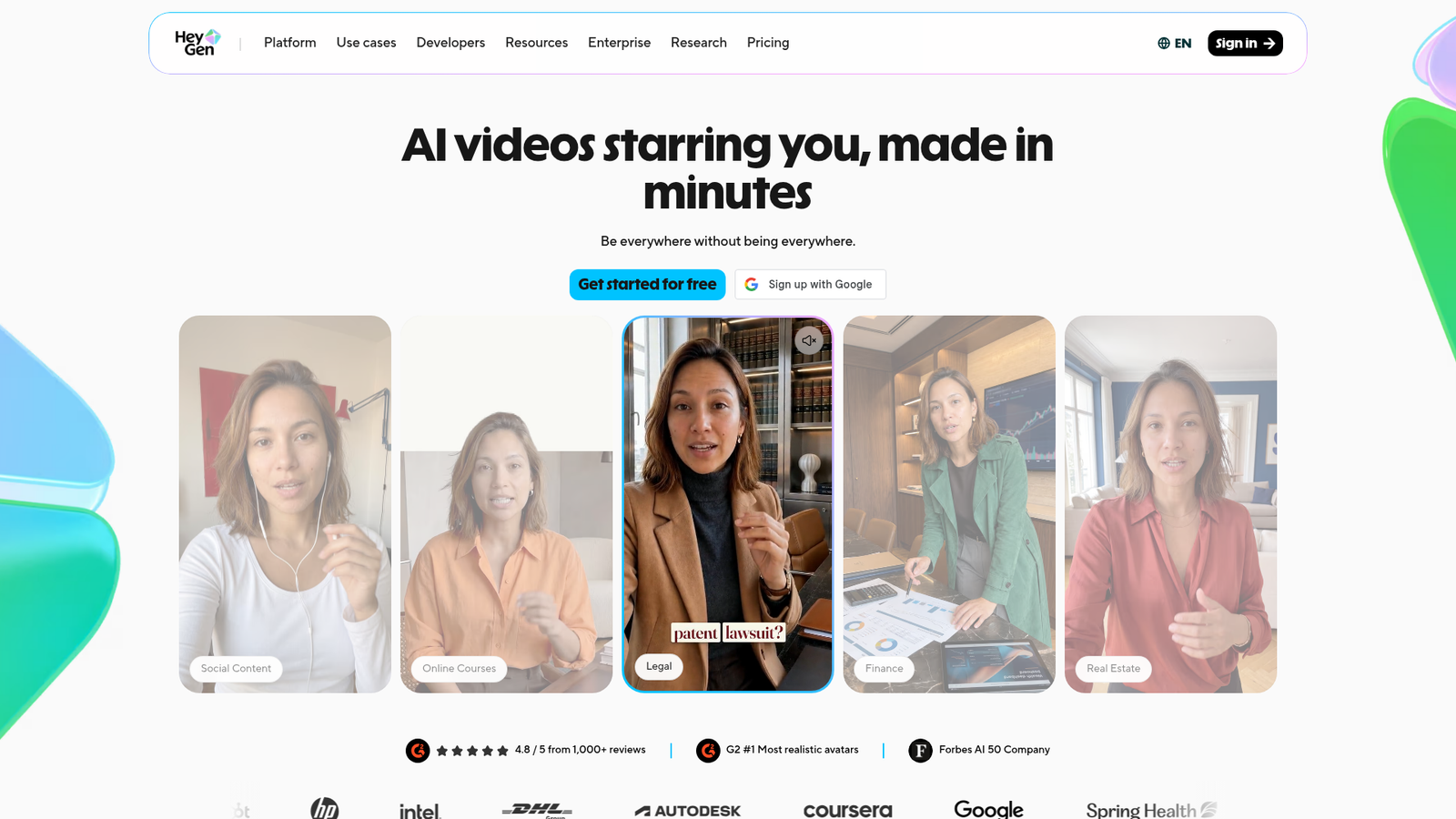
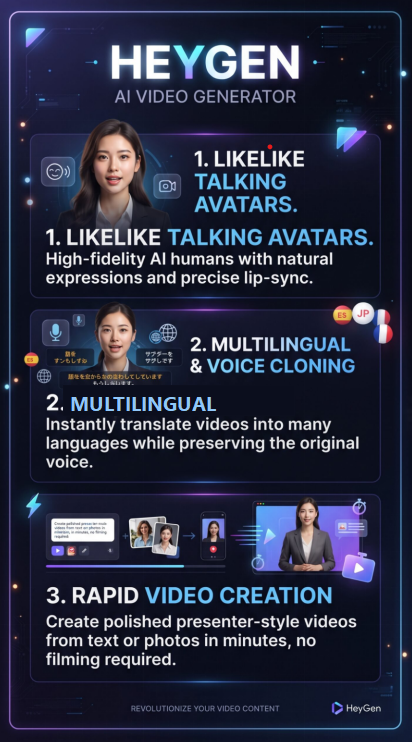
HeyGen is a cloud-based AI video generator focused on talking-avatar and presenter-style video creation. It sits in the same category as Synthesia and Colossyan — tools that let you produce professional-looking video content without filming anything. Their main angle is speed and localization: you can create a video in one language and translate it into 175+ languages and dialects with lip-synced dubbing, all inside the same browser-based tool.
It’s aimed at marketers, content creators, L&D teams, and businesses that need to produce consistent video output at scale. The company describes it as an “AI video creator and content studio,” and the product has evolved well beyond simple avatar generation to include digital twins, voice cloning, and interactive video features.
Key Features
AI Avatars and Digital Twins
HeyGen gives you access to 500+ stock digital twins on the free plan and 700+ on paid plans. You can also create a custom digital twin — a personalized avatar built from a short video recording of yourself. Paid plans support multiple custom digital twin looks (up to 500 looks per twin), and the Business plan allows up to 5 custom digital twins. The newer Avatar IV and Avatar V models offer more realistic facial animation than older generations, though they cost more credits per minute to generate.
Voice Cloning and Multilingual Translation
This is HeyGen’s clearest differentiator. The platform supports translation and dubbing into 175 languages and dialects on paid plans, with lip-sync that stays in time with the translated audio. Voice cloning is available on Creator and above, letting you replicate a specific voice for use across videos. The free plan is limited to 30+ languages without voice cloning.
Text-to-Video and Scene Editing
The AI studio editor gives you text-to-video generation, scene-based composition, captions, b-roll, music, screen recording, and template access (75+ templates across all plans). PowerPoint and PDF imports are also supported. The newer Video Agent feature handles more prompt-driven, automated video projects. Talking photos — turning a static image into a speaking presenter — are also part of the feature set.
How HeyGen Works
The Core Workflow
The workflow is straightforward. You open the browser-based editor, choose a stock avatar or load a custom digital twin, type or paste your script, select a voice and target language, and submit for rendering. The system handles text-to-speech synthesis, lip-sync animation, and video compositing automatically. You can also layer in backgrounds, captions, music, and b-roll from within the same interface.
Translation Pipeline
For multilingual use, you upload or create a source video, select the target language, and HeyGen’s translation pipeline generates a dubbed version with synchronized mouth movement. On the Pro plan and above, you can edit and proofread the translation script before rendering, which helps catch errors in technical or brand-specific terminology.
Credits System
HeyGen runs on a credits model. Every paid plan includes a monthly credit allocation. Avatar III videos cost 3 credits per minute, while the newer Avatar IV/V models cost 20 credits per minute. Video translation with lip-sync costs 5 credits per minute. Unused credits roll over one month for monthly subscribers, or accumulate until renewal for annual subscribers.
What the Evidence Shows
What the Vendor Claims
HeyGen positions itself as a platform that makes “professional video creation easier than ever” without a camera or crew. Their pricing page highlights 100,000+ businesses as customers and the G2 #1 Fastest Growing Product of 2025 designation. They pitch the tool as suitable for individuals through to enterprise teams, with a tiered feature set that scales accordingly.
What Users Report
Reviews collected on Capterra and Product Hunt skew positive. Recurring themes include praise for realistic avatars, fast rendering, ease of use for non-designers, and the quality of multilingual output. One Capterra reviewer described the avatar quality as “amazing” and praised fast support response. On Product Hunt, users specifically called out the multilingual support and the no-camera-needed workflow as standout strengths. Criticisms in the research data focus on avatar motion feeling constrained in some contexts and the most capable features being credit-gated on higher plans — a fair and common complaint in this category.
How It Stacks Up Against the Category
Among AI avatar video tools, HeyGen’s combination of translation depth, voice cloning, and avatar realism is genuinely strong. Most competitors offer multilingual support, but 175 languages with lip-sync and an editable translation script is a high bar. The credit-based model is less straightforward than flat monthly limits, which is worth noting if you’re budget-sensitive. If you need deep video editing control or cinematic production quality, traditional editing tools still win — but that’s true of all AI avatar platforms, not just HeyGen.
HeyGen vs Competitors
Here’s how HeyGen compares to the main alternatives on core features and pricing. For more on AI voice tools that pair well with video, see our ElevenLabs review. If you’re also evaluating short-form video automation, our Autoshorts AI review covers that angle.
| Feature | HeyGen | Synthesia | D-ID |
|---|---|---|---|
| Stock Avatars | 700+ (paid) | Yes | Yes |
| Custom Avatar / Digital Twin | Yes | Yes | Yes |
| Voice Cloning | Yes (paid) | Yes | Partial |
| Multilingual Lip-Sync | 175+ languages | Yes | Yes |
| Talking Photo | Yes | No | Yes |
| Free Plan | Yes (3 videos/mo) | Limited trial | Yes |
| Starting Paid Price | $29/mo | Higher | Lower |
Pricing
HeyGen has four main tiers. The Free plan is $0/month and includes 3 videos per month, up to 1 minute each, 720p export, 500+ stock avatars, and 30+ languages. The Creator plan is $29/month (or $24/month billed annually) and adds 600 credits/month, 1080p export, voice cloning, 175+ languages, and watermark removal. The Pro plan is $49/month with 1,000 credits, 4K export, and access to all advanced AI models. The Business plan is $149/month plus $20 per additional seat, with 1,500 credits, 5 custom digital twins, SCORM export, LMS integrations, and team collaboration tools. Enterprise pricing requires contacting sales. Confirm current pricing at HeyGen’s official website before purchasing.
| Plan | Monthly price | Annual monthly equivalent | Annual price | Annual savings | Key features / limits |
|---|---|---|---|---|---|
| Free | $0 | – | – | – | 3 videos/ month, 720p, watermark |
| Creator | $29 | $24/month | $288 | $60 | 200–600 credits/month, no watermark 1 voice clone |
| Pro | $49 | $39/month | $468 | $120 | 1 000+ credits, 1080p/4K, custom avatars |
Pros and Cons
Pros
- Fast, browser-based workflow — no software to install or camera equipment needed
- 700+ stock avatars plus custom digital twin creation on paid plans
- 175 languages and dialects with lip-synced translation, a genuine differentiator
- Voice cloning available from the $29/month Creator plan
- Scales well for teams, with collaboration tools, brand kits, and LMS integrations on Business
- Generous credit rollover policy helps prevent waste
Cons
- Free tier is quite limited — 3 videos per month, 1-minute max, no voice cloning
- Avatar IV/V generation costs 20 credits per minute, which adds up quickly on lower plans
- Avatar motion can look synthetic in some contexts, especially for longer, expressive scripts
Who Should Use HeyGen?
Marketing teams and solopreneurs who need a steady stream of explainer videos, product demos, or social content will get real value here. The no-camera workflow removes a huge barrier for solo creators.
Global businesses that produce content in multiple languages will find the 175-language translation and lip-sync pipeline particularly useful. No other tool in this category makes localization this accessible at scale.
L&D and training teams will appreciate the Business plan’s SCORM export, LMS integrations, and interactive video features.
On the other hand, if you’re a filmmaker or video editor who needs cinematic control, custom motion graphics, or complex scene transitions, HeyGen isn’t designed for that. And if your budget is very tight and you only need one or two videos a month, the free tier may actually be enough to get started — just don’t expect watermark-free, high-res output without upgrading.
HEYGEN Main Facts
Frequently Asked Questions
Does HeyGen have a free plan?
Yes. The free plan includes 3 videos per month, up to 1 minute each, 720p export, 500+ stock digital twins, 1 custom digital twin, and access to 30+ languages. No credit card is required to sign up.
How does HeyGen’s credit system work?
Credits are the single currency across all HeyGen features. Each paid plan includes a monthly credit allocation. Avatar III videos cost 3 credits per minute, Avatar IV/V cost 20 credits per minute, and lip-synced video translation costs 5 credits per minute. Unused credits roll over for one billing cycle on monthly plans.
Can HeyGen translate existing videos into other languages?
Yes. You can upload an existing video and use HeyGen’s translation and dubbing pipeline to produce versions in 175+ languages with lip-synced audio. On the Pro plan and above, you can edit the translated script before rendering.
Is HeyGen suitable for corporate training content?
The Business plan includes SCORM export, LMS integrations, interactive video features (quizzes, branching), and team collaboration tools, which makes it a workable option for corporate L&D teams. These features aren’t available on Creator or Pro.
Final Verdict
HeyGen is the real deal for avatar-based video production. The combination of realistic avatars, 175-language lip-sync, voice cloning, and a clean browser interface puts it among the strongest options in this category. For businesses that need to produce consistent, multilingual presenter-style content without a production budget, it delivers well above average results.
The credit model takes some getting used to, and the free tier is genuinely limited. But at $29/month for Creator, it’s reasonably priced given what you get. If your workflow involves training videos, multilingual marketing, or scalable presenter content, HeyGen deserves a serious look. If you need cinematic flexibility or you’re working with a bare-bones budget, manage expectations accordingly.
Want to pair HeyGen with an AI writing tool? Check out our Repurpose.io review for content repurposing workflows that complement video production.
Review Methodology
This review is based on analysis of HeyGen’s official documentation, pricing pages, and feature set, combined with user reports gathered from Capterra and Product Hunt, as well as third-party category analysis from publicly available sources.