

Disclosure: Some of the links on Daily Digital Reviews are affiliate links. This means that if you click on a link and make a purchase, we may earn a small commission — at no extra cost to you.
Long-Context AI Is a Real Problem. Does Kimi Solve It?
The Kimi review question I kept coming back to is simple: can one AI assistant genuinely handle research, document analysis, and autonomous task execution without falling apart? Most AI assistants are decent at chat but hit a wall with large documents or multi-step workflows. Kimi, built by Moonshot AI, pitches itself as the answer to that exact problem — combining long-context reasoning, web search, file processing, and agentic automation in a single product.
I reviewed the vendor’s documentation, pricing materials, and available user coverage to figure out whether that pitch holds up.
Quick Verdict: Kimi is a genuinely capable AI assistant with a standout strength in long-context document handling and agentic workflows. It’s best for researchers and analysts who work with large files or need an AI that can plan and execute multi-step tasks. Pricing is accessible, but plan boundaries and regional availability can be inconsistent — verify details directly before subscribing.
Overall Rating: 3.9 / 5 ⭐
Feature depth: 4.5/5 · Ease of use: 3.5/5 · Pricing value: 4.0/5 · Trust signals: 3.5/5
What Is Kimi?
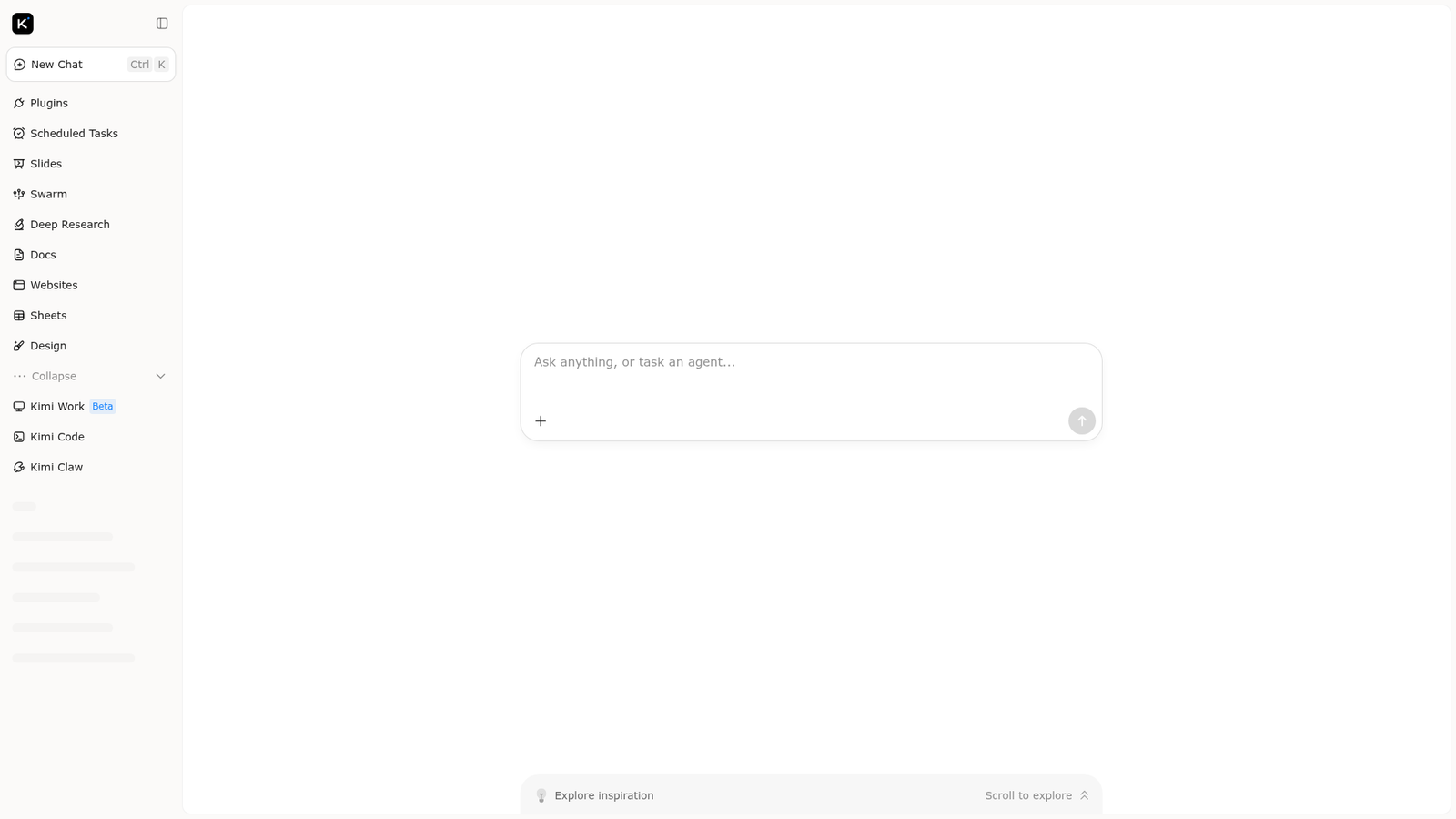
Kimi is an AI assistant developed by Moonshot AI, a Chinese AI company. It’s positioned as a broad-purpose productivity and research platform, not a single-task chatbot. The product runs as a web app, mobile app, and a desktop product called Kimi Work, which focuses on autonomous task execution.
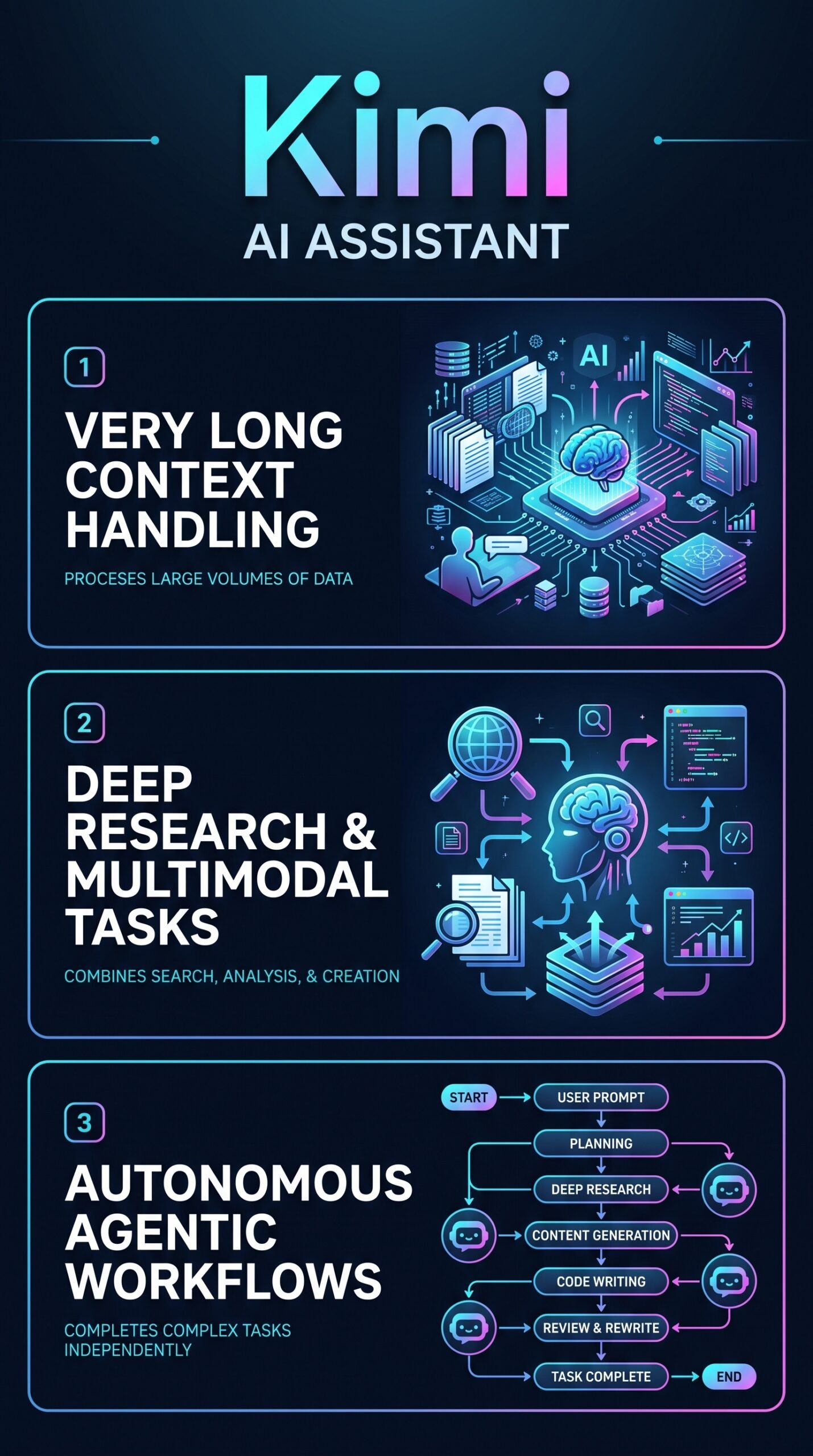
Its core differentiator is ultra-long context handling — the ability to reason over very large documents and extended conversations without losing track. On top of that, Kimi layers in web search, multimodal file support, and agent workflows, making it one of the more feature-dense AI assistants currently available. It’s aimed at researchers, analysts, students, and developers who regularly deal with large volumes of information.
Key Features
Ultra-Long Context and File Processing
The help center highlights Kimi’s ability to process up to 50 files per session, supporting common formats including PDF, Word, Excel, PowerPoint, images, TXT, and video. The context window is designed specifically for large-document work — reading lengthy reports, comparing multiple attachments, or tracking a long research thread without losing continuity. This is where Kimi is most differentiated from general-purpose assistants.
Agentic Task Execution
Kimi’s official materials describe multiple response modes: instant answers, thinking mode, agent mode, and agent swarm mode. The agent capabilities can plan and complete tasks such as deep research, website generation, slide creation, spreadsheet processing, and coding. The Kimi Work desktop product extends this with direct system-level automation, combining reasoning, web browsing, file operations, and command execution.
Multimodal and Creative Support
Beyond text, Kimi supports image understanding, voice calls, translation, and writing assistance. Product pages also mention the ability to generate images, video, and audio through creative design plugins. This makes the tool more comparable to frontier assistants like ChatGPT or Gemini than to narrower, text-only tools.
How Kimi Works
Starting a Task
You interact with Kimi through a chat interface where you can type a question, upload files, or assign an agent task. The interface lets you choose the response mode — quick answer, deep thinking, or agent-driven execution — depending on how much autonomy you want to hand off.
Document and Research Workflows
For document-heavy work, you drop in files and Kimi reads, reasons over, and responds to questions about them. For research tasks, it can run web searches autonomously and synthesize results. The agentic modes allow it to chain multiple steps — searching, reading, writing, and formatting — without you managing each step manually.
Kimi Work for Desktop Automation
Kimi Work is the desktop extension that goes further, handling file-level and command-level operations. According to the vendor’s documentation, it combines reasoning with actual system interaction, which puts it in the category of full desktop agents rather than just chat assistants.
What the Evidence Shows
What the Vendor Claims
Moonshot AI describes Kimi as capable of ultra-long context conversations, deep research, and autonomous workflow execution. Their materials emphasize multimodal support across file types, multiple operating modes, and agentic capabilities that go well beyond standard Q&A. They also highlight low API pricing for newer models like Kimi K2.5 and K2.6, positioning the product as competitive on cost.
What Users Report
Available user coverage and product reviews are generally positive about Kimi’s long-context performance. The most consistently praised strength is its ability to process large files and complex tasks without losing thread. Some coverage notes that the most advanced agentic features are gated behind paid plans, and that pricing and feature availability can vary by region. Public summaries of the plan structure sometimes conflict with each other, suggesting the product is iterating quickly.
How It Stacks Up Against the Category
In the AI assistant category, long-context handling is increasingly table stakes, but Kimi’s 50-file-per-session limit and the emphasis on agentic automation set it apart from tools that handle documents passively. Claude is stronger on writing quality and nuanced reasoning; Perplexity is sharper for quick search-based answers. Kimi’s niche is combining those functions with genuine task delegation — which is a genuinely useful place to sit.
Kimi vs Competitors
| Feature | Kimi | ChatGPT | Claude | Perplexity |
|---|---|---|---|---|
| Ultra-long context | Yes (core feature) | Partial | Yes | Partial |
| Multi-file upload (50 files) | Yes | Partial | Partial | No |
| Agentic / desktop automation | Yes (Kimi Work) | Partial | No | No |
| Web search built-in | Yes | Yes | Partial | Yes (core feature) |
| Free tier | Yes (Adagio) | Yes | Yes | Yes |
| Starting paid price | $19/mo | $20/mo | $20/mo | $20/mo |
For a deeper look at two of those alternatives, see our Perplexity review and our Claude review.
Pricing
Kimi uses a freemium structure. The free tier is called Adagio and gives you access to core features. Higher tiers include Moderato, Allegretto, Allegro and Vivace. API access uses token-based pricing, and coverage of newer Kimi models (K2.5, K2.6) describes costs as relatively low compared with premium competitors. Kimi official pricing.
| Plan | Monthly price | Annual billing equivalent | Annual price | Annual savings |
|---|---|---|---|---|
| Adagio | $0/month | $0/month | $0/year | $0/year |
| Moderato | $19/month | $15/month | $180/year | $48/year |
| Allegretto | $39/month | $31/month | $372/year | $96/year |
| Allegro | $99/month | $79/month | $948/year | $240/year |
| Vivace | $199/month | $159/month | $1,908/year | $480/year |
Pros and Cons
Pros
- Ultra-long context handling is a genuine strength — up to 50 files per session across multiple formats
- Agentic modes (including Kimi Work for desktop) go well beyond standard chatbot behavior
- Multimodal support covers files, images, voice, and creative generation through plugins
- Free tier available, with paid plans starting around $8/month — accessible pricing relative to major competitors
- Low API token costs cited for newer Kimi models, useful for developers
Cons
- Advanced agentic features may be limited to paid tiers, which isn’t always clearly documented
- Plan and model information across public sources is sometimes inconsistent, suggesting a fast-moving but still-stabilizing product
Who Should Use Kimi?
Kimi fits best if you regularly deal with large documents, long research threads, or multi-step workflows. Researchers and analysts who need to synthesize information from many files will find the 50-file context especially useful. Developers looking for an agent-capable assistant with low API costs have a real option here. Students handling long academic papers or reports will benefit from the file processing and deep thinking modes. Solopreneurs who want one tool for research, writing, and task automation can use Kimi to replace several point solutions.
If you mainly want fast, search-style answers, Perplexity is sharper for that. If you’re deep in the Google ecosystem, Gemini makes more sense. And if your priority is writing quality over document volume, Claude still has an edge there.
Kimi Main Facts
FAQ
What is Kimi AI used for?
Kimi is used for research, document analysis, writing, coding, and agentic task execution. It’s designed to handle very large documents and multi-step workflows that go beyond what a standard chatbot can do.
Is Kimi AI free?
Yes. Kimi offers a free tier called Adagio. Paid plans with more advanced features start at around $8 per month, though pricing varies by region and is subject to change.
How many files can you upload to Kimi?
According to the official help center, Kimi supports up to 50 files per session, across formats including PDF, Word, Excel, PowerPoint, images, TXT, and video.
How does Kimi compare to ChatGPT?
Kimi’s main advantage over ChatGPT is its emphasis on ultra-long context handling and desktop-level agentic automation through Kimi Work. ChatGPT has a broader plugin and integration ecosystem. Both offer multimodal support and web search on paid plans.
Final Verdict
Kimi is one of the more genuinely distinctive AI assistants available right now. Its combination of long-context document processing, multiple agent modes, and relatively accessible pricing makes it a serious tool for anyone who works with large amounts of information regularly. It’s not perfect but if your work involves reading, reasoning over, and acting on large document sets, Kimi deserves a real look. Start with the free Adagio tier and check current plan details directly in the app before committing to a subscription.
Review Methodology
This review is based on analysis of the vendor’s documentation, pricing pages, and feature set, combined with user reports and product coverage gathered from publicly available third-party summaries, help center materials, and product-focused coverage of Moonshot AI’s Kimi platform.