Disclosure: Some of the links on Daily Digital Reviews are affiliate links. This means that if you click on a link and make a purchase, we may earn a small commission — at no extra cost to you.
AI Video Creation Without the Motion Design Headache
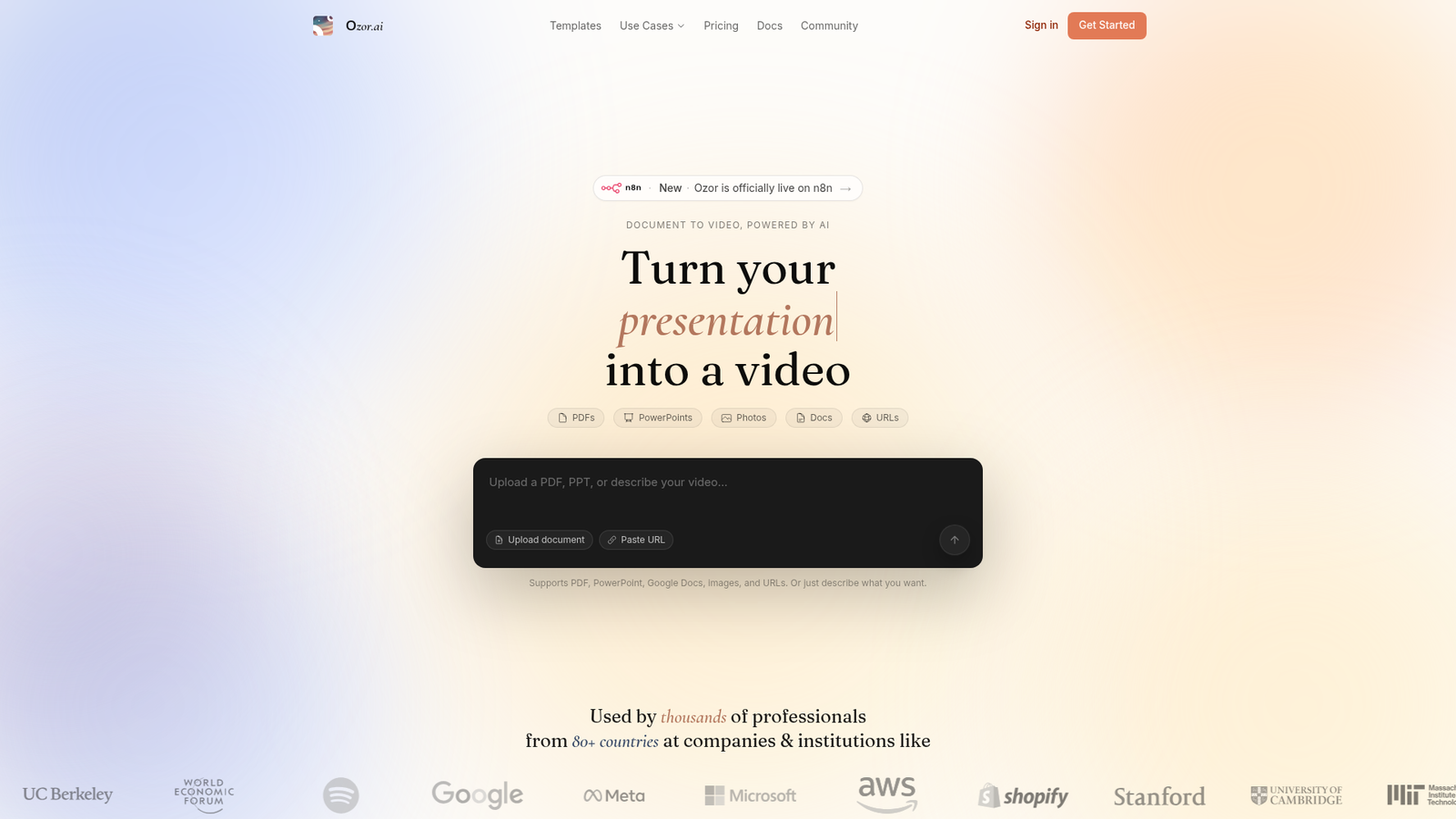
Ozor.ai sits in a crowded market, but its pitch is specific enough to take seriously. Rather than dropping you into a timeline editor or asking you to wrangle stock footage, it promises to turn a prompt, a URL, a deck, or a document into a finished animated video — with branding, voice-over, music, and pacing handled automatically. I reviewed the vendor’s documentation, pricing pages, and available user reports to figure out whether that promise holds up for solopreneurs and small teams.
Quick Verdict: Ozor.ai looks genuinely useful for startups and marketers who need fast, on-brand launch videos without a motion design budget. The conversational workflow and automatic brand extraction are real differentiators, but fine-grained creative control is limited and the credit model needs watching if you produce videos regularly.
Overall Rating: 3.6 / 5 ⭐
Feature depth: 4/5 · Ease of use: 4/5 · Pricing value: 3/5 · Trust signals: 3/5
What Is Ozor.AI?
Ozor.ai is an AI-powered animated video maker aimed at startups, marketers, and product teams. It’s designed to produce complete launch videos, explainer videos, and promotional content from a simple input — no scriptwriting, storyboarding, or animation experience required. The key differentiator is that it doesn’t just repurpose stock footage with a voice-over slapped on top. It generates custom animated scenes assembled around your content, with automatic brand identity extraction baked into the process. Think of it as a full-stack AI video creation tool rather than a simple clip editor.
Key Features
Multiple Input Types
Ozor.ai accepts prompts, website URLs, PDFs, PowerPoint files, Google Docs, and images as source material. That’s a wider intake funnel than most AI video tools, which typically expect you to paste in a script or a few bullet points. If you’re a product team with a spec doc or a marketer with a slide deck, you can feed it directly.
Automatic Brand Kit Extraction
Paste in your website URL and Ozor.ai extracts your brand colors, fonts, and visual style automatically. This is one of the more practical features here. For launch videos and product announcements, staying on-brand without manually uploading assets saves a real chunk of setup time.
Conversational Editing Workflow
Instead of a traditional timeline, you refine videos through chat-based instructions. You can update specific scenes, adjust pacing, change tone, or rework structure through plain-language follow-ups. According to the vendor’s documentation, editing an existing video or regenerating a single scene doesn’t consume an additional credit — only generating a new video does.
Animated Scene Generation
The company describes a proprietary animation engine that creates animated React scenes with motion design effects. This isn’t avatar video or talking-head presentation software — it’s closer to an automated motion design pipeline producing explainer-style visuals.
How Ozor.ai Works
Step 1 — Supply Your Source
You start by pasting a URL, uploading a document or deck, or simply typing an idea. The AI analyzes the material and structures a narrative around it.
Step 2 — Configure the Output
You can specify scene count, duration, aspect ratio, and style. This is where you describe the desired outcome in plain language — the kind of video, the audience, the tone.
Step 3 — Review and Refine
The system generates a preview quickly. From there, you refine through conversational follow-ups. Individual scenes can be updated without touching the rest of the video. Voice-over, music, and branding are assembled as part of the initial generation.
Step 4 — Export
Final output is exported in the resolution your plan supports — 720p on the free tier, 4K on paid plans. Watermarks are removed on paid tiers.
What the Evidence Shows
What the Vendor Claims
Ozor.ai positions itself as a complete replacement for a significant portion of the motion design workflow. Their materials highlight speed (days to minutes), the brand automation feature, and the chat-based editing model as the core reasons to choose it over traditional tools or simpler AI video generators.
What Users Report
Public sentiment skews positive, especially among the target audience of startups and marketing teams. The consistent praise is for speed, ease of use, and the convenience of brand automation. Users highlight that it removes the expertise barrier for producing polished launch content. The main criticisms that surface are limited granular control compared to manual editing software and some uncertainty around how credits are consumed for longer or more complex outputs — a common pain point with credit-based AI tools.
How It Stacks Up Against the Category
In the AI video space, most tools fall into avatar-focused or stock-footage-remix categories. Ozor.ai’s animated scene generation puts it in a smaller, more specialized niche. That’s a real advantage if animated explainer or launch video is exactly what you need. It’s a mismatch if you need human presenter video or long-form documentary-style content.
Ozor.ai vs Competitors
Ozor.ai competes with a range of AI video tools. Here’s how the feature availability and pricing compare based on publicly available information. For a deeper look at AI content tools in a similar category, see the Kraflio review and the Repurpose review.
| Feature | Ozor.ai | Synthesia | InVideo AI |
|---|---|---|---|
| Animated scene generation | Yes | No (avatar-focused) | Partial (stock footage) |
| AI avatar presenters | No | Yes | Yes |
| Automatic brand extraction | Yes (from URL) | Partial | No |
| Prompt / URL / doc input | Yes (all three) | Partial | Yes |
| Conversational editing | Yes | No | Yes |
| Starting price | $19/month | ~$22/month | ~$20/month |
Pricing
Ozor.ai’s pricing is straightforward. The free plan gives you 10 credits with 720p watermarked exports — enough to test the product but not for professional publishing. The Pro plan is $19/month for 50 credits, 4K exports, and no watermark. The Pro+ plan is $49/month for 150 credits. The Business plan is $99/month for 300 credits and dedicated support. An Enterprise tier with unlimited credits, API access, and SSO is available on a custom quote.
One important note from the pricing FAQ: one credit equals one AI-generated video. Edits, scene regenerations, and text changes don’t cost additional credits. That’s a more generous model than it first appears, though you’ll still want to map your expected monthly video volume against the plan limits before committing. Visit Ozor.AI’s official website for the latest pricing details.
Pros and Cons
Pros
- Fast video creation: turns documents, URLs, and prompts into finished animated videos quickly
- Wide input support: PDFs, PowerPoint, Google Docs, images, and plain text all work as source material
- Automatic brand extraction: pulls colors, fonts, and visual style from your website URL
- Conversational editing: no timeline required — chat-based refinements lower the learning curve significantly
- Credit model is fairer than it looks: only new video generation costs a credit, not edits
Cons
- Limited fine-grained control: professional editors wanting frame-level precision will find this restrictive
- Best for short-form content: not designed for long-form or highly bespoke video production
- Credit costs can add up: teams with high volume may find even the $99/month plan runs thin
Who Should Use Ozor.ai?
Ozor.ai is a good fit for startup founders who need a polished launch video without a motion design budget or weeks of production time. It also works well for marketing teams producing frequent campaign assets, product demos, or announcement videos where speed and brand consistency matter more than bespoke animation.
Product teams with existing documentation, decks, or spec sheets can use Ozor.ai to repurpose that content into shareable explainer videos without starting from scratch. Solo creators building educational or promotional content who want a professional look without learning a complex tool will also benefit from the simple workflow.
On the other hand, if you’re a motion designer who needs frame-level control, or if you need AI avatar presenter videos rather than animated explainers, you’ll want to look at Synthesia or HeyGen instead. Long-form video production is also outside Ozor.ai’s sweet spot. Also worth checking out is the Krible AI review if you’re comparing AI content creation tools.
Frequently Asked Questions
Does Ozor.ai use credits for editing?
No. According to Ozor.ai’s pricing FAQ, one credit equals one newly generated video. Editing an existing video, regenerating a single scene, or changing text and visuals does not consume additional credits. This makes the credit model more workable than it first seems if you plan to iterate on a video after initial generation.
What input types does Ozor.ai accept?
Ozor.ai accepts text prompts, website URLs, PDFs, PowerPoint decks, Google Docs, and images. You can also start from a plain idea typed in natural language. The system analyzes the source material and structures a video narrative from it.
Is there a free plan?
Yes. The free plan includes 10 video credits and 720p watermarked exports. It’s enough to test the workflow and see what the output looks like, but you’ll need a paid plan for watermark-free, 4K exports suitable for publishing.
Is Ozor.ai suitable for talking-head or avatar videos?
Based on available information, Ozor focuses on animated explainer and launch videos rather than AI avatar or talking-head presenter videos. If that presentation style is what you need, Synthesia or HeyGen are more directly suited to it.
Final Verdict
Ozor.ai looks like a well-positioned tool for a specific job: fast, on-brand animated videos for launches, explainers, and marketing campaigns. The conversational workflow and automatic brand extraction are genuinely useful features, not just marketing copy. The credit model is more reasonable than it appears once you understand that edits don’t cost credits.
The limitations are real but not surprising for an AI-first tool. You’re trading creative control for speed, and that’s a trade many solopreneurs and small teams are happy to make. If you’re producing frequent short-form video content and want a near-instant output from your existing documents or brand assets, Ozor.ai is worth a serious look. Start on the free tier to validate whether the output style fits your brand before committing to a monthly plan.
Review Methodology
This review is based on analysis of Ozor.ai’s documentation, pricing pages, and published feature set, combined with user sentiment gathered from public product pages and promotional materials. This is a desk research analysis.