Disclosure: Some of the links on Daily Digital Reviews are affiliate links. This means that if you click on a link and make a purchase, we may earn a small commission — at no extra cost to you.
AI Coworkers That Actually Work Inside Slack — Is WorkClaw Worth It?
WorkClaw is pitching something most AI tools don’t: actual coworkers, not just chatbots. If you’ve ever wished you could add a teammate to your Slack channel who handles research, scheduling, and scraping without you babysitting every step, that’s the promise here. I analyzed WorkClaw’s feature set, pricing structure, and early user feedback to see if this thing delivers or if it’s just another AI agent wrapped in a slicker interface.
Quick Verdict: WorkClaw shows real promise as a Slack and Teams-native AI coworker platform, especially for small teams that want proactive AI help without a DevOps headache. It’s still early access, so feature depth is limited, but the architecture — dedicated cloud computers per AI and genuine team integration — is genuinely different from most competitors.
Overall Rating: 3.9 / 5 ⭐
Feature depth: 3.5/5 · Ease of use: 4/5 · Pricing value: 4.0/5 · Trust signals: 4.0/5
What Is WorkClaw?
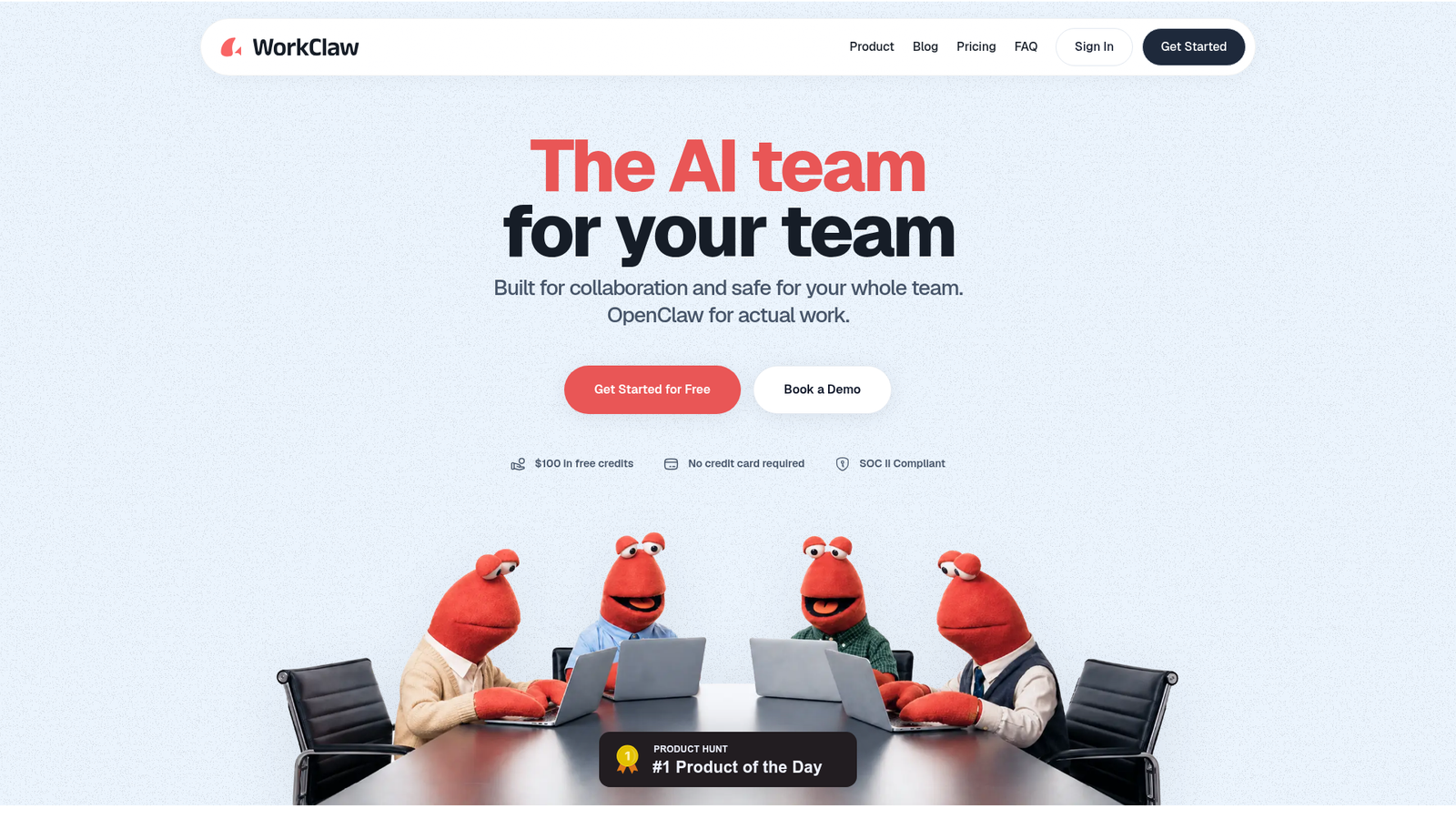
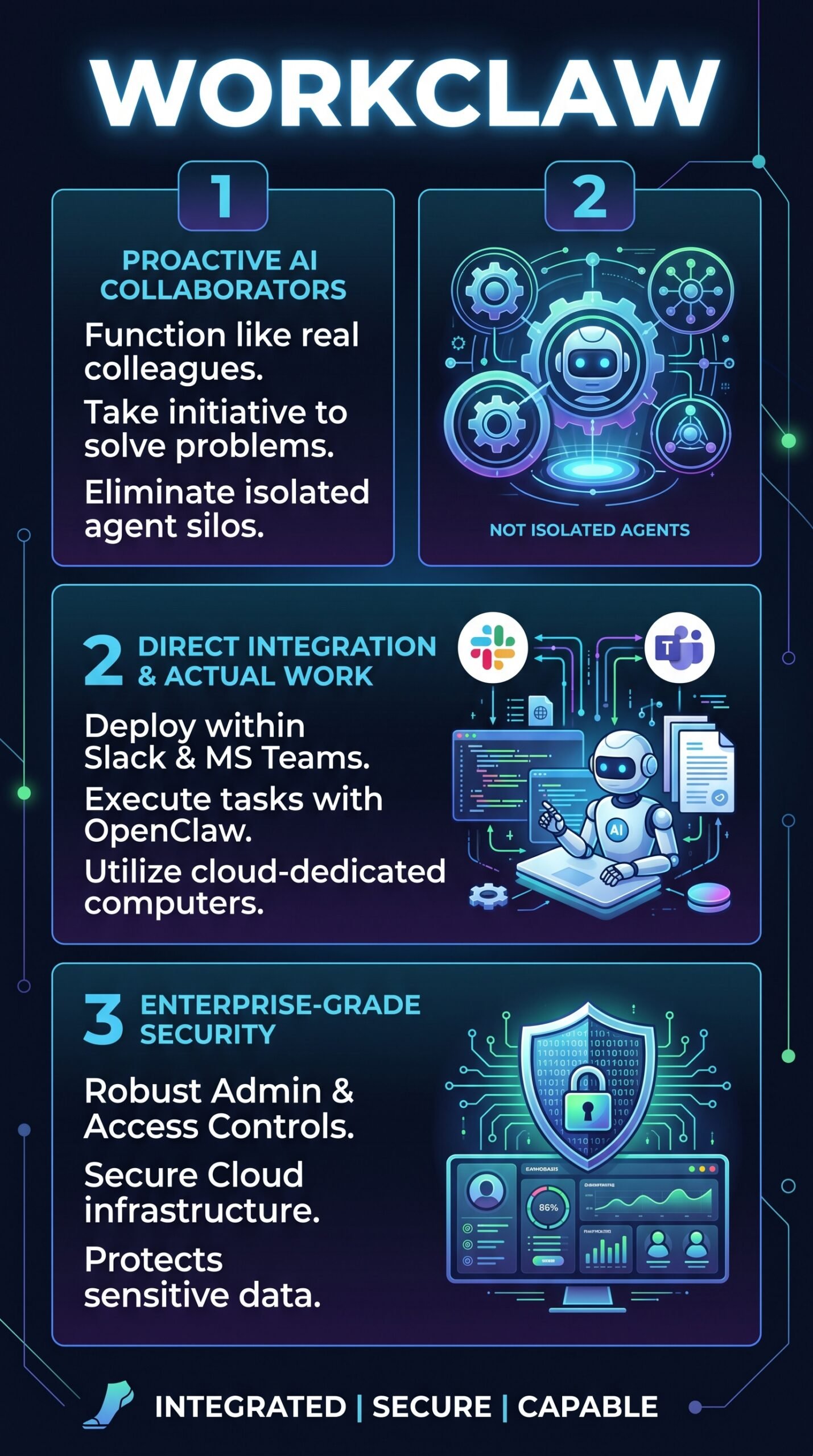
WorkClaw is an AI coworker platform that drops AI teammates — called “Claws” — directly into Slack and Microsoft Teams. Each Claw is powered by OpenClaw, the platform’s core AI engine, and runs on its own dedicated virtual computer in the cloud. They’re designed to behave like actual colleagues: joining conversations, responding to messages, kicking off workflows, and working autonomously without waiting to be told what to do next.
The target audience is teams that want to scale their output without scaling headcount. If you’re managing research, data scraping, scheduling, or inbox management, WorkClaw wants to handle that grunt work for you — from inside the tools your team already uses.
Key Features
Slack and Microsoft Teams Integration
This is the core differentiator. Claws don’t live in a separate dashboard — they show up inside Slack and Teams like any other team member. They can be tagged, assigned tasks in conversation, and they respond within those channels. That’s meaningfully different from AI tools that require you to context-switch out of your workflow.
Dedicated Cloud Computer Per Claw
Every Claw gets its own virtual machine in the cloud. You can choose from three tiers: Clawbook Mini (2 vCPU, 4 GB RAM) for daily research and drafting, Clawbook Pro (4 vCPU, 8 GB RAM) for multi-CRM and sales ops workflows, and Clawbook Max (8 vCPU, 16 GB RAM) for large-scale scraping and parallel agent work. All tiers carry a 99.5% uptime SLA.
Proactive Task Execution
Claws don’t just wait for commands. According to WorkClaw’s positioning, they can anticipate tasks — for example, detecting an upcoming calendar event and proactively drafting a document summary before the meeting starts. That’s the key behavioral difference from a standard AI agent that only fires when prompted.
Enterprise Security and Admin Controls
The Business plan includes SSO, audit logs, role-based access limits, dedicated segregated infrastructure, and SOC 2 reports on request. The Team plan handles lighter admin needs. Users can define access permissions and connect Claws only to the apps they’re authorized to use.
100+ Integrations and Pre-Built Skills
WorkClaw supports over 100 integrations including Gmail, Notion, and Slack. Teams can install pre-built workflows (“skills”) or create their own — and train each Claw to work in the way that fits their organization.
How WorkClaw Works
Onboarding
According to their documentation, setup is designed to mirror how you’d onboard a human employee. You connect the Claw to your apps, give it workflow instructions, and guide its behavior over time. There’s no DevOps work, no infrastructure config — WorkClaw handles that on the backend.
The Credit System
WorkClaw runs on a credit model. Each Claw draws credits for two things: keeping its cloud computer running (starting from 750 credits per Claw per day on the Mini tier) and AI processing when it’s actively doing work. The Team plan starts at $29/month for 30,000 credits shared across unlimited users. You can top up with 20,000 additional credits for $20 at any time.
Pausing and Context Retention
If credits run out, Claws pause automatically — they don’t reset. When you top up, they resume with full context intact. You can also pause Claws manually when they’re not needed to conserve credits.
What the Evidence Shows
What the Vendor Claims
WorkClaw positions its Claws as genuinely proactive teammates, not reactive assistants. They say the platform handles everything from research and scraping to scheduling and inbox management, covering 44 occupational classifications through OpenClaw. The company also emphasizes zero setup overhead and instant access on the Team plan.
What Users Report
Early user feedback — gathered from the platform’s own early access stage — is generally positive. Users highlight the seamless team integration and WorkClaw’s reliability for scheduling and research tasks. The proactive features and minimal setup get called out as key wins. The recurring criticism is that the platform is still maturing: fewer features are battle-tested compared to more established tools. This lines up with the fact that it’s still in early access.
How It Stacks Up Against the Category
Most AI agent platforms operate as standalone tools. You build a workflow, run it, check results. WorkClaw’s approach — embedding AI inside team communication channels — is a genuine architectural difference. The dedicated cloud computer per Claw is also unusual. What it’s weaker on right now is breadth: early access means fewer mature use cases and less user-generated evidence to validate the big claims.
WorkClaw vs Competitors
For a broader look at how AI work tools compare, check out our Workbeaver review and our take on HeyBoss AI.
| Feature | WorkClaw | AgentHub | TeamAI |
|---|---|---|---|
| Slack/Teams native | Yes | Partial | Yes |
| Dedicated cloud VM per agent | Yes | No | No |
| Proactive task execution | Yes | Partial | No |
| Enterprise security (SSO, audit logs) | Yes (Business) | Partial | Partial |
| Free tier | No (trial credits) | Yes | Yes |
| Starting price | $29/month | Varies | Varies |
Pricing
The Team plan runs $29/month (or less on an annual plan, which saves roughly 20%) and includes 30,000 credits shared across unlimited users plus $100 in free credits to start. There’s a 14-day free trial with no credit card required. Each Claw costs credits daily based on its spec tier: Clawbook Mini from $0.75/day, Clawbook Pro at $1.50/day, Clawbook Max at $2.50/day. Top-up packs cost $20 for 20,000 credits. The Business plan is custom-priced — you’ll need to book a demo. See the full breakdown at WorkClaw’s pricing page.
Pros and Cons
Pros
- Genuinely embedded in Slack and Teams — not a bolt-on integration
- Dedicated cloud VM per Claw means consistent, isolated performance
- Proactive behavior sets it apart from passive AI agents
- No per-seat pricing — your whole team can access the same plan
- Enterprise security features available (SSO, audit logs, SOC 2) on Business
Cons
- Still in early access — feature maturity is limited compared to established tools
- No permanent free tier; trial credits only
- Credit costs can add up quickly if you’re running multiple high-spec Claws
Who Should Use WorkClaw?
WorkClaw is a good fit for small to mid-size teams already living in Slack or Teams who want to automate recurring research, scheduling, and data tasks without hiring more staff. It makes particular sense for operations teams, growth teams handling multi-CRM workflows, and anyone doing regular web scraping or document summarization.
It’s also worth a look for solopreneurs who want a lightweight AI assistant that actually works inside their existing chat tools — especially given the $29/month entry price and the $100 free credit offer to start.
It’s probably not the right move if you need a mature, battle-tested platform with a proven track record across many use cases. Early access means you’re accepting some rough edges. It’s also not ideal if you need a free tier to evaluate before committing — the trial credits help, but there’s no indefinite free option. You might also want to read our Mujo AI review if you’re comparing AI productivity tools at this price point.
WorkClaw Main Facts
Frequently Asked Questions
Does WorkClaw work with Microsoft Teams as well as Slack?
Yes. WorkClaw is designed to integrate with both Slack and Microsoft Teams. Claws appear as team members in both platforms and can respond, collaborate, and execute tasks within those environments.
Is there a free plan for WorkClaw?
There’s no permanent free tier. The Team plan includes a 14-day free trial and $100 in free credits to start, with no credit card required. After that, you’ll need a paid plan to keep Claws running.
What happens to my Claws if I run out of credits?
Claws pause automatically — they don’t get deleted and they don’t overdraft. When you add a top-up, they resume from where they stopped, with all context intact.
Can I use WorkClaw without a technical background?
Based on how the platform describes onboarding, yes. Setup is designed to mirror human onboarding: connect the Claw to your apps, give it instructions, and guide it over time. WorkClaw handles the infrastructure on its end.
Final Verdict
WorkClaw is doing something genuinely different in the AI agent space. Embedding Claws into Slack and Teams as actual teammates — not chatbot widgets — is a smart architectural choice, and the dedicated cloud computer per Claw gives it a reliability edge over platforms that pool shared resources.
That said, it’s early days. Feature maturity is limited, user evidence is thin, and the credit model takes some getting used to. If you’re ready to experiment and want a head start on what AI coworkers could look like inside your team, WorkClaw is worth the $100 free credit to try. If you need something proven and polished right now, you might want to wait for a later release. The foundation looks solid; the question is how fast the team builds on it.
Review Methodology
This review is based on analysis of WorkClaw’s official documentation, pricing pages, and feature set, combined with early user reports gathered from the platform’s own early access feedback and vendor-published materials. No hands-on testing was conducted.