
Disclosure: Some of the links on Daily Digital Reviews are affiliate links. This means that if you click on a link and make a purchase, we may earn a small commission — at no extra cost to you.
Google’s AI Assistant, Examined
Gemini review searches are spiking — and for good reason. Google’s flagship AI assistant has moved well beyond its Bard origins, and if you’re already living inside Gmail, Docs, or Drive, this tool is probably already showing up in your workflow whether you asked for it or not. That’s worth understanding clearly before you decide to pay for an upgrade.
I analyzed the feature set, pricing structure, and user reports to give you a straight read on what Gemini actually delivers, where it falls short, and whether it’s worth your money in 2026.
Quick Verdict: Gemini is a genuinely useful AI assistant for anyone already inside Google’s ecosystem — its Workspace integration and multimodal input support are real advantages. The main frustration isn’t capability, it’s complexity: pricing is bundled in confusing ways, feature access varies by region, and the product feels spread across too many surfaces.
Overall Rating: 4.3 / 5 ⭐
Feature depth: 4.5/5 · Ease of use: 4.0/5 · Pricing value: 4.5/5 · Trust signals: 4.0/5
What Is Gemini?
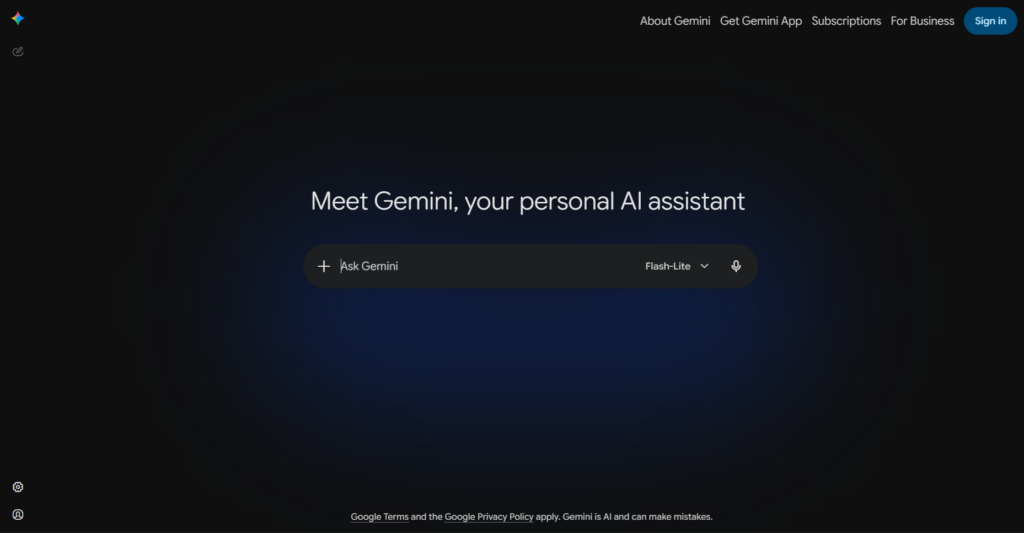
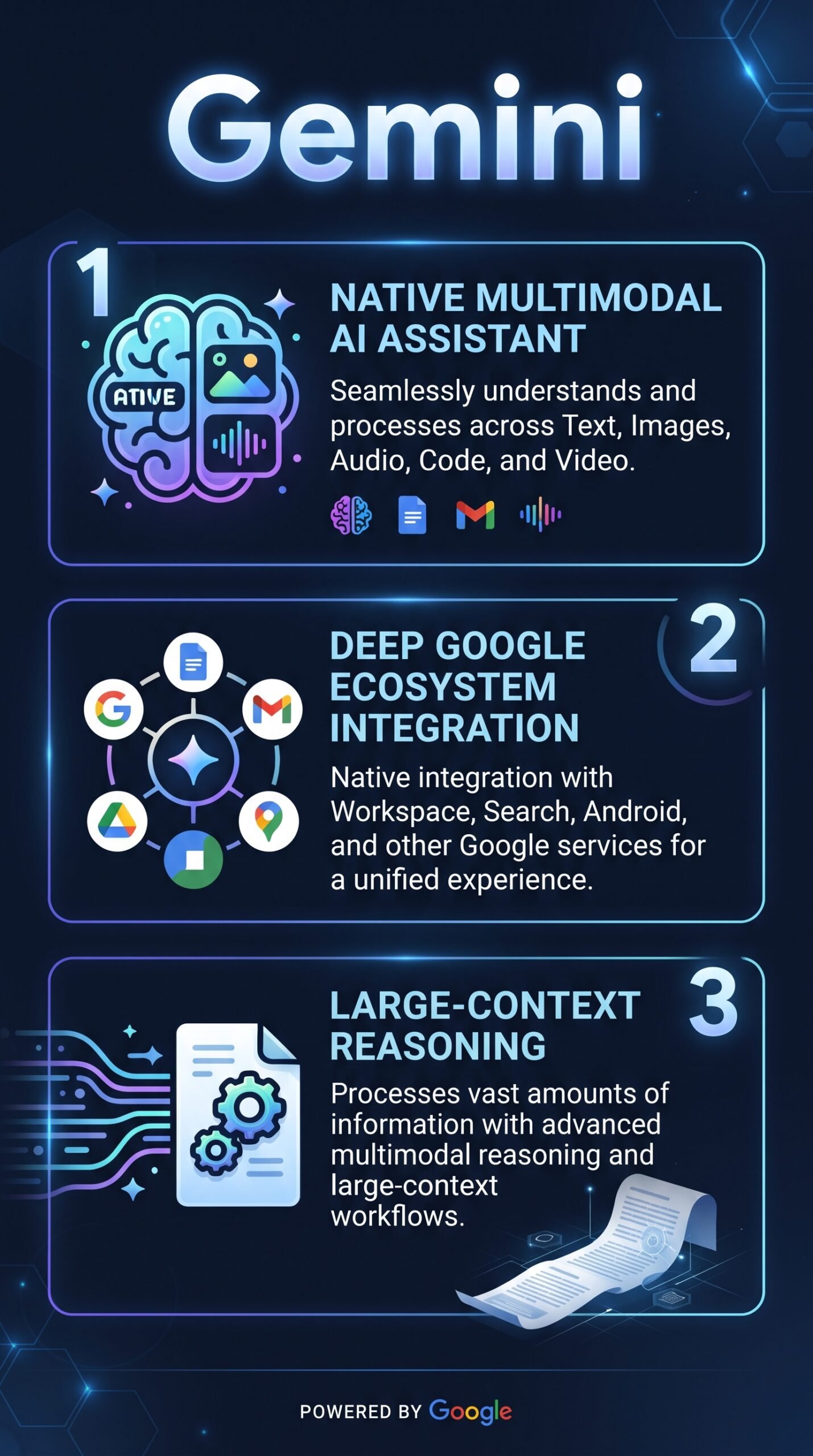
Gemini is Google’s AI chatbot and model family, replacing the earlier Bard branding. It’s not just a standalone chat app — it’s the underlying AI layer running across Google Search, Gmail, Docs, Sheets, Slides, Drive, and other Workspace tools. The company describes it as a multimodal assistant, meaning it can handle text, images, audio, code, and mixed-media inputs, not just typed questions.
It’s aimed at a wide range of users: students, professionals, solopreneurs, and enterprise teams who want AI embedded in the tools they already use. Its core differentiator is that Google integration. If you’re not in Google’s world, that advantage disappears fast.
Key Features
Multimodal Input
Gemini can process text, images, audio, and other content types in a single conversation. You can upload a document or image and ask questions about it, or mix different input types in one prompt. This is more capable than text-only chatbots, especially for research or document-heavy workflows.
Deep Research and Long-Context Handling
Advanced tiers include a Deep Research mode designed for more autonomous, multi-step research tasks. The model family also supports very large context windows, which matters when you’re working with long documents, codebases, or dense research material. This is one area where Gemini competes directly with Claude’s long-context reputation.
Google Workspace Integration
Gemini sits inside Gmail, Docs, Drive, Calendar, Sheets, and Slides. You can draft emails, summarize documents, rewrite content, and get AI assistance without switching tabs or apps. For anyone managing a business inside Google Workspace, this is the most practical feature of the product.
Gemini Live and Voice Interaction
Gemini Live supports real-time voice conversations. This is especially useful on mobile or for hands-free workflows, and goes beyond simple voice-to-text by enabling back-and-forth dialogue with the model.
Custom Gems
Gems let you create reusable, task-specific versions of Gemini with custom instructions. Think of them as saved personas or workflow shortcuts — useful if you do the same type of task regularly, like content briefs, email templates, or research summaries.
How Gemini Works
Model and Routing
According to Google’s documentation, Gemini is built on a family of multimodal large language models developed by Google DeepMind. These models are trained to understand and generate across multiple input types, not just text. When you send a prompt, the system routes it to the appropriate model or mode based on the task.
Tool Use and Retrieval
Beyond raw model output, Gemini connects to Google Search, Workspace apps, and user-linked data sources. This means it can retrieve information from your Drive or Gmail and combine it with model reasoning — grounding responses in your actual content rather than just generating text in a vacuum. That tool-augmented approach is what makes it genuinely useful for productivity tasks rather than just answering general questions.
Interface and Access Points
You can access Gemini through the web app at gemini.google.com, through the mobile app, and through embedded experiences inside Google products. The experience varies depending on where you access it and which subscription tier you’re on.
What the Evidence Shows
What the Vendor Claims
Google positions Gemini as a multi-purpose assistant for personal, professional, and developer use. They emphasize its multimodal reasoning, Workspace connectivity, and the depth of research and document workflows available in advanced tiers. The product is pitched as an all-in-one AI layer across Google’s entire ecosystem, not just a chatbot competitor.
What Users Report
User sentiment is generally positive on the ecosystem angle. People who already use Gmail, Docs, and Drive regularly note that Gemini adds real value by reducing context-switching. Its multimodal capabilities and long-context handling also get consistent praise. The complaints are specific: answer quality can be uneven compared to top rivals on certain tasks, feature availability shifts by region and plan tier, and the overall product feels fragmented — it shows up differently in Search, Workspace, the standalone app, and developer tools. That last point frustrates users who want a consistent experience.
How It Stacks Up Against the Category
Compared to other AI assistants, Gemini’s multimodal depth and Workspace integration are genuine differentiators. ChatGPT is stronger in consumer mindshare and plugin ecosystem. Claude is often preferred for writing quality and conversational polish. Gemini’s edge is practical productivity for Google-native users — not the flashiest creative assistant, but one of the most connected.
Gemini vs Competitors
If you’re choosing between AI assistants, ecosystem fit matters more than raw capability comparisons. Here’s how the major options stack up on features and pricing:
| Feature | Gemini | ChatGPT | Claude | Copilot |
|---|---|---|---|---|
| Free tier | Yes | Yes | Yes | Yes |
| Multimodal input | Yes | Yes | Partial | Yes |
| Ecosystem integration | Google (deep) | Plugin-based | Limited | Microsoft (deep) |
| Voice conversations | Yes (Gemini Live) | Yes | Yes | Yes |
| Paid plan (consumer) | ~$19.99/mo | ~$20/mo | ~$20/mo | ~$30/mo (Pro) |
For a different take on AI tools in this space, see our DeepSeek review and our Claude review.
Pricing
| Plan | Monthly price | Annual price | Key features |
|---|---|---|---|
| Gemini Free | $0 | – | Core Gemini app with 2.5 Flash, basic images |
| Google AI Plus | $4.99 | $59.88 | 2x higher usage, more access to 3.1 Pro, video generation, Daily Brief |
| Google AI Pro | $19.99 | $239.88 | 4 x higher usage than Plus, higher 3.1 Pro access, Deep Research, Gems, Canvas, 2–5 TB storage |
| Google AI Ultra | $99.99 | $1199.88 | 5 x higher usage than Pro, highest 3.1 Pro access, Deep Think, full Veo 3.1 video gen, 20–30 TB |
Pros and Cons
Pros
- Deep integration with Gmail, Docs, Drive, Calendar, and Search makes it genuinely useful inside existing workflows
- Multimodal input — text, images, audio — goes well beyond basic chat
- A capable free tier is available to any Google account holder
- Deep Research mode and large context windows support serious document and research tasks
- Custom Gems let you build reusable task-specific shortcuts
Cons
- Pricing and feature access can be confusing — bundled across multiple Google plans with regional variation
- Answer quality can be uneven compared to top rivals on creative or conversational tasks
- Product experience feels fragmented across the app, Search, Workspace, and developer surfaces
Who Should Use Gemini?
Gemini makes the most sense for people already embedded in Google’s ecosystem. If your work lives in Gmail, Docs, Drive, or Sheets, this is the easiest AI layer to add — it’s already there, and it connects to your actual content rather than generating isolated responses.
Students doing research, analysts working with long documents, and solopreneurs managing communication and content inside Workspace are the strongest fits. The multimodal capabilities also make it useful for anyone handling mixed content — images, audio, and documents — rather than just typed questions.
If you’re primarily a Microsoft 365 user, Copilot is the smarter starting point. If writing quality and conversational depth matter most to you, Claude tends to get stronger marks from users on those specific dimensions.
Gemini Main Facts
Frequently Asked Questions
Is Gemini free to use?
Yes, there’s a free tier available to Google account holders that covers core chat and some advanced features, though availability varies by region. More capable features — including advanced model tiers and deeper Workspace integration — are locked behind paid plans.
How is Gemini different from Google Search AI features?
Gemini is the underlying model that also powers AI features in Google Search, but the standalone Gemini app offers a full chat interface, document handling, Deep Research, voice interaction, and Workspace integration that Search alone doesn’t provide.
Can Gemini access my Gmail and Google Drive?
Yes, when Gemini is connected to your Google account and Workspace, it can retrieve and reference content from Gmail, Drive, and other linked apps to ground its responses in your actual files and data.
Is Gemini better than ChatGPT?
It depends on what you need. Gemini has a clear edge for Google Workspace users and multimodal tasks. ChatGPT is stronger on plugin ecosystem and general consumer mindshare. Neither dominates every category — choose based on your workflow.
Final Verdict
Gemini is a well-built, genuinely useful AI assistant — but its value is tied tightly to how much of your life runs through Google. If you’re already in Gmail, Docs, and Drive all day, it’s probably the smartest AI tool to add right now. The multimodal support, Deep Research mode, and Workspace integration are real, not just marketing bullet points.
The frustrations are also real. Feature access is confusing, the product feels spread thin across too many surfaces, and answer quality doesn’t always match the best of what ChatGPT or Claude can do on specific tasks. Go in with clear expectations: Gemini excels at connected productivity, not necessarily at pure conversational polish.
If Google’s ecosystem is your home, this is an easy recommendation. If it’s not, look elsewhere first.
Review Methodology
This review is based on analysis of the vendor’s documentation, pricing pages, and feature set, combined with user reports gathered from product forums, user sentiment summaries, and publicly available review platforms covering the Gemini product and its predecessor, Bard.