Disclosure: Some of the links on Daily Digital Reviews are affiliate links. This means that if you click on a link and make a purchase, we may earn a small commission — at no extra cost to you.
Is Adobe Premiere Pro Still Worth It in 2026?
Adobe Premiere Pro review searches often come from editors who already know the name but want to know if it’s actually worth the ongoing cost. That’s the right question to ask. Premiere Pro is one of the most recognized names in professional video editing — but name recognition and actual value aren’t always the same thing. I analyzed the feature set, pricing structure, and user feedback to give you a straight answer.
Quick Verdict: Adobe Premiere Pro is a mature, full-featured professional editor with strong Adobe ecosystem integration and useful AI tools. It earns its reputation, but the subscription-only model and steep learning curve make it a harder sell for casual users or anyone on a tight budget.
Overall Rating: 4.1 / 5 ⭐
Feature depth: 4.5/5 · Ease of use: 3.5/5 · Pricing value: 3.5/5 · Trust signals: 5.0/5
What Is Adobe Premiere Pro?
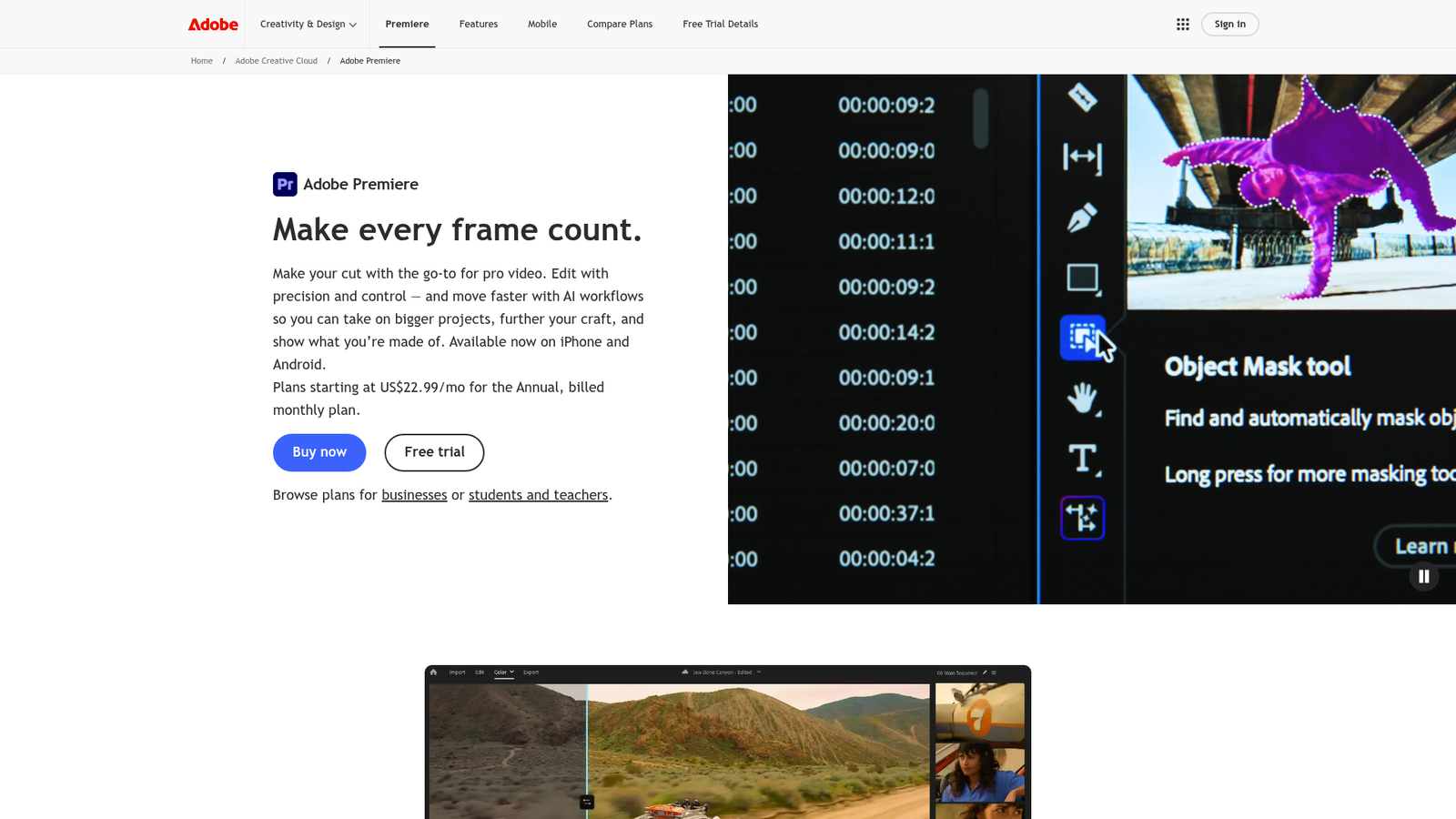
Adobe Premiere Pro is a subscription-based, timeline-driven non-linear video editor built for professional desktop workflows. It’s designed for editors working across broadcast, web, corporate, and creative production — people who need a full toolkit rather than a quick-trim solution. Its main differentiator is how tightly it connects with the rest of the Adobe stack: After Effects, Audition, Photoshop, Media Encoder, Frame.io, and Adobe Express all plug in cleanly. If you’re already living inside Adobe’s ecosystem, Premiere Pro feels like a natural extension of that world.
Key Features
Multi-Track Timeline Editing
The core of Premiere Pro is its non-linear timeline, which supports multiple video and audio tracks. You can layer clips, cut, trim, add transitions, and build complex sequences without destructive changes to your source files. This is industry-standard stuff — Premiere’s timeline is mature and well-documented.
Lumetri Color Tools
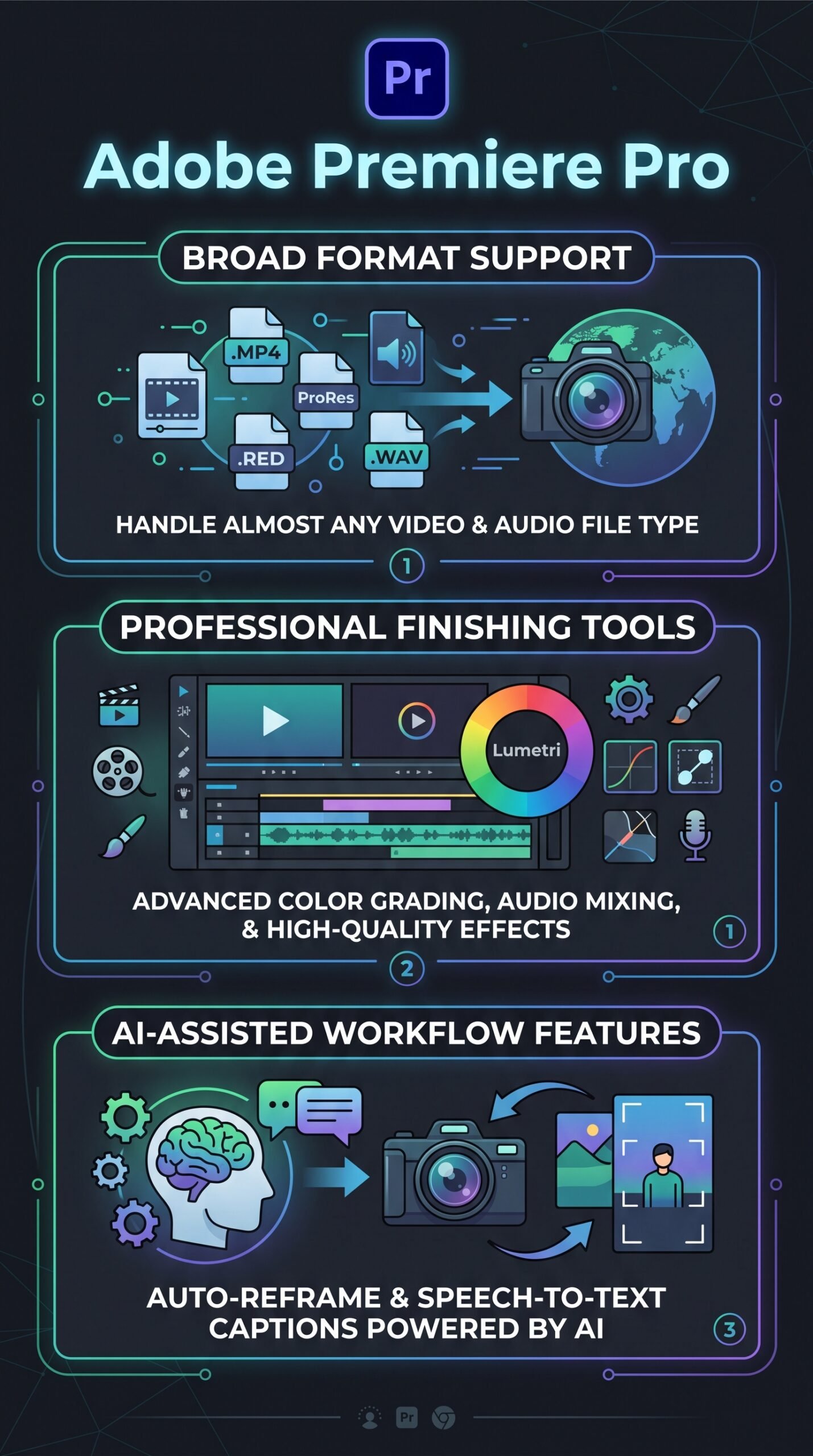
Premiere Pro includes Lumetri Color, a built-in color grading and finishing panel that covers scopes, curves, wheels, and LUT support. It’s capable enough for most professional work, though DaVinci Resolve is still the go-to for dedicated colorists who need deeper control.
AI-Assisted Workflow Features
Adobe highlights two standout AI tools: speech-to-text caption generation and auto reframe. The captions tool transcribes dialogue and creates editable caption tracks directly in the timeline. Auto reframe detects the focal subject and adapts the crop for different aspect ratios — useful for repurposing footage for social media. These are practical time-savers, not gimmicks.
Adobe Ecosystem Integration
Dynamic Link lets you move sequences between Premiere Pro and After Effects or Audition without rendering intermediate files first. Frame.io integration adds cloud-based review and approval workflows. Media Encoder handles background exports so you keep editing while files transcode. This connectivity is where Premiere Pro genuinely stands apart from standalone tools.
How Adobe Premiere Pro Works
Project-Based Workflow
You start by importing media into a project, organizing clips in bins, and assembling them on the timeline. Edits, effects, audio adjustments, color correction, and caption work all happen within the same project file. There’s no need to leave the application for most standard tasks.
Cross-App Workflows
When a project needs motion graphics, you open it in After Effects via Dynamic Link — no export required. For audio cleanup, Audition handles the heavy lifting and sends the processed audio back. For export, Media Encoder queues jobs in the background. Frame.io connects the edit to client review cycles in the cloud, replacing clunky email threads and file transfers.
Format and Camera Support
Premiere Pro supports a wide range of professional camera formats and broadcast standards. Mixed-source timelines — where you’re combining footage from different cameras — are a documented strength of the platform.
What the Evidence Shows
What the Vendor Claims
Adobe positions Premiere Pro as professional video and film editing software for desktop and iPhone. Their product pages emphasize AI-assisted tools, broad format support, and deep Creative Cloud integration. Adobe also promotes the free trial option and a 14-day refund window on annual subscriptions, which is clearly stated on their pricing page.
What Users Report
User sentiment on review platforms is generally positive among professional and advanced editors. Recurring praise centers on feature depth, AI workflow tools, and how well it connects with the rest of Adobe’s apps. The criticisms that come up consistently are the subscription-only pricing model, complexity for beginners, and cost accumulation for teams. Some users flag that specialized competitors outperform Premiere Pro in specific areas — DaVinci Resolve for color, Final Cut Pro for Mac speed, and Avid for large-scale broadcast pipelines. These aren’t rare complaints; they’re consistent themes across review sources.
How It Stacks Up Against the Category
Premiere Pro sits squarely in the professional tier. It’s more accessible than Avid Media Composer for most users, more cross-platform than Final Cut Pro (which is Mac-only), and broader in scope than color-specialist tools. Where it falls short is on pricing flexibility — there’s no one-time purchase option, unlike Final Cut Pro or DaVinci Resolve’s free tier. For editors who need an all-in-one pro environment and are already invested in Adobe tools, it’s hard to beat. For casual editors or budget-conscious creators, it’s harder to justify.
Adobe Premiere Pro vs Competitors
Here’s how Premiere Pro compares on key features and pricing. For a deeper look at one alternative, check out our DaVinci Resolve review and our Runway review for AI-native video tools.
| Feature | Premiere Pro | DaVinci Resolve | Final Cut Pro |
|---|---|---|---|
| Free tier available | Trial only | Yes (free version) | Trial only |
| One-time purchase | No | Yes (Studio version) | Yes |
| Cross-platform (Win/Mac) | Yes | Yes | Mac only |
| Adobe ecosystem integration | Full (native) | Partial | Partial |
| AI captions / speech-to-text | Yes | Yes | Yes |
| Starting price (monthly) | US$22.99/mo | Free / ~US$295 one-time | ~US$299.99 one-time |
Adobe Premiere Pro Pricing
Premiere Pro is subscription-only — there’s no perpetual license. Individual and student/teacher pricing listed below. Premiere for teams: US$37.99 per license/month, on an annual commitment billed monthly.Creative Cloud Pro for teams: US$99.99 per license/month, on an annual commitment billed monthly. A free 7 day trial is available, and Adobe’s pricing page notes a 14-day refund window for annual subscriptions. Current pricing is confirmed at Adobe’s official pricing page.
| Plan | Monthly price | Annual price | Annual billing equivalent | Annual savings | Main features |
|---|---|---|---|---|---|
| Premiere for individuals | $34.49/month | $263.88/year | $21.99/month | $150.00/year | 100 GB cloud storage, and 25 monthly credits |
| Creative Cloud Pro for individuals | $104.99/month | $839.88/year | $69.99/month | $419.99/year | 100 GB cloud storage, 4000 monthly credits, and 20+ desktop and mobile apps |
| Creative Cloud Pro for students and teachers | $19.99/month for the 1st year only | $239.88/year | N/A | N/A | Same as Creative Cloud Pro for individuals |
Pros and Cons
Pros
- Industry-standard feature set covering editing, color, audio, captions, and export in one tool
- Tight integration with After Effects, Audition, Photoshop, Media Encoder, and Frame.io
- Broad camera format and broadcast format support for mixed-source workflows
- Practical AI tools — speech-to-text captions and auto reframe are genuinely useful
- Cross-platform on both Windows and Mac, unlike Final Cut Pro
Cons
- Subscription-only pricing adds up over time, especially for teams
- Steeper learning curve than simpler editors — not beginner-friendly out of the box
- Specialists may prefer DaVinci Resolve for color grading or Avid for large broadcast pipelines
Who Should Use Adobe Premiere Pro?
Premiere Pro is a good fit for professional video editors, content agencies, and production teams who already use Adobe tools and need a reliable, full-featured editing environment. Freelancers who work across multiple clients and formats will appreciate the broad compatibility and collaboration tools via Frame.io. Editors producing content for broadcast, corporate video, or multi-platform social delivery get real value from the auto reframe and caption features.
It’s less suited for hobbyists or casual creators who only edit occasionally — the subscription cost is hard to justify if you’re editing a few videos a month. If you’re primarily a Mac user focused on speed and budget, Final Cut Pro’s one-time price is a smarter move. If color grading is your main focus, DaVinci Resolve’s free tier covers a lot of ground. You might also want to look at our CapCut review if you need a simpler, free option for social content.
Adobe Premiere Pro Main Facts
Frequently Asked Questions
Does Adobe Premiere Pro have a free version?
There’s no permanent free version. Adobe offers a free 7 day trial, and their pricing page references refund terms after purchase. After the trial, a paid subscription is required to keep using the software.
Can I use Adobe Premiere Pro on both Windows and Mac?
Yes. Premiere Pro runs on both Windows and Mac, which makes it more flexible than Final Cut Pro, which is Mac-only.
How does Premiere Pro compare to DaVinci Resolve for color grading?
Premiere Pro’s Lumetri Color tools are capable for most professional work, but user reports consistently note that DaVinci Resolve is the stronger choice for dedicated color grading workflows. Premiere Pro wins on broader ecosystem integration and multi-app workflows.
Is there a month-to-month option for Premiere Pro?
Yes. Adobe lists a month-to-month single-app plan at US$34.49 per month, compared to US$22.99 per month on the annual commitment billed monthly.
Final Verdict
Adobe Premiere Pro earns its reputation as a professional-grade editor. The feature set is deep, the Adobe ecosystem integration is genuinely useful, and the AI tools are practical rather than just marketing fluff. For editors who need a full-featured, cross-platform, collaborative tool — and who are already in the Adobe world — it’s still one of the strongest options available.
The case against it comes down to money and complexity. Subscription-only pricing with no one-time alternative means costs accumulate, and the learning curve is real for anyone coming from simpler tools. If you’re a casual creator or a dedicated colorist, other tools serve you better. But if you’re a professional editor building multi-format, multi-platform projects with a team, Premiere Pro is hard to argue against.
Review Methodology
This review is based on analysis of Adobe’s official product documentation, pricing pages, and feature descriptions, combined with user reports gathered from professional review platforms and community feedback sources covering recurring sentiment themes around pricing, usability, and feature comparisons.